
The SimRacing Den / ASR build planning
My ASR PRO Gen 2 build guide
The chassis, seat hardware, monitor stand and accessories behind my setup—and the checks to make before building your own.
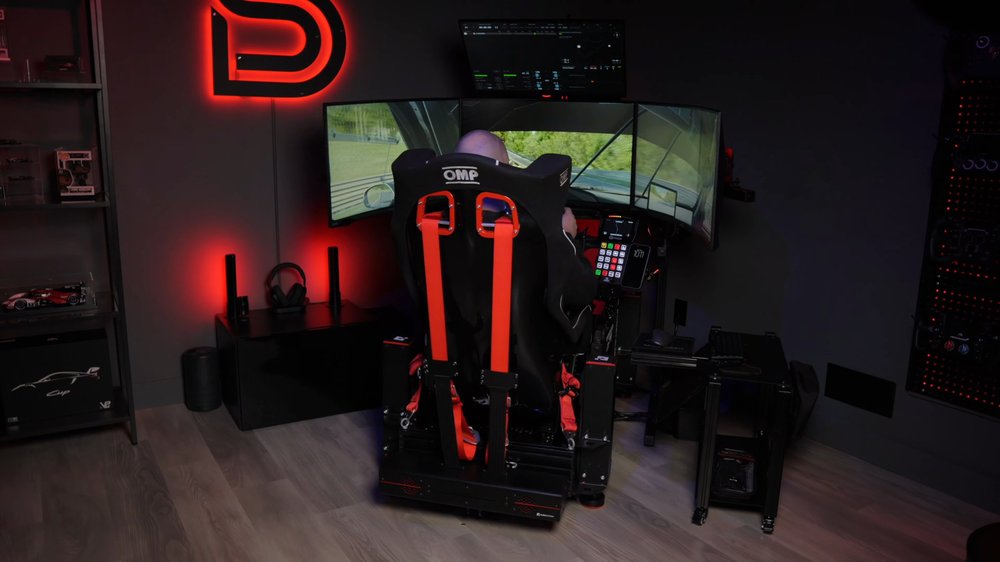
My ASR PRO Gen 2 chassis was provided by Advanced Sim Racing. Some links are affiliate links: I may earn a commission if you buy through them, at no extra cost to you. SRD5 applies to selected ASR products; it does not establish eligibility for every item shown.
Start with the whole cockpit.
My ASR PRO Gen 2 is the platform I use for testing and comparing equipment on the channel. This guide brings the main pieces of that build together so you can plan the parts around a chassis, not just choose a chassis and discover the remaining requirements later.
The full setup changes as hardware is tested. The core parts below come from my published equipment list; the planning notes explain what to check for your own build. They are not a claim that every possible combination has been tested in my rig.
The first shopping list: chassis and wheelbase mount, pedal mounting, seat and brackets, screen support, and the small hardware needed to join them. Add optional trays and accessories after those connections are clear.
If you are choosing your first cockpit, start with the beginner buying plan. If you are deciding between other ASR models, use the ASR 3 vs ASR 4 comparison alongside this build.
The main parts in my ASR setup
These links open the specific products, rather than ASR’s homepage. My use of a product is useful buying context; your controls, body dimensions and space still decide the right version.
ASR PRO Gen 2 chassis
The chassis in my setup. Choose the correct wheel-deck and mounting variant for your controls rather than ordering the base and assuming every bracket is included.
View ASR PRO Gen 2 chassis ↗ASR EVO Wheel Deck
Listed in my current equipment setup. A deck choice is part of the mounting system: check the deck, front or side mount and your exact wheelbase together.
View ASR EVO Wheel Deck ↗OMP HTE-R XL bucket seat
The seat in my equipment list. Check the shell width, seating position and side-mount requirements. A racing seat is not automatically the right fit for every driver.
View OMP HTE-R XL bucket seat ↗Advanced Side Brackets
My listed brackets are the Maximum Range version. Confirm the seat’s mounting method, hole positions and adjustment range before ordering brackets.
View Advanced Side Brackets ↗Advanced Heavy Duty Seat Sliders
Listed alongside my seat hardware. Sliders add fore-and-aft adjustment; include their height and mounting hardware in your seating-position plan.
View Advanced Heavy Duty Seat Sliders ↗Triple TV & Monitor Stand
My equipment list includes ASR’s freestanding stand for up to 50-inch TVs or 45-inch ultrawides, alongside LG 45-inch OLED monitors. Match the stand and mounting plates to your actual screens.
View Triple TV & Monitor Stand ↗Advanced Keyboard Tray
A keyboard still needs somewhere reachable when you are seated. Decide where the tray swings and whether it clears your seat, wheel and monitor stand.
View Advanced Keyboard Tray ↗Advanced Pivoting Side Arm
Useful to consider when arranging extra controls. It is a layout choice, not a required part of every ASR build. Check the compatible chassis and accessory plate.
View Advanced Pivoting Side Arm ↗Affiliate shopping links. Product availability, options and prices can change. Check whether each exact item qualifies for SRD5.
Choose mounting around the controls.
My current equipment list pairs the ASR platform with a Simucube 3 Pro wheelbase and Simucube ActivePedal Pro brake and throttle. Those are separate purchases from the cockpit. Their presence in a build does not make every product sold through ASR eligible for the ASR code.
Before buying a wheel deck, write down the mounting method your wheelbase needs: bottom, front or side mounting. Compare that with the selected deck and bracket package. For pedals, check the actual mounting pattern, fastener requirements, available travel and clearance for your shoes.
Plan the seat, wheel and pedals together. Moving only one of them can leave you with a comfortable wheel position but an awkward brake reach. Check access to the adjustment hardware as well as the final position; a bolt hidden behind the seat is harder to adjust after the cockpit is fully populated.
ASR’s current product page lists the Pro’s base length as 50 inches and width with adjustable feet as 29 inches. That is not the complete installed footprint: screens, stand legs, trays, cables and entry space extend beyond the chassis. Read the current ASR PRO specifications and variant options when measuring your room.
Plan the screens before the final seating position.
The LG 45-inch OLED monitors in my equipment list use a freestanding ASR monitor stand. ASR also sells smaller triple stands; a product described for 32-inch monitors is a different option from the stand listed for 45-inch ultrawides.
Check screen weight without the desktop base, VESA pattern, recess depth and required spacers. With triples, measure the total width at your intended side-screen angle and leave access behind the panels. Screen diagonal alone does not tell you the occupied width or mounting requirements.
Set the seating position and eye-to-screen distance together, then use the FOV calculator to enter the real geometry. See the ASR monitor-stand guide for the integrated-versus-freestanding decision.
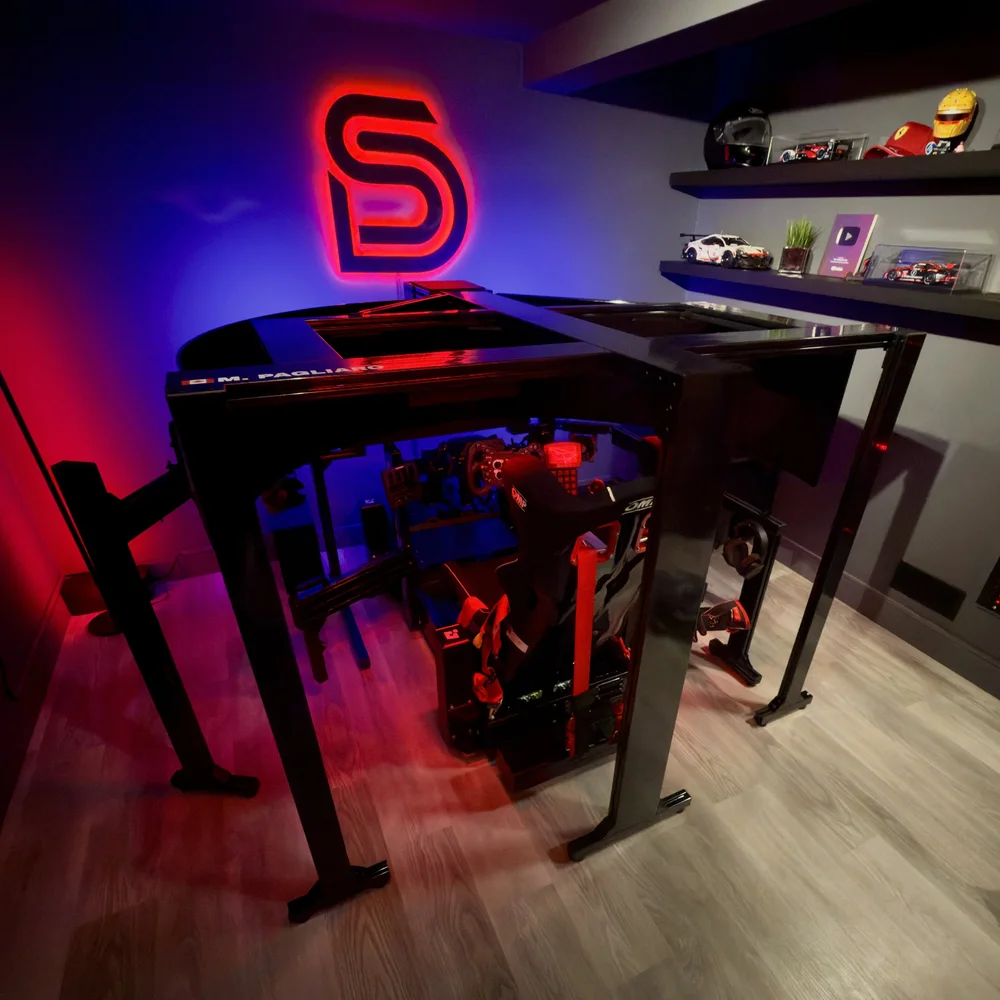
Budget for the installed rig.
A chassis price is one line in the budget. Build a basket with the exact variants you need, then separate the parts required to drive from the extras you can add later. A tray or floor accessory may be useful, but it should not crowd out a seat that fits or the correct wheelbase mount.
| Budget line | What to include |
|---|---|
| Chassis and mounts | Selected wheel deck, base brackets, pedal mount and any required adapters. |
| Seat system | Seat, side or bottom brackets, optional sliders, and suitable fastening hardware. |
| Screen system | Stand, mounting plates or adapters, spacers and monitor-specific screws. |
| Controls and PC | Wheelbase, wheel, pedals, display connections and the computer needed for your screen target. |
| Installed total | Cables, essential accessories, shipping, tax and any applicable discount on eligible merchandise. |
Keep quoted prices in one currency and compare matching configurations. Do not treat a starting price as the cost of the exact deck, seat and stand pictured. The product links above provide the current options and prices; they are not a reconstruction of what I originally paid.
Use SRD5 for 5% off selected ASR products—check the offer details →
A practical order for planning the build
- Measure the installed space. Include monitor wings, the chair’s entry side, accessory swing and access to power. Mark it on the floor before ordering.
- Confirm the control and seat interfaces. Match the exact products to their mounting hardware. Review what comes in each selected package before adding duplicate parts.
- Use the correct manufacturer instructions. ASR supplies separate chassis and wheel-deck guides. Choose the instructions for your back-end and deck variant; the guide for another configuration is not interchangeable.
- Establish the driving position. Set the relationship between seat, pedals and wheel, then check comfortable reach and entry. Follow the component makers’ instructions for fastening and adjustment.
- Position screens and route cables. Allow slack where a seat, tray or motion platform moves. Keep cable runs clear of pedal travel and adjustment hardware.
- Test the complete arrangement. Check control operation, display geometry and cable clearance before treating the rig as finished. Follow the manufacturers’ inspection and maintenance guidance.
This is a planning sequence, not a replacement for ASR’s assembly instructions. Follow ASR’s instructions for the selected configuration and fastening details.
Add accessories for an actual need.
The smaller pieces can make a cockpit easier to live with: a reachable mouse surface, a keyboard tray that clears the seat, and cable management that leaves connectors accessible. They do not all have to be bought at once.
My listed ASR accessories also include the floor plate and mouse pad plate. Before choosing one, decide what problem it solves in your layout and check its attachment points. An accessory shown on a Pro build should not be assumed to fit every ASR chassis generation.
If motion is part of the plan, treat actuator mounting, movement clearance, screen separation and cable slack as another system to verify. Start with the motion planning guide; do not infer approval for a motion kit from the chassis name alone.
Sources and next steps
- My complete equipment list: the source for the personal build components in this guide.
- ASR PRO product page and assembly resources: check current specifications, variants and manuals.
- Choosing an ASR monitor stand and planning the screen configuration.
Build your list, then check the saving.
Use the specific product links above, confirm the mounting options, and enter SRD5 at checkout for eligible ASR products. Check the order summary before paying.
Explore Advanced Sim Racing ↗