
FINISH YOUR RIG · ACCESSORY GUIDE
Cable management for your sim rig.
Choose clips that fit, keep USB hubs accessible and leave the right slack for seat, pedal and cockpit movement.
Affiliate disclosure: shopping links may earn me a commission at no extra cost to you. This is a product-selection guide, not a hands-on review of every accessory shown.
5% off selected SSG products
See offer details and accessory picks →
Plan the route before buying clips
Good cable management starts with access and movement. Lay out the wheelbase, pedals, shifter, displays and other devices before closing any cable bundle. Separate the short runs that stay on the cockpit from the longer leads that reach the PC, power supplies or a freestanding monitor stand.
Identify every point that changes position: seat sliders, an adjustable pedal tray, a swinging keyboard arm or a motion cockpit. Leave a relaxed service loop at each moving connection. Move the part through its usable travel and watch the cable before fixing the route.
“Aluminium profile” is not one universal slot size. Check the extrusion series and slot geometry on your chassis. Match the exact clip variant to that profile; do not choose solely from a brand name or an image of a similar-looking rig.
Choose clips for the job
| Part | Useful for | Check before ordering |
|---|---|---|
| Slot-mounted clips | Holding a cable run along compatible extrusion. | Profile fit, cable capacity and whether the clip can be fitted without stripping the rig. |
| Clips for reusable straps | A bundle you expect to change. | Strap clearance and whether individual leads can still be removed. |
| Cable channels | A straighter run along the frame. | Series, length, corners and access to connectors. |
| Device-specific hub bracket | Keeping a hub reachable and supported. | The exact hub model, port access and power lead. |
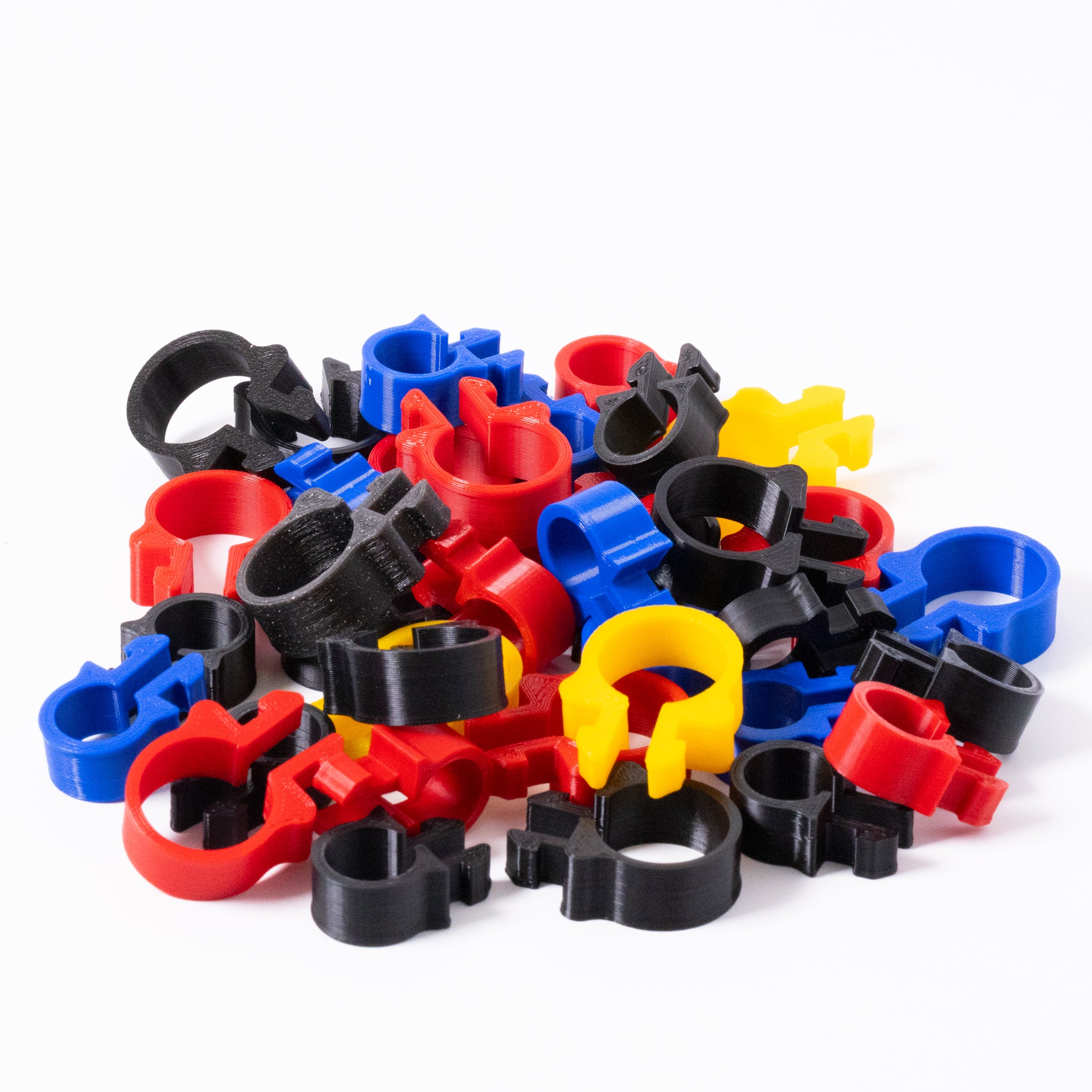
SSG lists the SNUG clip in standard and large cable capacities, described as 13 mm and 20 mm diameters. Those figures describe the clip’s cable capacity, not a guarantee that it fits a 13 mm or 20 mm profile slot. Check the profile application separately.
The listing describes a sideways insertion and quarter-turn attachment without extra hardware. Follow the supplied instructions and stop if a clip needs excessive force. A different extrusion may need a different clip.
A practical routing sequence
- Label both ends. Start with the wheelbase, pedals and peripherals so the names still make sense when the rig is unplugged.
- Choose a fixed route. Keep leads away from pedal linkages, seat runners and the underside of a moving cockpit.
- Mount devices before bundling. Leave hub ports and switches accessible. Support power bricks according to their ventilation and mounting instructions.
- Secure loosely, then test. Use reusable straps where changes are likely. Avoid crushing a USB cable or pulling a connector sideways.
- Move everything. Slide the seat, adjust the pedals and swing accessory arms. For motion, account for travel relative to anything that stays on the floor.
- Test the full setup. Check each device in its software, then tidy the remaining slack. Keep a way to release the run without dismantling the cockpit.
Do not remove all slack just to make the underside photograph neatly. The service loop is doing a job. Equally, avoid a loose loop that can fall into the pedal mechanism or catch your shoe.
A hub mount is not a USB upgrade
A bracket secures the hub; it does not increase USB bandwidth or solve every device disconnect. Check the hub’s electrical and data specifications against the devices you plan to connect, and follow each device maker’s USB recommendations.
SSG’s Sabrent 10-port hub mount is named for that hub. The listing includes two M6 bolts and two M6 T-nuts. That does not establish compatibility with a 16-port hub or another case shape. Check the selected option for whether the hub itself is included, and confirm the fasteners suit your cockpit.
If you already own a suitable hub, buy the mounting option you need rather than a second hub. Leave enough space to unplug a cable without taking the bracket off the rig.
Two parts to compare
SNUG cable clips
Compare the cable capacity, quantity and profile fit. Plan the route first so you can count the fixing points you need.
View options at SSG ↗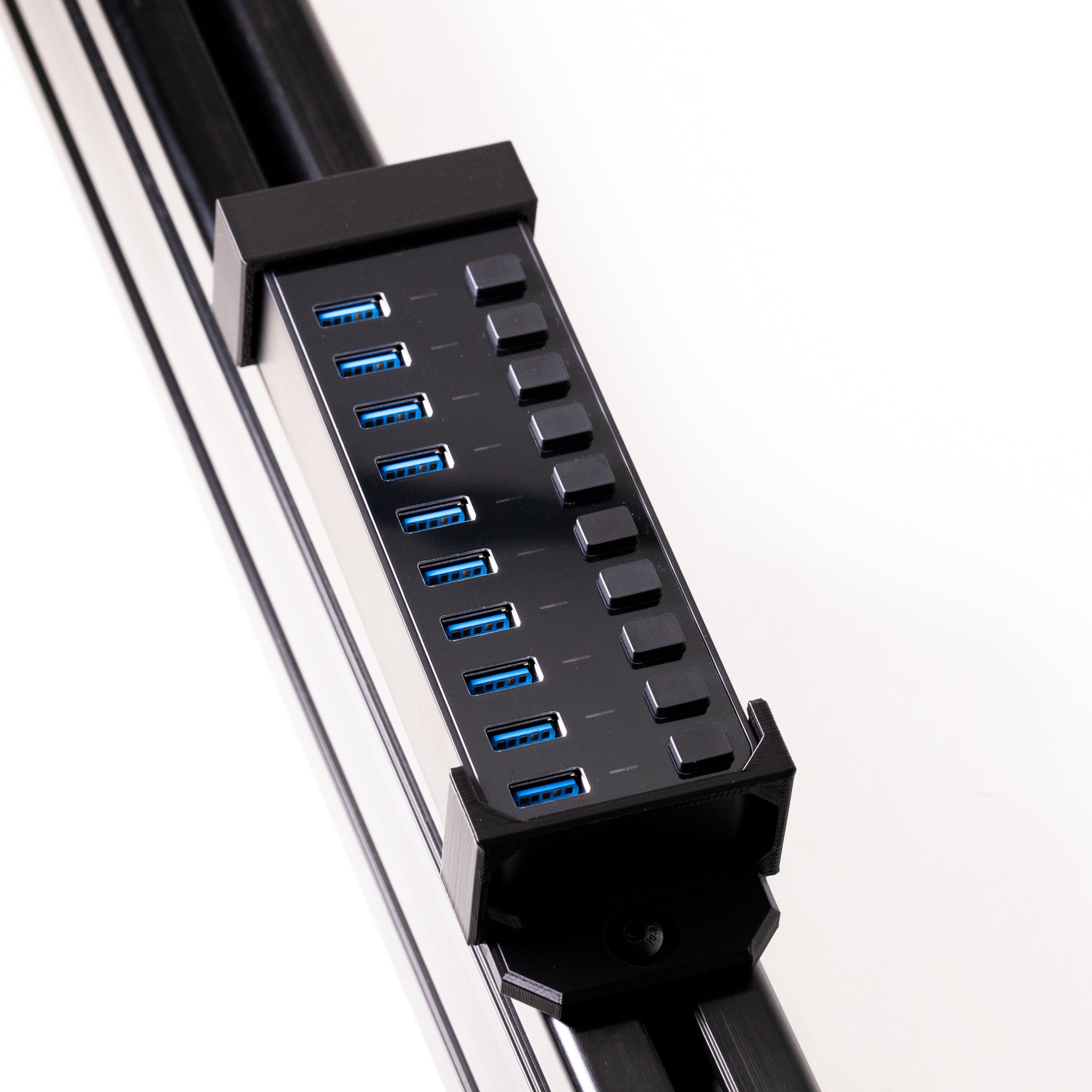
Sabrent 10-port hub mount
A device-specific bracket. Confirm your exact hub model and the chosen mount-only or hub-included option.
View options at SSG ↗Buy for the route you have
Count the fixing points along your planned cable run, then add only the parts needed for changes of direction and access. A mixed starter pack may help if you need several clip styles, but it can be wasteful if one style solves the whole job.
For an ASR chassis, confirm the actual profile series and slot style with the clip listing. My ASR build guide is useful cockpit context, not proof that every clip fits every ASR frame. Pair this guide with the Stream Deck mounting guide if your controls also need a better position.
Your SimSportGadget code
Sources & product details
Product options checked 19 October 2026. Confirm the current listing and follow the manufacturer’s installation instructions for the parts you receive.