
FINISH YOUR RIG · ACCESSORY GUIDE
Choose the right Simagic P-HPR pedal mount.
Check the exact pedal, reactor and connection path before buying an adapter. The bracket is only one part of the setup.
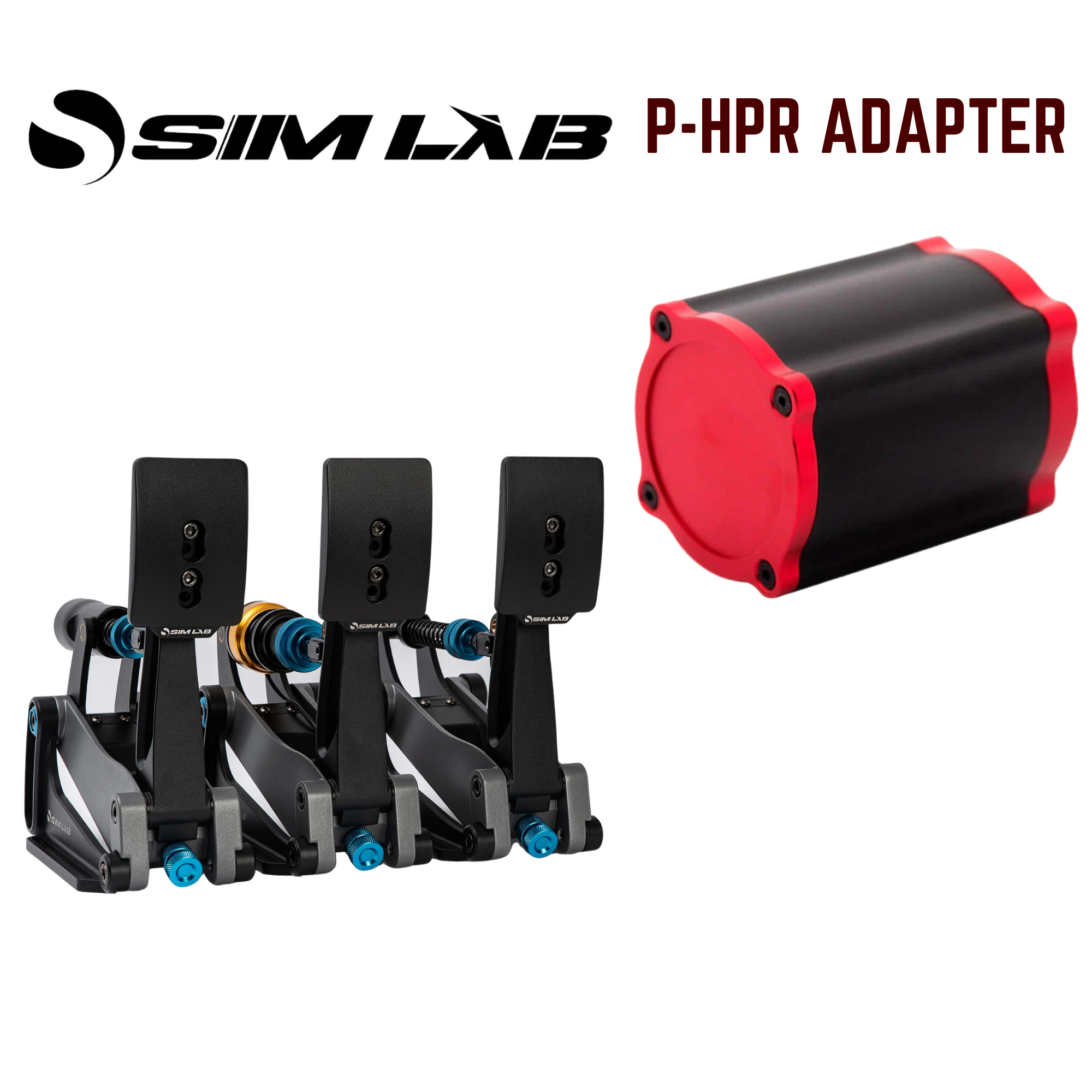
Affiliate disclosure: shopping links may earn me a commission at no extra cost to you. This is a product-selection guide, not a hands-on review of every accessory shown.
5% off selected SSG products
See offer details and accessory picks →
Match the pedal and reactor separately
A pedal-reactor adapter has two jobs: attach securely to the pedal and provide the right interface for the feedback unit. Check both sides. The pedal brand alone is not enough; write down the exact model, revision and the pedal position you want to use.
Then identify the reactor. P-HPR, P-HPR GT and P-HPR NEO are different product names. Do not assume a mount sold for one accepts another. Read the compatibility list for the exact adapter and the version currently being shipped.
SSG lists model-specific options for several pedal families. One example is its Sim-Lab XP1 full-set mount listing, which names P-HPR, P-HPR GT and SIMSONN VAM Pro compatibility. That is a claim about this specific bracket listing, not every XP1 accessory or every SSG adapter.
Separate the bracket from the electronics
The mount is a mechanical part. It does not by itself supply a reactor, controller, power adapter, USB connection or game telemetry. Work out the complete connection path before ordering a bracket.
SIMAGIC’s P-HPR product information describes its own supported product ecosystem. A third-party bracket does not turn another pedal into an officially supported SIMAGIC pedal. Confirm the controller, power supply, software and game support required for your exact combination with the relevant makers.
If you cannot identify the supported controller and power arrangement, resolve that before buying. A physically neat installation that cannot be driven by the intended electronics is still the wrong purchase.
Check the basket line by line: adapter, reactor, controller, power supply, connecting leads and mounting hardware. A listing called “full set” may describe a set of brackets; it should not be read as a complete electronic haptics kit.
Check clearance through full pedal travel
- Check the attachment points. Compare the product’s installation photos with your pedal. Note any existing bolts that the bracket replaces or shares.
- Allow for adjustments. Pedal angle, face height and heel position can change the available space around the reactor.
- Check the full stroke. Follow the installation instructions and check that the bracket, reactor and lead do not contact the baseplate or adjacent pedal.
- Keep the lead clear. A moving pedal should not pull on its reactor cable or rub it against an edge.
- Check all included parts. Confirm the quantity and fasteners for the pedal positions you want. Do not assume the photo includes every part sold in the selected variant.
Do not improvise a load-bearing attachment because two bolt holes nearly align. Ask the bracket supplier about an unlisted pedal revision. Follow the pedal maker’s instructions if installation involves removing or replacing original fasteners.
An XP1 option to compare
Sim-Lab XP1 reactor mounts
An example for the named XP1 pedal application. Read the current reactor compatibility list and confirm the bracket quantity and included hardware.
View options at SSG ↗Shopping for a different pedal? Start from the exact model in SSG’s adapter range and check each listing independently. Do not buy the XP1 example for another pedal.
Start with one clear feedback cue
Once the hardware is installed and supported software detects it, use the maker’s test function before entering a session. Start at a modest level and change one effect at a time. Several overlapping effects can make it harder to understand what a vibration is telling you.
Haptic vibration is separate from the pedal’s resistance mechanism. A reactor bracket does not make a passive pedal an active force-feedback pedal or establish that it will improve lap times. Decide which cue you want and whether the chosen software can provide it in your sim.
Recheck the attachment and cable route after the first sessions. For buying context, read my Sim-Lab XP1 review; for the wider distinction between vibration and cockpit movement, see the sim racing motion guide.
Your SimSportGadget code
Sources & product details
Product options checked 19 October 2026. Confirm the current listing and follow the manufacturer’s installation instructions for the parts you receive.