
Guides / Motion
So you want to add motion? Read this before you spend the money.
Compare cockpit movement, tactile feedback and belt tensioning. Check the mounting, software and total cost before choosing your next upgrade.
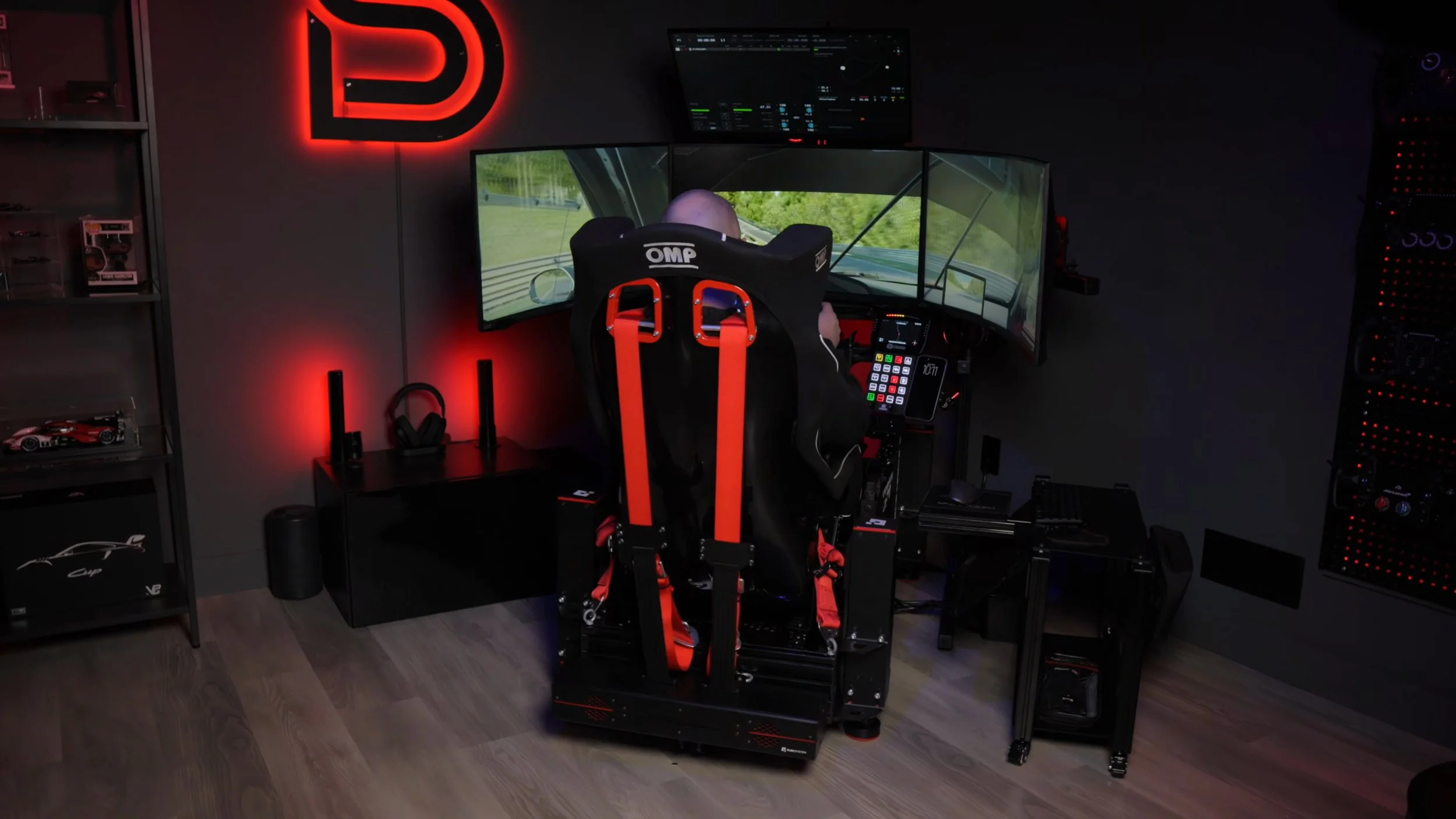
I run four Qubic QS-210 actuators under the cockpit, with a QS-BT1 belt tensioner on the harness. Qubic identifies its four-actuator arrangement as 3DOF; its separate two-actuator QS-Pivot package is labelled 2.5DOF. I have also tested and reviewed the D-BOX G3 and written the comparison between the two.
Motion is an upgrade I enjoy, but choosing it involves the complete installation: cockpit, moving load, screens, cables, software and the room around it.
The question I would start with is simple:
What physical cue do you want that your current rig does not provide?
A platform moves the cockpit or seat. A tactile transducer adds vibration. A belt tensioner changes harness pressure. Those are different outputs, even when the same software or product family supports several of them.
Choose the cue first, then work out whether your rig and room can support the equipment that creates it.
Check current brand offers and eligibility →
This is buying and planning guidance, not a benchmark of every platform mentioned. My original video is linked at the bottom — read its pricing and product advice in its original context. The linked discount directory contains affiliate links that may earn me a commission at no extra cost to you, and discounts apply only where explicitly listed.
The short answer
Start with a comfortable, stable rig, then choose feedback that solves a problem you can describe.
| Check first | What to establish |
|---|---|
| Chassis, seat and controls | Suitable mounting, repeatable pedal inputs and a comfortable driving position. Use any harness specified for the selected system. |
| Moving load and balance | The manufacturer’s payload definition, mounting geometry and permitted load distribution. |
| Displays and room | The complete swept envelope, fixed obstacles, cable movement and access to the seat. |
| Software and game | The exact sim, platform, supported telemetry or other input method, and any additional PC or licence requirements. |
| Cost and ownership | The complete installed price, noise and vibration, power requirements, support and servicing. |
Scroll sideways to see all columns. With a keyboard, focus the table and use the left and right arrow keys.
A smooth visual experience matters, but rendered FPS is not the same as telemetry update rate. Test both the sim’s frame delivery and the motion software’s game connection; a low frame rate alone does not prove that motion data is stuttering.
Choose by the missing cue. For vibration and texture, investigate tactile feedback. For pressure through a harness, investigate tensioning. For movement of your seat or cockpit, investigate motion. Compare complete installed costs and try the intended effect where possible.
What motion can and cannot reproduce
Many sim-racing motion systems read game telemetry and turn it into physical cues. Other software modes can generate effects from audio or controls. Check which method a supported game uses; input-triggered vibration is not the same as a cue derived from vehicle physics.
A compact platform has limited travel. It cannot sustain the same translational acceleration as a car through a long corner. That limitation does not mean it cannot create useful cues.
Motion-cueing algorithms can combine short movements, washout back toward a reference position, and tilt coordination. Tilt changes the direction of gravity relative to your body to suggest part of a longer acceleration cue. The available axes, travel, tuning and timing determine what a particular system can do. The return movement is not guaranteed to be imperceptible.
Software, mechanics and installation all matter. Judge whether the movement agrees with what you see and feel through the controls, rather than comparing only the largest movement in a demo.
Background on motion cueing, in a flight-simulator context: NASA motion-cueing research ↗
“Motion makes you slower” — is that true?
I have not run a controlled lap-time study for this guide. I would not promise that motion makes you faster, or that it inevitably makes you slower.
It adds another cue to learn and another profile to tune. Large or poorly timed movements may distract you, change your view of fixed screens or make consistent control inputs harder. A restrained profile can be more comfortable for me, but that is not evidence that it is universally faster.
If performance matters to you, compare repeated sessions with the same car, track and conditions. Look at consistency, mistakes and comfort as well as a best lap. Keep practice and setup changes separate so you can tell what changed.
I would buy motion for an experience I enjoy using. Any lap-time benefit needs evidence from the driver and configuration, rather than a general claim about the technology.
Degrees of freedom, decoded
This is where the marketing gets slippery, so it is worth ten minutes.
Six degrees of freedom exist. Three are movements along an axis, three are rotations:
| Movement | Physical direction |
|---|---|
| Surge | Forward and backward translation |
| Sway | Side-to-side translation |
| Heave | Vertical translation |
| Pitch | Rotation around the left-to-right axis: nose up or down |
| Roll | Rotation around the front-to-back axis: lean left or right |
| Yaw | Rotation around the vertical axis: turn left or right |
Scroll sideways to see all columns. With a keyboard, focus the table and use the left and right arrow keys.
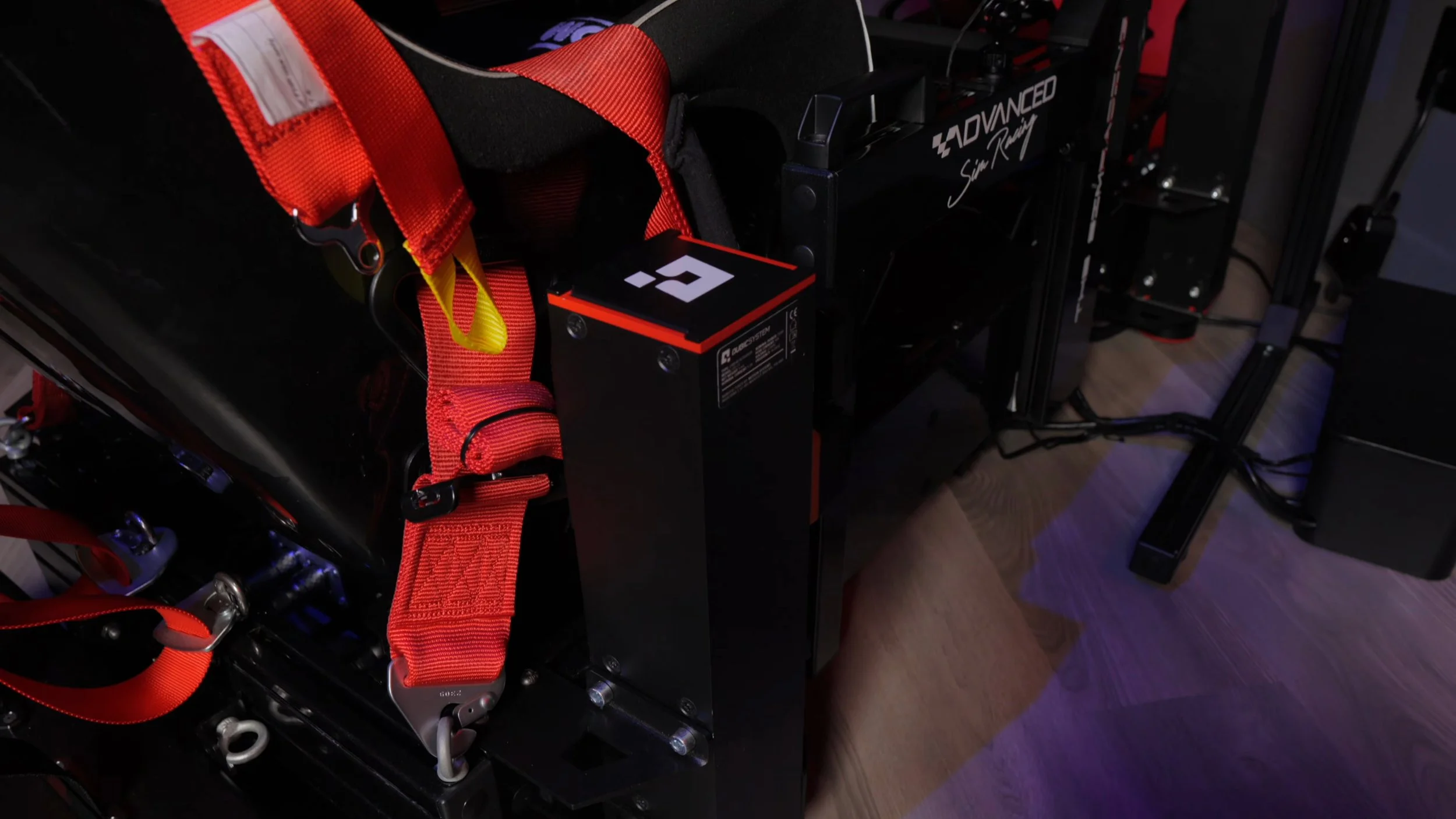
Actuator count is not the number of independent axes. Ask which translations and rotations the installed configuration can control.
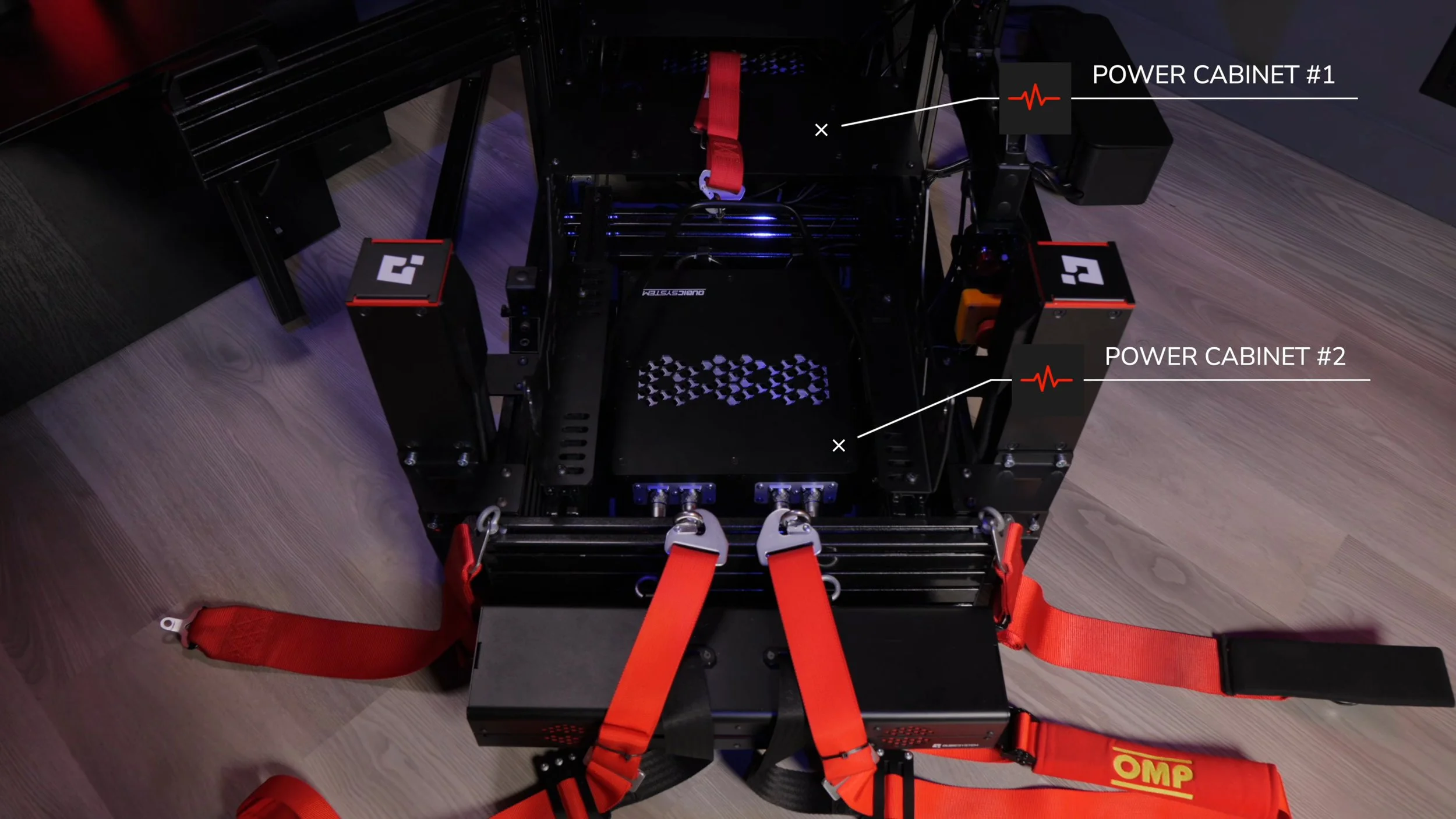
In the four-actuator QS-210 arrangement, the actuators work together to produce heave, pitch and roll. It does not have a separate horizontal sway or surge stage. Tilting to suggest lateral or braking load does not add an independent translation axis.
Qubic’s two-actuator QS-Pivot package is described as 2.5DOF: pitch and roll, plus a heave sensation derived from the pivot geometry rather than an independently controlled heave axis. Its four-actuator package is listed as 3DOF. Read the configuration details behind the label.
Manufacturer examples: QS-210 configurations ↗ · QS-Pivot 2.5DOF explanation ↗
More axes add capability, but do not rank the overall experience. Compare the available movements, useful travel under load, timing, footprint and installed price for the systems you are considering.
Seat mover or whole cockpit?
Consider what moves relative to your body, controls and screens.
A seat mover moves the seat while the wheel and pedals remain on a separate frame. It usually moves less of the rig’s mass, but price, footprint, noise and mounting requirements are specific to the model. It still needs clearance and a suitable screen arrangement.
The compromise is real though: the distance between your body and the controls changes as you move. For some people that is a non-issue. For others it makes the pedals feel inconsistent under braking, which is exactly where you want consistency. You need to try one.
A whole-cockpit platform moves the seat, wheel and pedals together, preserving their mounting relationship as the chassis moves. That is the arrangement I use. Confirm the complete moving load and the manufacturer’s mounting requirements.
The cost is everything around it. The platform has to carry the whole assembly, the load has to be distributed the way the manufacturer specifies, and anything mounted to the rig now moves with it — which brings us to screens.
Traction-loss and other extra stages can add movements such as yaw or horizontal translation, depending on the design. Check the actual pivot and travel geometry, supported software and added moving mass. The label “traction loss” does not mean that the rig reproduces every motion of a sliding car.
Four installation checks before ordering
Check these against the exact system, cockpit and configuration you intend to use.
1. The moving load is bigger than you think
It is not your body weight. Depending on the design it is the chassis, seat, wheelbase, pedals, every bracket, every accessory — and possibly your screens.
Where that mass sits matters as much as how much of it there is. A heavy wheelbase cantilevered out front loads the platform differently than the same weight sitting under the seat.
Use the manufacturer’s definition of payload, permitted load distribution and specified mounting geometry. Include the driver and whichever components the definition requires. A total below the headline rating does not establish that the load is balanced correctly. Qubic’s configuration-specific documentation illustrates why the arrangement matters.
Source: Qubic System QS-210 documentation
2. The rig sweeps a volume, not a footprint
The parked dimensions are the beginning. What you need is the space the rig passes through at full travel, plus clearance to get in and out while it is installed.
Measure it before you buy. Then check what is in that volume: the desk, the wall, a radiator, the door.
3. Your screens are now a problem
This is the one that catches people, and it is worth its own section.
With fixed monitors, your eyes and parts of the moving rig change position relative to the screens. With rig-mounted monitors, the screens add moving mass and alter its distribution. Check that the selected platform, stand and mounting arrangement support the choice.
Here is how I do it, and it works well.
My monitors sit on their own stand, in front of the chassis — not attached to the rig. Then the setup order is what matters:
- Establish the complete movement envelope. Use the manufacturer’s configuration and travel guidance, including tilt, startup and parking movements; actuator stroke alone does not describe every point on the cockpit.
- Position screens and route cables with the specified clearance. Account for the entire rig, attachments and moving cables, not just the wheelbase at rest.
- Set FOV at your normal reference position, using measured screen width, bezels and eye distance. Check visibility through the intended movement range.
Start with the movement and clearance requirements, then refine screen placement. A position that works on a static rig may need to change when the cockpit moves.
On my fixed-screen installation, clearance limits how close the screens can sit. Setting FOV correctly preserves the reference geometry; it does not restore the visual coverage lost by moving a screen farther away. My display guide explains the screen and viewing-distance trade-offs, and the FOV calculator gives a starting value.
Both arrangements work. Neither is free. Decide which one you are doing, confirm the platform supports it, and check clearance through the full range of travel — not with the rig parked.
4. Noise and vibration travel further than you expect
Motor noise is the part you can hear in a demo room. The part you cannot is structure-borne vibration moving through the cockpit into the floor and out through the building.
If you are in an apartment, a semi, or upstairs over someone’s bedroom, take this seriously before you order. Ask specifically about isolation requirements and the recommended mounting surface. A showroom on a concrete slab tells you nothing about a first-floor bedroom on joists.
Check the electrical requirements and what servicing looks like too. These are ownership questions, not footnotes.
Check software support with the hardware
Check the game, hardware and software as one combination. A game appearing on a list does not establish that every effect or configuration is supported.
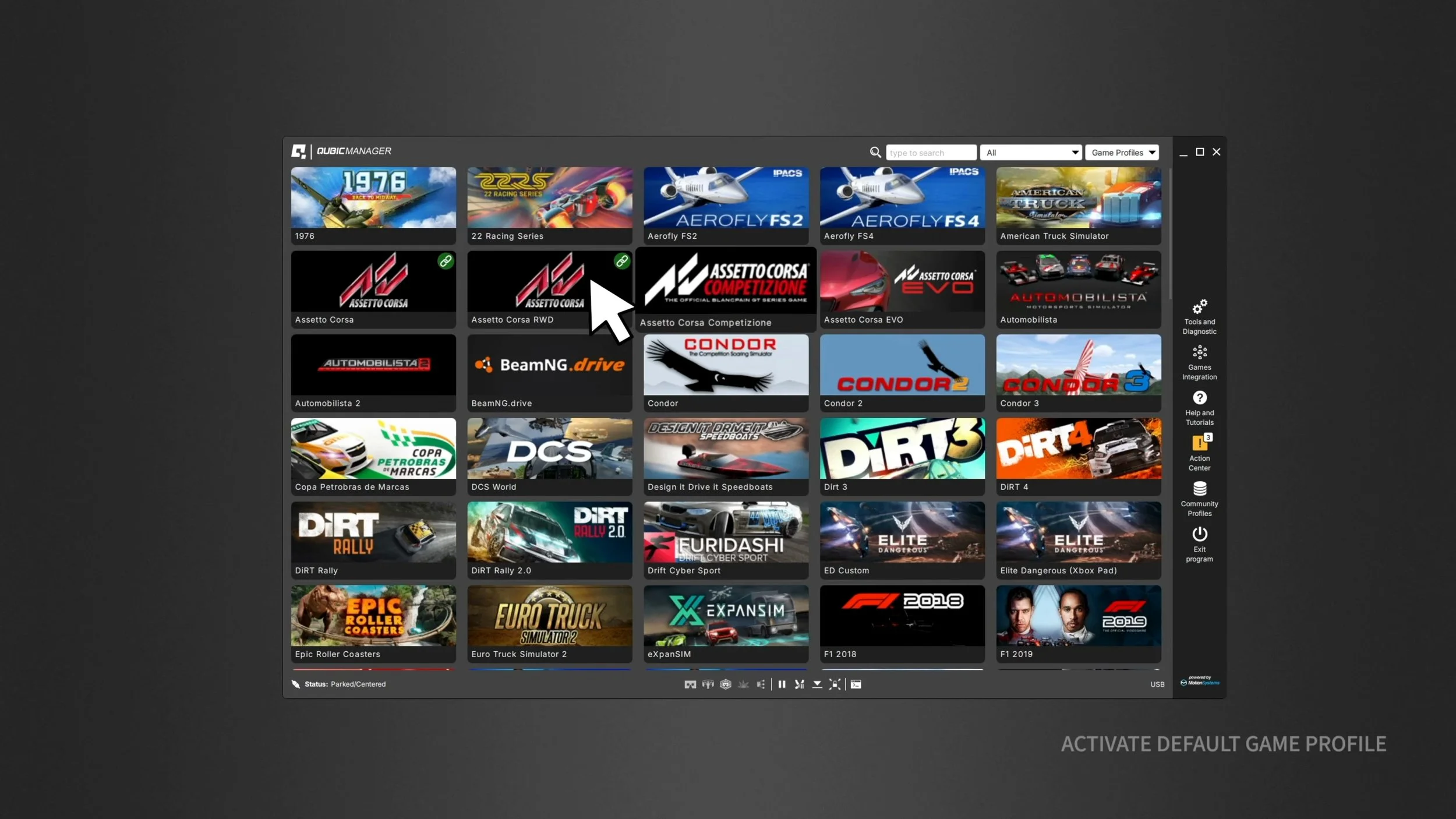
Does it support your exact sim and platform? Confirm the game version, available effects and required telemetry settings. Check whether console use needs an additional Windows PC or network connection. Ask how integration updates are delivered when a sim changes.
How does tuning work? You will spend real time on profiles. Find out whether adjustment is a few sliders, a full effects editor, or a config file. All three can be fine; you just want to know which one you are signing up for.
Are there licences beyond the hardware? Some features, integrations or continued updates sit behind additional cost. Establish that before you compare prices, or you are not comparing prices.
What does support look like? Documentation, diagnostics, and a human when something stops working. You are buying a mechanical system that lives in your house for years.
Compare the actual setup process and supported features rather than assuming manufacturer software is simpler or third-party software is more flexible. Some systems require their own control software even when other tools run alongside it.
Current references: Qubic supported games ↗ · D-BOX software downloads ↗. Check required software and licences for the exact hardware.
Reading the spec sheet honestly
Travel, speed, acceleration, payload and latency all matter. None of them ranks platforms on its own.
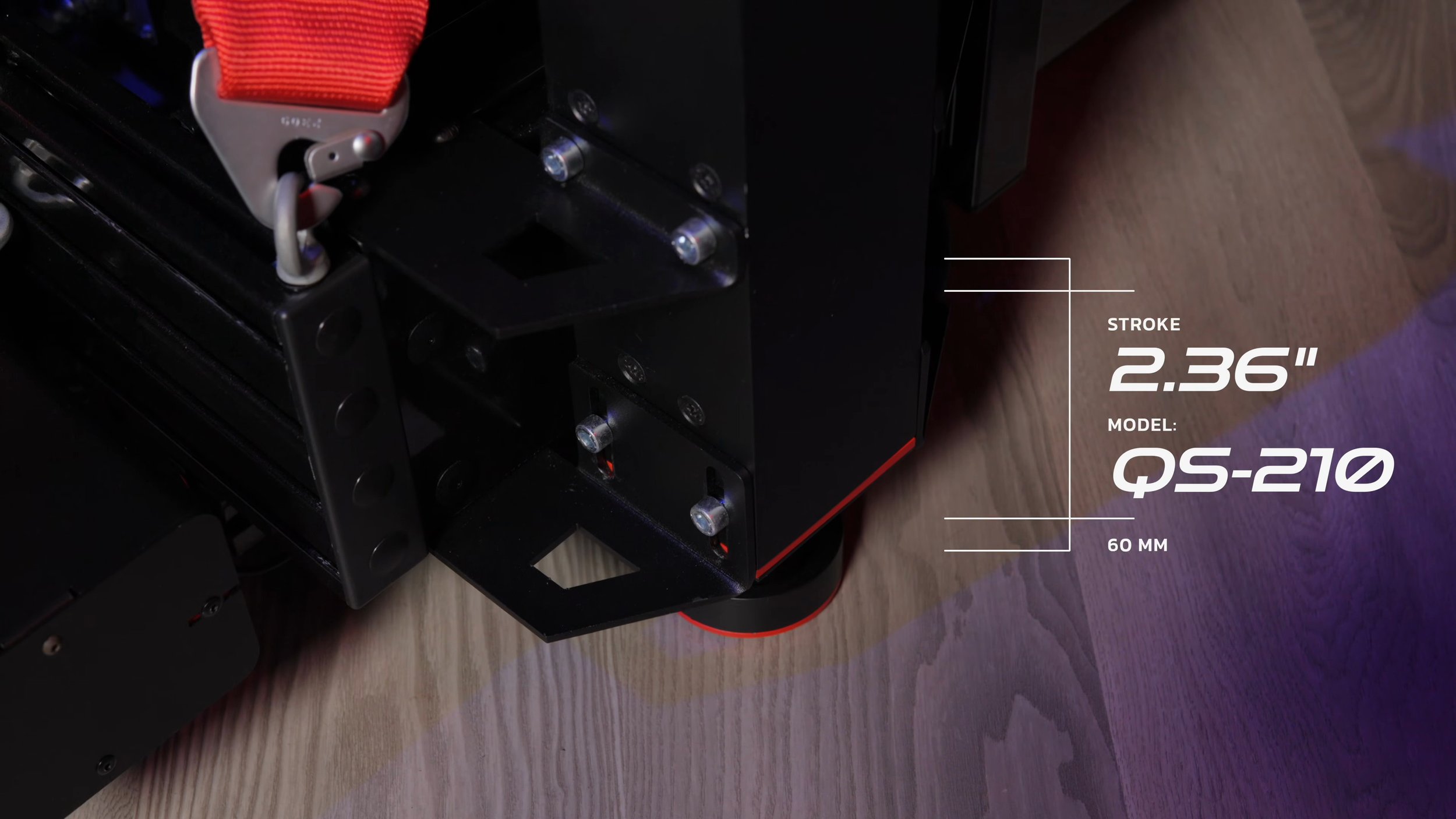
Travel: distinguish actuator stroke from platform translation and rotation. The mounting geometry and operating range determine what happens at the seat and at each corner of the cockpit.
Speed and acceleration: compare the stated load, configuration and measurement method. An unloaded maximum is not a guarantee of the same result with your complete rig.
Latency is the sneaky one. A quoted controller response time is not the same as the delay from the sim generating telemetry to your cockpit physically moving. Those can be very different numbers. Ask which one you are being given.
Ask manufacturers to explain their figures and to compare like-for-like configurations. A company that answers that question clearly is telling you something useful about itself.
If you race in VR, read this twice
A headset tracks movement relative to its tracking reference. If the rig moves in that space, the tracking can include platform movement as well as your own head movement, changing the view in ways you may not want.
Motion compensation aims to remove the platform’s contribution while preserving deliberate head movement. Implementations may use platform telemetry or a separate tracking reference. Compatibility depends on the headset, tracking method, runtime, simulator and motion software together.
Manufacturer explanation: Motion Systems on VR and motion compensation
Before buying, verify that complete combination and its setup procedure, including the reference position and tracking geometry. A general OpenXR or SteamVR label does not by itself confirm a particular compensation workflow.
Compensation does not guarantee comfort. Try the intended configuration with a restrained profile, and judge a normal session rather than a brief demo. Individual comfort varies; there is no general promise that adding motion resolves an existing VR-comfort problem.
Choose an upgrade by its purpose
There is no required ladder from transducers to belts to a platform. Choose the output you want, check the complete installation, and stop when the result suits you.
Tactile transducers turn a driven signal into vibration through a seat or rig. A telemetry-based setup can separate supported effects; an audio-driven setup follows its audio signal. Budget for suitable amplification, mounting and signal routing. Cost and installation time vary, and vibration can still travel into the building.
Example setup documentation: SimHub ShakeIt audio-output configuration ↗. Effects and their locations depend on the game’s available data.
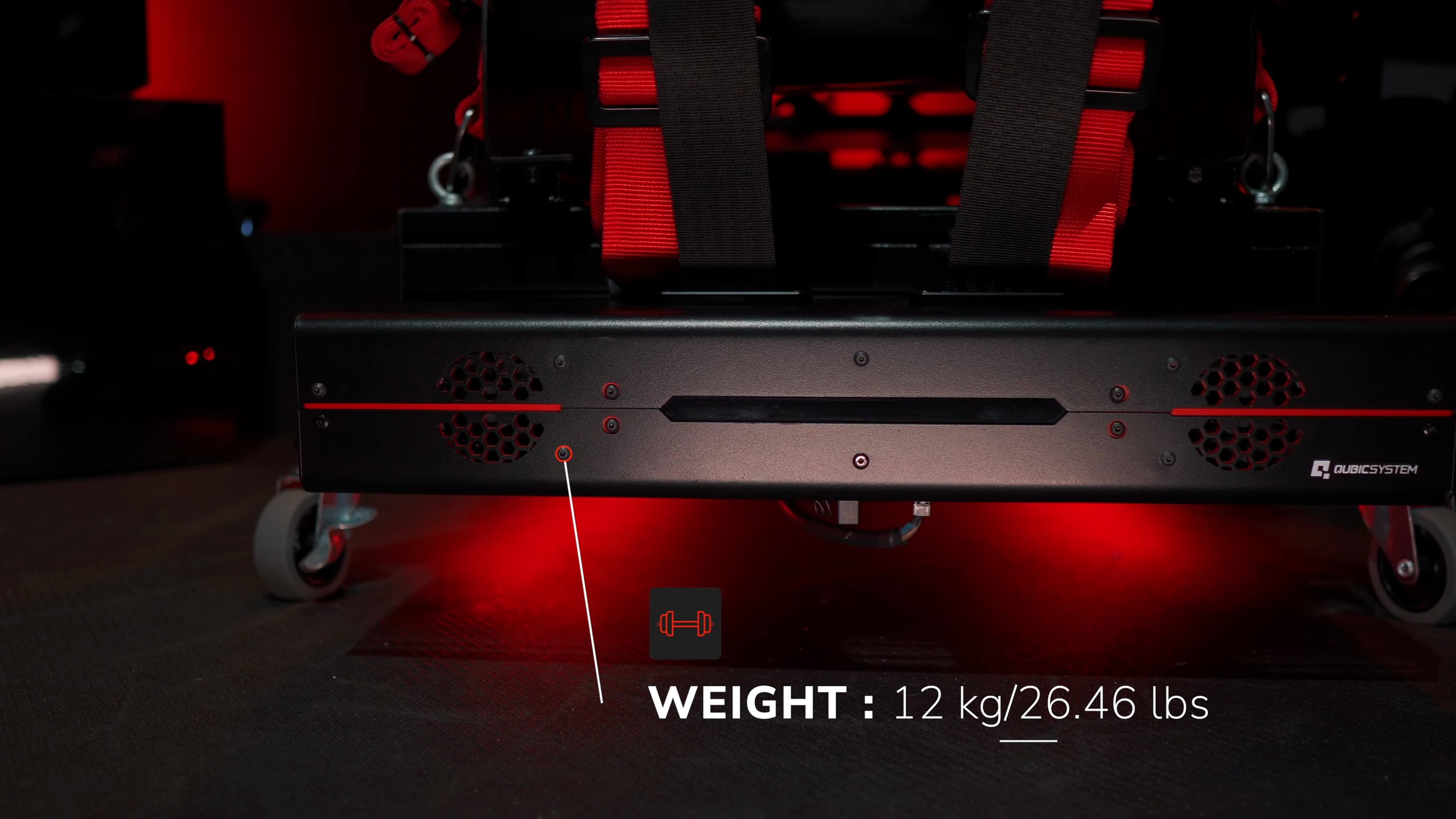
A belt tensioner changes pressure through a harness using supported effects. It can hold tension within its operating limits, but that pressure is not the same as reproducing whole-body acceleration in a car. I use the QS-BT1 alongside my platform because I enjoy those complementary cues.
For the QS-BT1, follow the seat, harness and mounting instructions. Qubic specifies that on a moving cockpit the tensioner must move with the seat, and that the harness should be attached to the cockpit rather than using the tensioner as its anchor. Check the required Motion-Lock arrangement and package contents against the manual.
Installation reference: QS-BT1 manual ↗
My suggested order: resolve seat, pedal and chassis stability; identify the missing cue; compare compatible options and complete costs; then add and tune one change at a time. A tensioner is optional, not a prerequisite for a platform, and a seat mover is not automatically suitable for a shared building.
For an installation budget, include the device, controller or amplifier, mounts, suitable harness where required, cables, power, software, delivery and tax. Add any required isolation, screen changes and planned servicing. Compare that complete figure with the upgrade you actually want.
Why I kept the one I kept
I have had both the Qubic QS-210 and the D-BOX G3 on my rig, and the QS-210 is the one that stayed.
The QS-210 felt more connected and lively to me, and I preferred the hardware’s build and finish. That is my impression from the configurations and profiles I used, not a measured latency result or a controlled ranking of every current version.
I want to be clear that this is preference, not a verdict. Both are capable platforms, and someone else could sit in the same two rigs and come away the other way round. What I can tell you is what the difference actually came down to for me: responsiveness and how immediate the movement felt, not travel figures or degrees of freedom.
Which is really the argument for the next section.
Before you commit, try it properly
If you can get a demo, use a car and track you know well so you have a familiar visual and steering baseline for judging the additional cues.
Ask for a restrained profile, not the showcase one. Then pay attention to whether the braking transition, the kerbs and the direction changes feel connected to what you are seeing and feeling through the wheel. Disconnected motion is worse than no motion.
Run a normal session length rather than only a few laps. Notice noise, vibration, comfort and whether the cues remain useful after the initial novelty. If possible, compare with motion off using the same car and track.
And ask to see the software and the setup process, not just the driving. You are buying years of ownership, not one demo.
Watch the original video
I walk through this with the rig in front of me. It went up in October 2025, so treat the specific products and prices in it as a snapshot of that moment — the written guidance above is where the current buying advice lives.
Planning a motion build?
Check the discount directory before you order. A brand appearing there does not mean every motion product carries a discount — codes, affiliate-only links and restrictions are listed per brand.
Going deeper
- Qubic QS-210 vs D-BOX G3 → — two platforms compared directly, both of which I have used.
- Qubic QS-210 review → — the platform I run, in detail.
- QS-BT1 belt tensioner review → — the harness-pressure system I use alongside the platform.
- Monitors, triples or VR? → — the display guide, including FOV for a moving rig.
- My setup → — the full parts list for the rig in this article.