
Review disclosure: The QS-210 was supplied to me for review, and I was allowed to keep it. RaceKraft Simulation also supplied the custom mounting brackets used in my installation. The impressions and verdict below are my own.
After several months with the Qubic System QS-210 on my primary rig, it feels like the right motion kit for me. The actuators are fast and precise, but the feature that stood out most was the detail: surface texture, engine vibration and the impact of a curb all came through clearly.
The QS-210 strikes a balance I like between motion, build quality and software. It is a substantial investment, and fitting it neatly into an existing cockpit takes planning. Once installed, though, it doesn’t demand constant tinkering. I can jump in and race, with the adjustments available when I want to fine-tune something.
Watch my full QS-210 review on YouTube.
My verdict at a glance
A strong fit for: someone with an established sim rig who values detailed motion and haptics, usable default profiles and room to fine-tune the experience.
The main compromises: sizeable actuator housings, two power cabinets in the four-actuator configuration, installation space and a price that puts it beyond an entry-level upgrade.
My standout feature: the clarity of the smaller road and chassis sensations. In my testing, these were more vivid than on the VERO Motion Champion system I had previously tried.
My preference: the QS-210’s 60 mm of travel was enough for my racing. I would consider a system with more travel if rally or flight simulation were a bigger part of my use.
What I tested
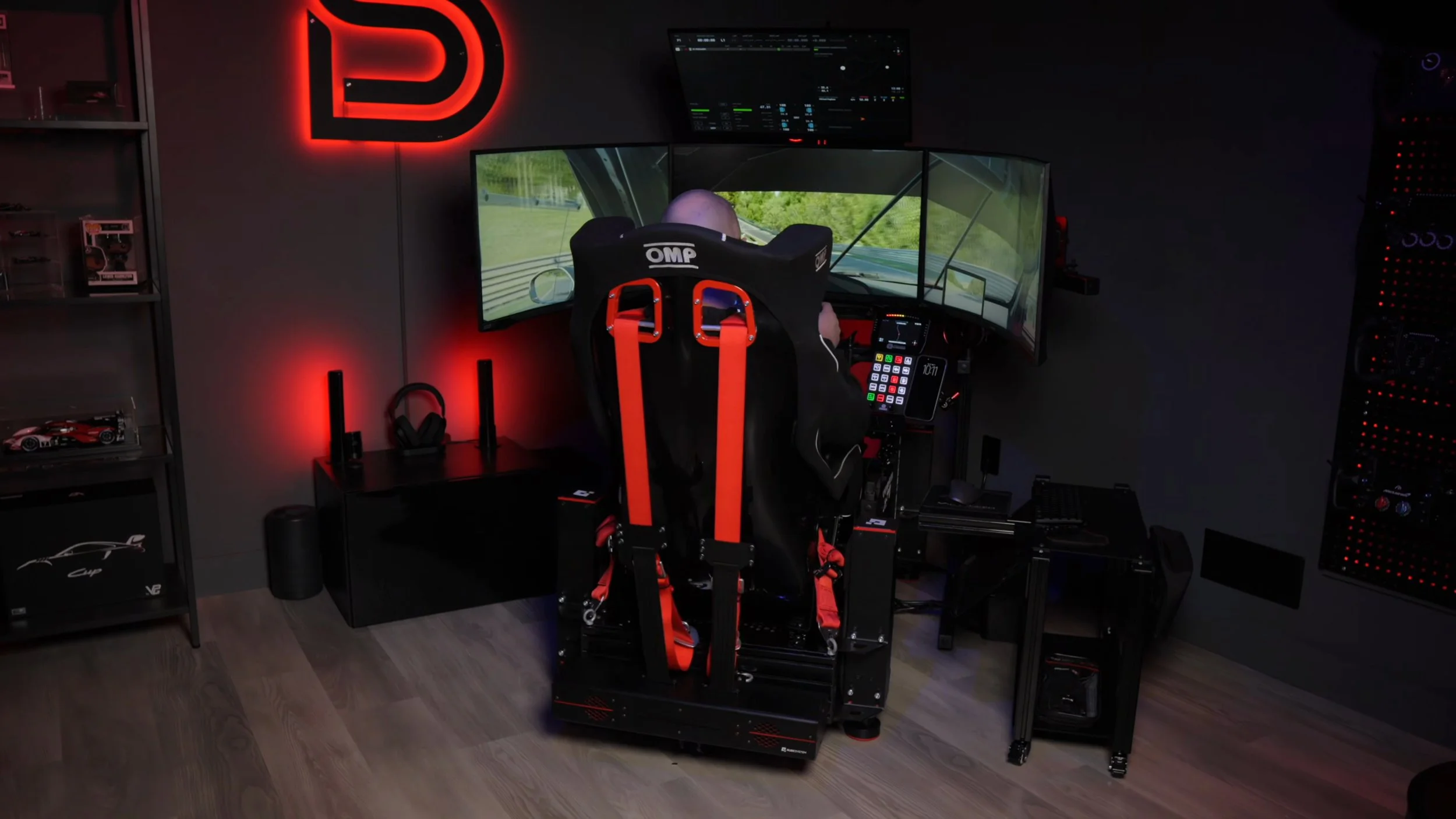
This review covers several months with the four-actuator QS-210 system on my Advanced Sim Racing ASR Pro Gen 2 chassis. It replaced the D-BOX equipment on that rig, and I ran it alongside my Qubic System QS-BT1 belt tensioner. iRacing was among the sims I used during testing.
That context matters. These are my impressions of a particular installation and the software available during the review period. My preference for the amount of movement will not necessarily match someone who wants a very different driving experience.
See the equipment in my current setup.
What does a 3DOF motion system add?
The full QS-210 configuration moves the cockpit in pitch, roll and heave: tilting forwards and backwards, leaning from side to side, and moving vertically. That gives physical cues for braking, acceleration, cornering and bumps. It also reproduces smaller vibrations through the chassis.
Each actuator has 60 mm, or about 2.36 inches, of travel. My experience was that the quality and timing of those movements mattered more than chasing the largest possible range.
Build quality and noise
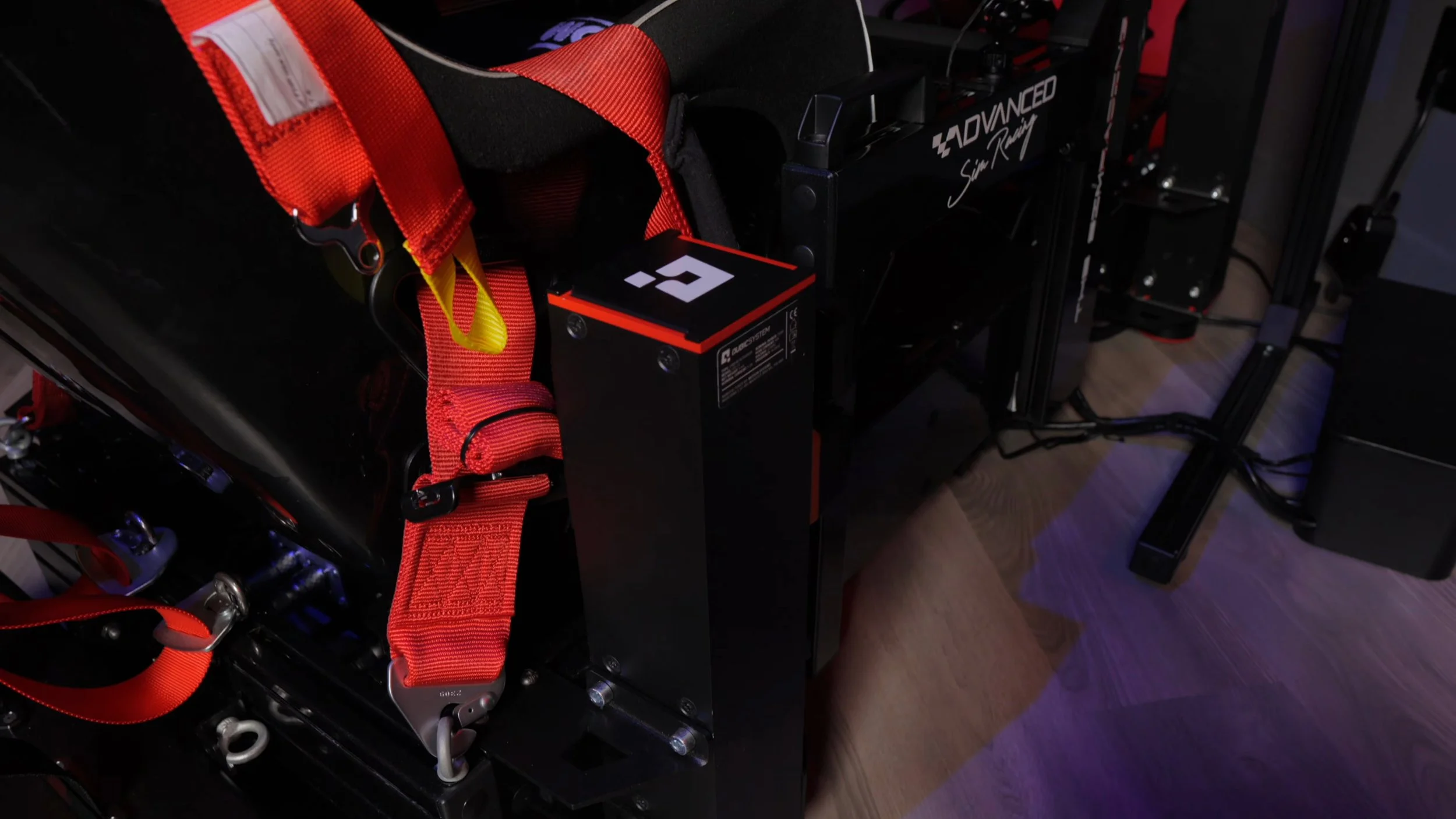
The hardware made a good first impression. The actuators felt robust, the moving parts were enclosed, and the power cabinets had sturdy metal housings. I particularly liked the locking connectors between the actuators and control equipment.
During the months covered by this review, I did not experience an issue or malfunction, including in sessions lasting several hours. The system felt solid and polished each time I used it.
In my room, the sounds I noticed were primarily the control-box fans and vibration or movement through the cockpit. The actuators themselves were quiet in operation. Your chassis, floor and mounting arrangement can still affect what you hear and feel around the rig.
The housings are also one of my reservations. They protect the hardware well, but I would appreciate a more compact package when trying to keep a cockpit tidy.
Watch the build-quality section, starting at 4:02.
Installation: allow time for the whole cockpit
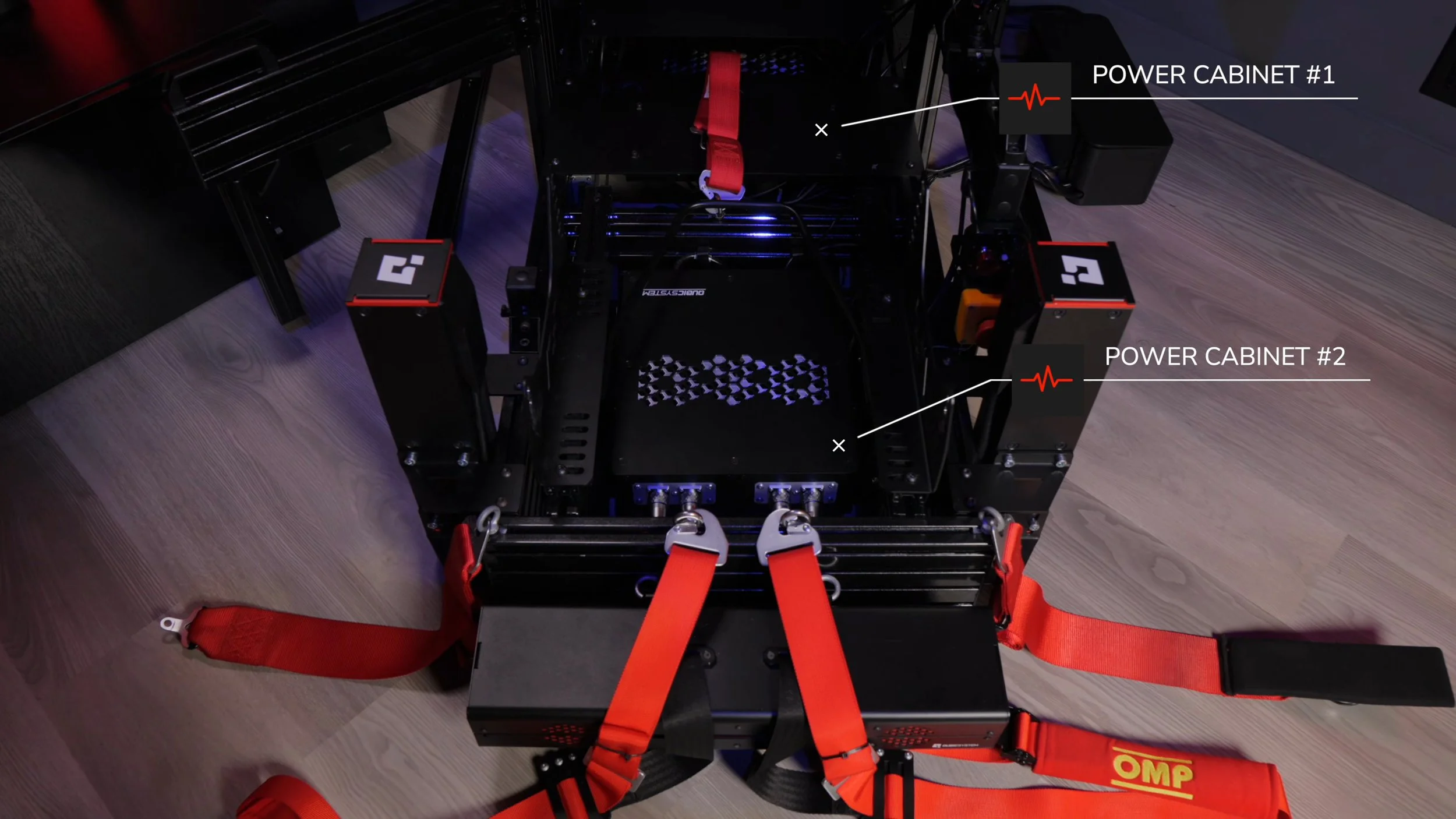
Getting the system installed and running took me an afternoon. I was replacing equipment on an existing rig, so this included fitting the actuators and finding space for the control hardware. The process was approachable for someone comfortable assembling a sim rig, but moving and supporting an already-equipped cockpit is a practical challenge. Having help makes sense.
My ASR Pro Gen 2 has flat-face profiles. I found an alternative mounting solution after seeing customer rigs from Simrigs.com and contacting John at RaceKraft Simulation, who supplied a set of mounts for me to try. They attached around the top and bottom of the chassis side profiles and worked well in my setup.
I also added aluminium profile to conceal the two power cabinets within the chassis. That meant additional cost and some planning, but I prefer having the equipment attached to the rig for a cleaner installation. If you are building from scratch, planning these locations before fitting your other hardware will make access easier.
The hardware you receive today may differ from my installation. Qubic’s current product page lists actuator brackets and flat-face profile adapters in its packages. Confirm the mounting arrangement for your exact chassis before ordering, rather than assuming my custom brackets are necessary for every ASR Pro build.
The supplied motion-lock/emergency-stop equipment is part of the installation, too. Follow the current manufacturer manual for assembly, electrical connections, clearances and operation.
Watch my installation walkthrough, starting at 6:11.
QubicManager: useful defaults, with adjustment available
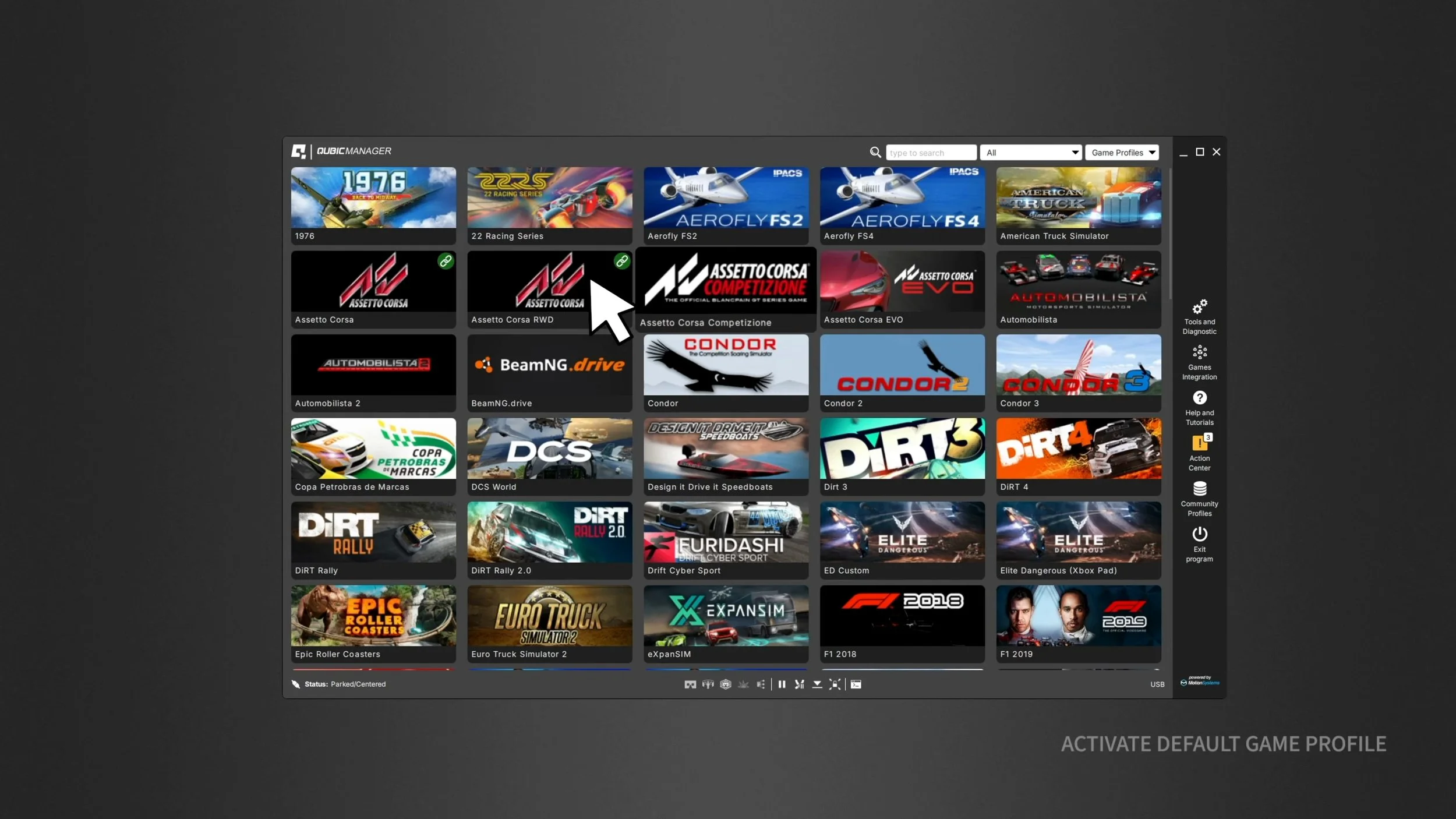
Software setup was smooth in my experience. QubicManager detected the controllers, prompted me through firmware updates and provided profiles for the games I wanted to use.
I could adjust overall intensity and individual motion effects, then save profiles for different cars or preferences. I did not need much tweaking in iRacing to enjoy the system, which is a useful distinction for someone who wants to spend more time driving than configuring.
The software also controlled my QS-BT1 belt tensioner. Being able to manage both devices in one place was a practical benefit of the Qubic setup.
There is depth to the settings if you want it. My experience was that the basic controls and profiles gave me a workable starting point without making a deep tuning session compulsory. Check the manufacturer’s current supported-games list for your own titles.
Watch the software section, starting at 9:27.
What the QS-210 feels like on track
The larger movements gave me a clearer sense of the car’s behaviour: loading up through a corner, diving under braking and reacting to bumps. The movement felt coordinated with what I saw and heard in the simulation. A curb strike arrived with a sharp jolt, without a noticeable sense of delay or softness.
But the haptics were the highlight. I could distinguish smaller bumps, changes in surface texture and the thump of crossing a seam in the pavement. Those details brought another layer of information through the chassis beyond what I felt at the steering wheel.
I felt more connected to what the car was doing near the limit. I did not present controlled lap-time testing in the video, so I would not promise that buying motion will make you faster.
Watch the driving impressions, starting at 13:22.
How did it compare with D-BOX and VERO?
The QS-210’s fine detail reminded me of the nuanced feedback I had experienced with D-BOX. That was a significant part of its appeal: I wanted convincing movement and texture working together, rather than simply a cockpit that could move a long way.
Against the VERO Motion Champion kit I had previously tested, the Qubic’s tactile effects felt crisper and more pronounced. With the VERO settings I tried, road and engine vibrations were present but more muted. The QS-210 communicated those smaller sensations more vividly through the chassis.
Those comparisons describe my experience with the systems and settings I used at the time. Software, profiles and personal tuning affect the result; they are not a specification-based ranking of every configuration available today.
Is 60 mm of travel enough?
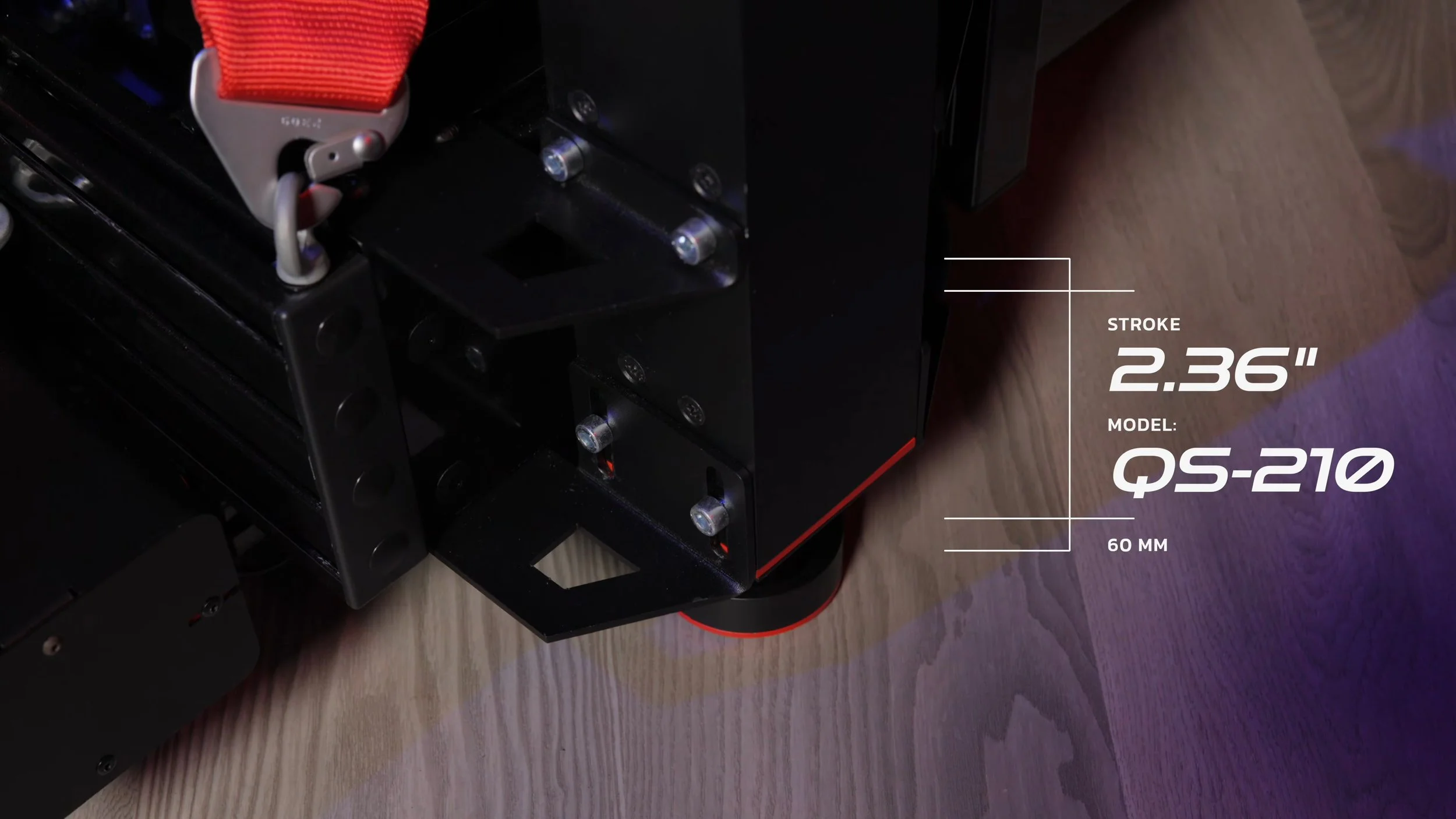
For my racing, yes. I was happy with the range available and did not feel I needed a larger movement envelope.
I have enjoyed systems with more travel, but that movement can become the dominant part of the experience for me. I prefer a balance that lets me take in cues from the wheel, pedals and motion together.
That is a preference, not a universal rule. A driver who spends more time in rally or flight simulators may value the additional travel of something such as the QS-220. Consider the type of driving you do and, where possible, try a system before deciding.
Price and what to check before buying
As checked on September 8, 2026, Qubic lists the four-actuator 3DOF configuration at €6,680 before tax and duty. It includes four actuators, two power cabinets and a QS-MC6 controller. Other QS-210 packages have different configurations and prices, so compare like for like.
Use a quote from your local distributor to establish your actual delivered cost, including any mounting parts your cockpit requires. The historical currency conversions and competitor prices in the video should not be treated as current quotes.
Check the QS-210 configurations and current manufacturer pricing. This is a direct manufacturer link, not an affiliate link.
Would I choose it for my rig?
Based on the months covered by this review, yes. The QS-210 delivered the combination I wanted: convincing movement, particularly good haptic detail, solid construction and software that let me drive without constant adjustment. It made the virtual car feel alive while keeping the experience approachable.
I would still like smaller actuator housings and a single power cabinet to simplify mounting. The installation needs patience, and there are cheaper ways to add motion. But if you are willing to spend more for the combination of refinement, detail and ease of use I experienced, the QS-210 deserves a place on your shortlist.
Explore the right motion setup.
Compare QS-210 configurations and check current pricing with Qubic System.
Check QS-210 pricing & optionsDirect manufacturer link. I do not earn a commission through this link.
Source material: Adapted from Mike’s original review script and published video review, with current package information checked against Qubic’s QS-210 product page. Firsthand impressions refer to the original review period, not a new September 2026 test.
Back to top ↑