
Review disclosure: Qubic System supplied the QS-BT1 free of charge for review, and I retained it. Qubic had no preview of or influence on the original video. The product button below links directly to the manufacturer; it is not an affiliate link and I do not have a Qubic discount code.
The QS-BT1 became one of the most memorable additions to my rig, but my first experience was not immediately comfortable. I had to work through the mounting, harness fit and seat position before the effects began to feel natural. Once those pieces came together, braking, cornering and gear changes added a physical dimension I really enjoyed.
My verdict at a glance
Best suited to: Drivers with a suitable rigid cockpit who want more physical feedback and are willing to spend time on harness fit and tuning.
What stood out: Sustained braking tension, separate left and right belt effects, gear-change jolts and its contribution alongside my existing haptics.
What to consider: Harness and possible seat or mounting costs, strong default settings, the large power supply and extra steps before driving.
What the belt tensioner does
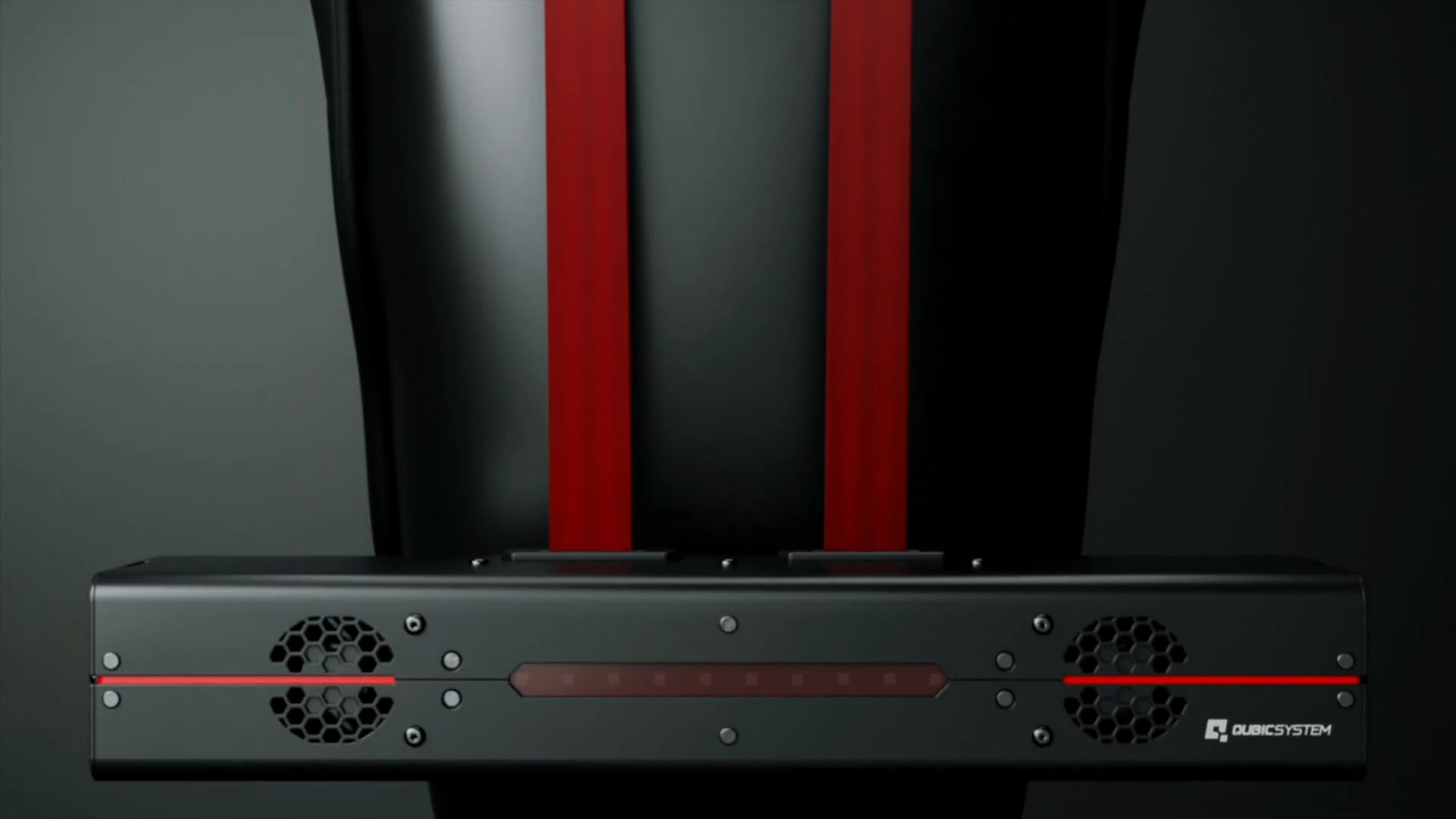
The QS-BT1 uses two direct-drive channels to pull on the shoulder straps of a compatible harness. The channels can act together or differently, creating pressure and vibration cues from the simulator’s telemetry.
Braking was the clearest example: the belts tightened as I slowed, then relaxed as I came out of the corner. Different tension between the two sides added to the cornering sensation.
It also offered effects for gear changes, wheel slip, kerbs and engine vibration. Those cues do not reproduce every force of a real car; they use pressure and vibration to suggest what the car is doing.
My review focused on racing, especially iRacing. Qubic also describes flight-simulator applications, but I did not test those and would not base a flight-sim purchase on my racing impressions alone.
Making it fit the ASR Pro
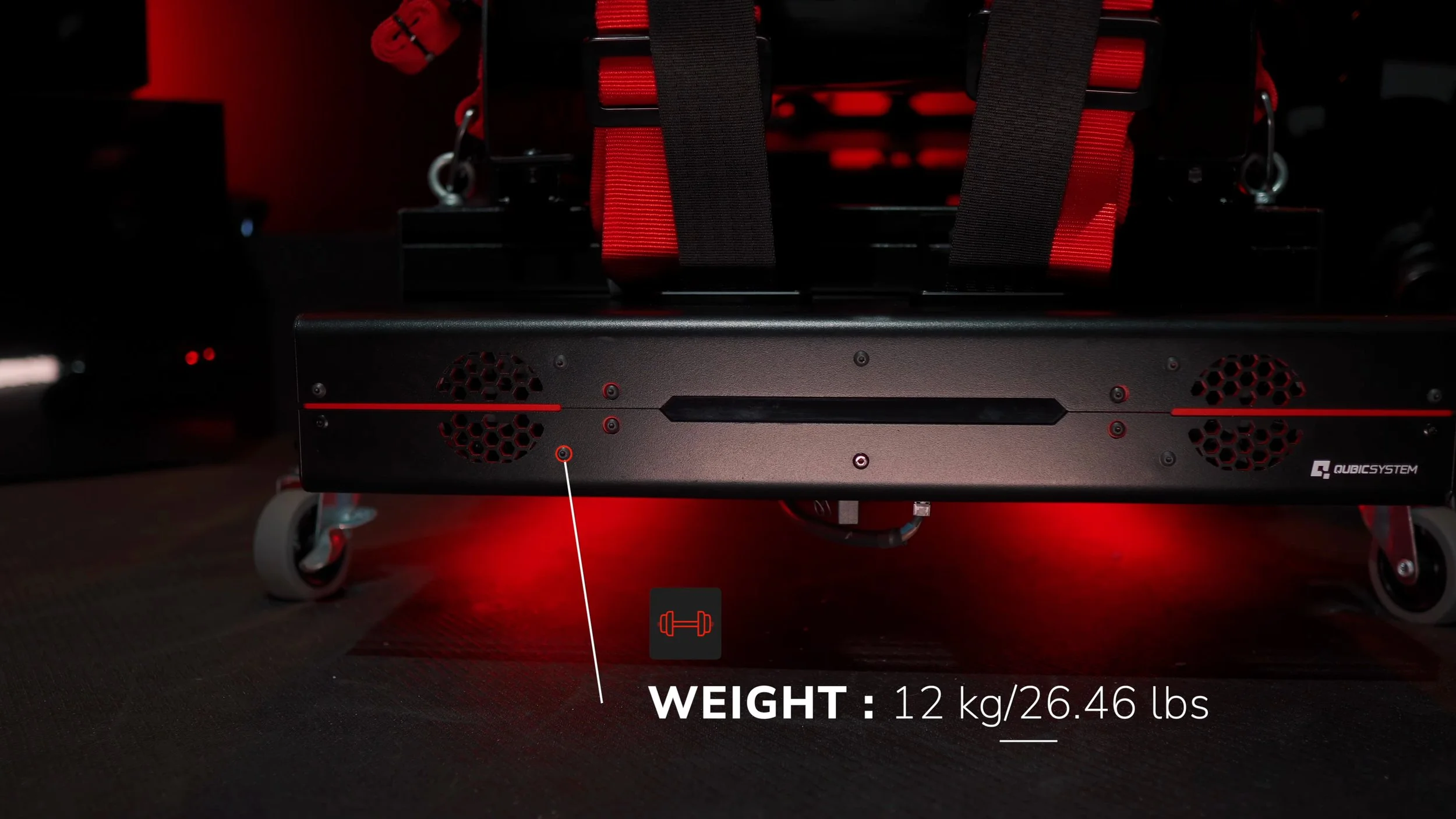
The heavy unit needed a secure mounting position. My Advanced Sim Racing ASR Pro was a substantial cockpit, but its flat rear plate did not provide the profile channel needed for the supplied mounting brackets.
ASR supplied a custom crossmember matching my chassis width and finish. Replacing that rear piece gave me a suitable profile section to mount the tensioner.
That experience is why I would check the actual attachment points before ordering, rather than assume that any aluminium-profile rig is ready as it stands.
The installation is specific to your cockpit, seat and harness. Use Qubic’s current installation requirements and the harness manufacturer’s instructions for your arrangement; this account explains what changed on my rig rather than serving as an installation guide.
The harness made a major difference
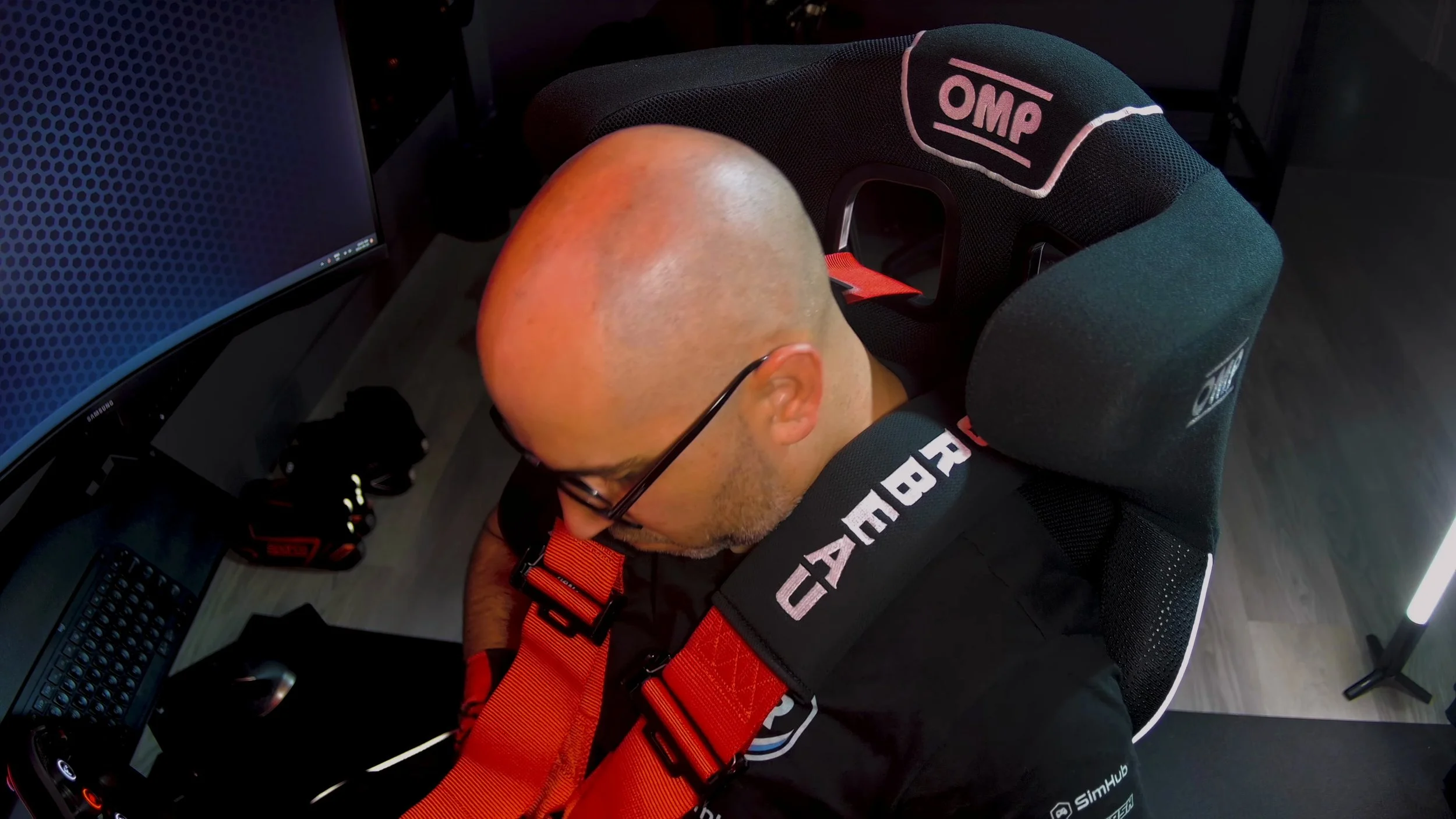
I initially tried a four-point Sim-Lab harness intended for simulation. In my seating position, the centre buckle dug into my stomach and tended to move upward as the shoulder straps tightened.
Trying to keep it in place by tightening the lap section left me uncomfortable. That was my experience with that combination of harness, body shape and seat, rather than a verdict that the same harness will fit everyone badly.
I then bought a Braum five-point motorsport harness. Its padded buckle area already felt better to me, and the additional strap helped keep the lap belt and buckle in position while the shoulder straps moved.
Shoulder pads also improved my comfort. Qubic recommends professional racing harnesses for this application; I would account for a suitable harness in the budget rather than treat it as an incidental extra.
Seat fit matters just as much
The height and spacing of the harness slots affected the direction of the pull on my shoulders. I changed seats during the process, something I had already been considering, and the new seat improved my experience.
Qubic’s current guidance illustrates why shoulder alignment and slot spacing matter. Belts pulling downward or pressing uncomfortably against the neck and chest are not the intended racing experience.
The useful lesson from my test is to assess your seat and body position together. An expensive tensioner cannot compensate for a harness and seat that do not fit you well.
Once the fit and tension were sorted, the harness stayed secure during my testing. Getting there took patience and some trial and error, so the possible cost of a different seat or mounting parts belongs in the buying decision.
Build quality, noise and power supply
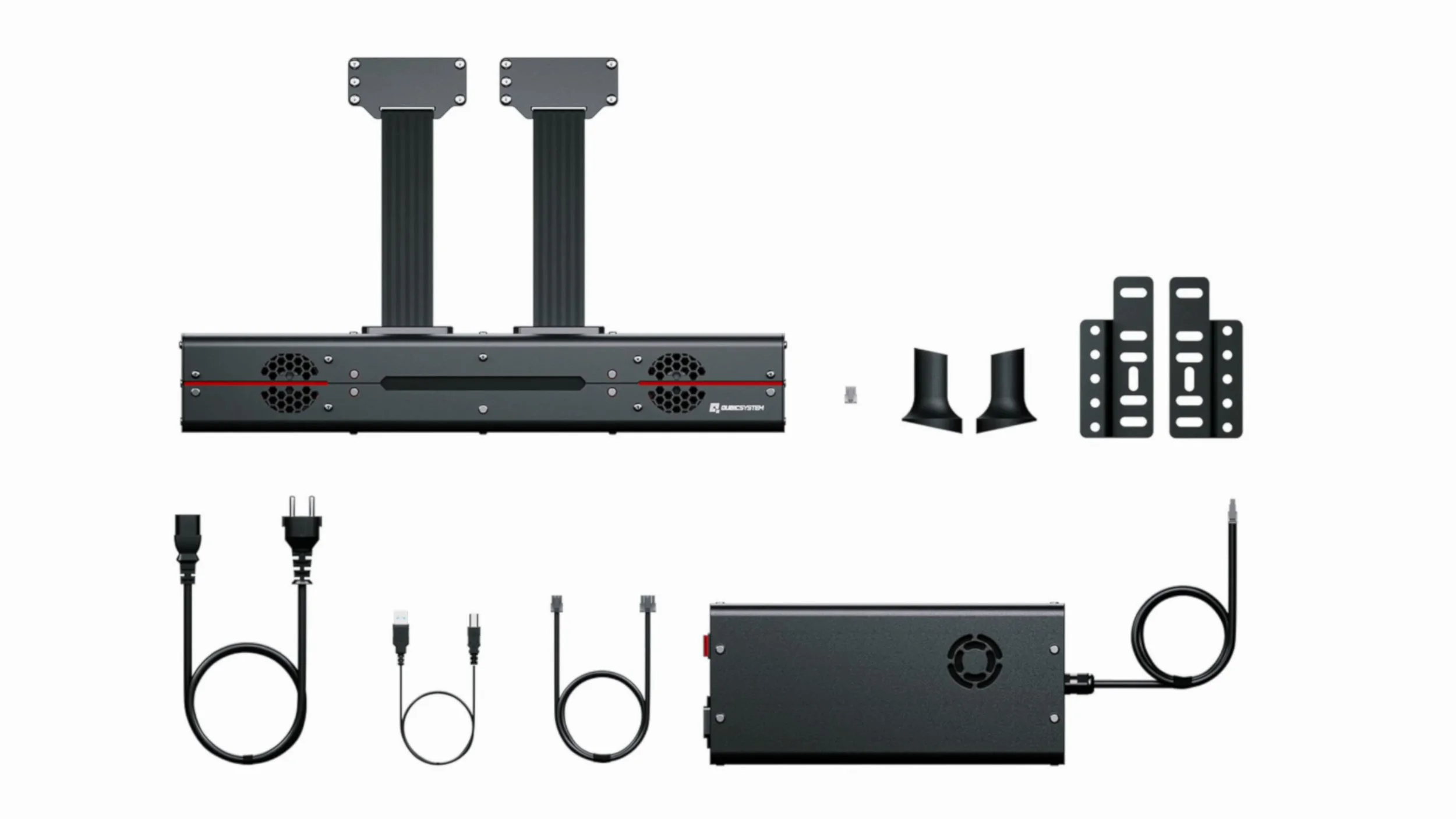
The largely metal unit felt substantial and well made. I liked the rounded edges, red accents and the integrated brake light, even though I could not see it while driving.
The sweeping red idle light reminded me of KITT from Knight Rider. It was a small touch, but one I enjoyed every time I noticed it.
The tensioner mechanism was very quiet in operation. The power-supply fan was more noticeable, although my speakers or headphones made it a minor issue during a session.
The power supply was large and awkward to conceal. I placed it beneath the rig, and I wished the power control were easier to reach than the switch on that supply.
Those comments describe the hardware and controls in my original review. Check the current system’s supplied controls and motion-lock requirements with Qubic rather than assuming that every detail is unchanged.
Tuning the effects for comfort
The software installation was relatively straightforward once the hardware was fitted. The interface could have used some polish, but its range of adjustments was useful.
The default iRacing profile was too aggressive for my taste. In the software version I reviewed, I reduced the braking gain from 1.00 to roughly 0.40–0.50. Those are historical settings that suited me, not a recommended starting point for every driver or software version.
I also reduced the gear-change intensity slightly. The shifts remained one of my favourite effects, with enough of a jolt to make each change satisfying without dominating the experience.
I left several cornering settings at their defaults and did not experiment with every option. Turning on every available effect was not necessary to get a convincing result.
I switched engine vibration off during much of my testing. I already had that cue through the rig’s haptic system, and the extra constant tension made the contrast between braking and release less pronounced for me.
Working with my existing haptics
At the time of this September 2024 review, my rig did not have a motion platform. It did have a Slip-Angle haptic system and a Simucube ActivePedal.
The belt tensioner worked particularly well alongside those devices. Kerbs and surface cues through the rig, braking feedback at the pedal and pressure across my shoulders made the overall experience feel more connected.
An ABS belt effect became available during the review period. It overlapped with the feedback I already had from the ActivePedal, but I liked how the two could complement one another.
I would not call the QS-BT1 a complete replacement for chassis haptics. I still preferred some surface effects through the rig, while the belts made gear changes particularly engaging.
I had tried motion systems elsewhere, but I had not tested the QS-BT1 together with one on my rig. My enthusiasm here is specifically for what it added to a stationary setup.
How it felt after several weeks
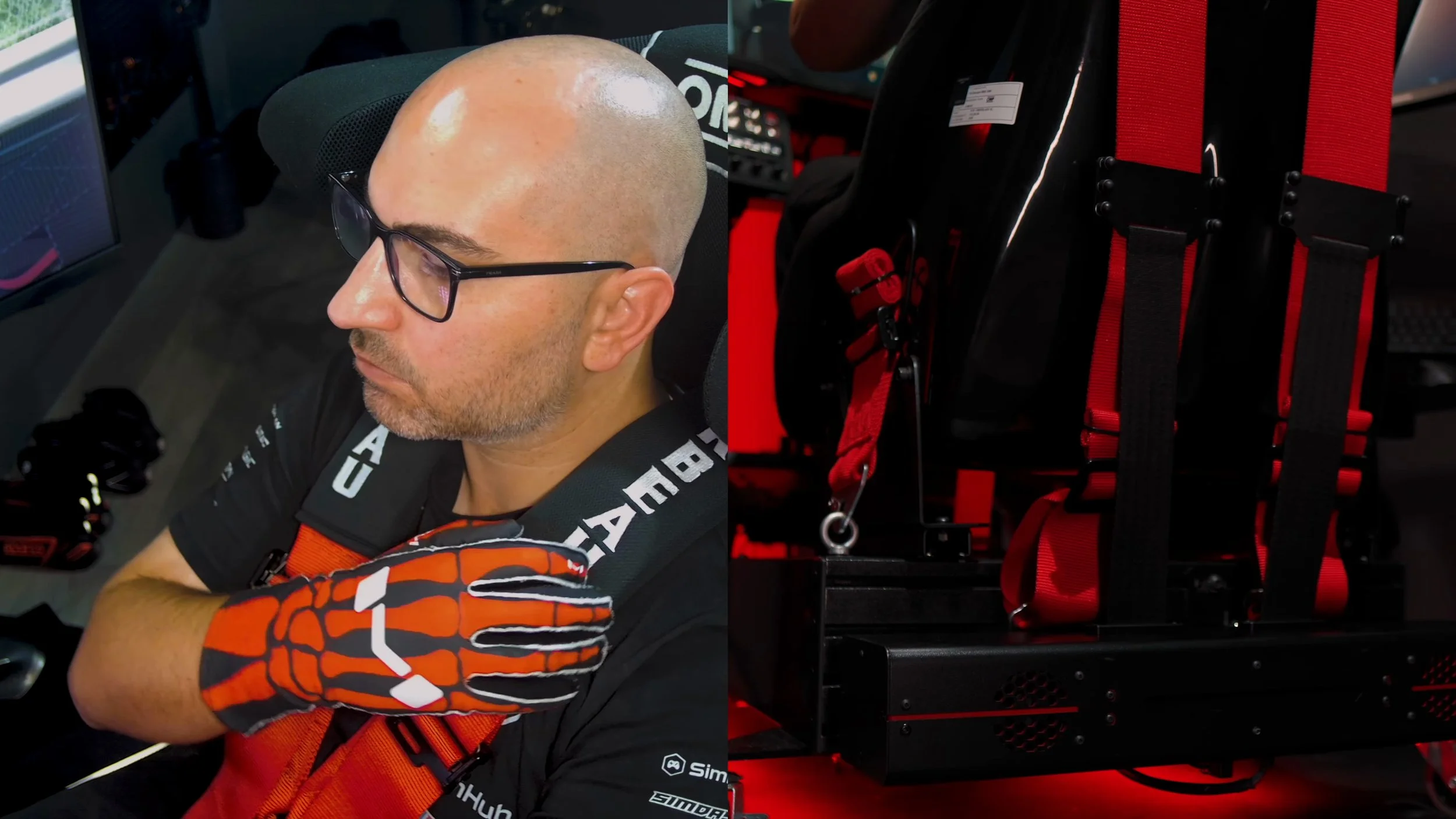
The first laps felt unfamiliar. I was very conscious of the belts because the sensation was new, and that could be distracting initially.
After several weeks, the feedback became predictable and felt like a natural part of driving. Braking into a corner, feeling the tension ease and then getting a small gear-change jolt made familiar laps more engaging.
The response felt immediate to me, but I did not measure latency. I would describe the effect as convincing rather than claim a technically zero-latency system.
It added physical effort and a few extra steps before a session, including buckling into the harness. I enjoyed that ritual, although someone who wants to jump in for a quick race may weigh it differently.
Price and my verdict
The original review quoted €1,390 before the additional costs discussed for shipping and import, with a harness purchased separately. Use the manufacturer’s current listing or a distributor quote for the complete price in your region.
My total setup considerations extended beyond the tensioner: I needed a different rear mounting piece, bought another harness and changed seats. Not every owner will need all of that, but overlooking those possibilities can make the initial price misleading.
Once fitted and tuned, the QS-BT1 was a major improvement in immersion for me. It made me less impatient to add a full motion platform, even though I remained interested in trying that combination later.
The strongest case is for someone who already has a suitable cockpit and wants another physical layer of feedback. The strongest caution from my experience is that comfort and fit are essential to enjoying it.
I was delighted to keep it on my rig. That verdict includes the work it took to get there, the strong default settings and the additional equipment costs—not just the excitement of the first braking effect.
Explore the QS-BT1.
Check the current price, available options and compatibility before ordering.
View the official product pageThis is a direct manufacturer link, not an affiliate link.
Confirm taxes, shipping and any required accessories at checkout.
About this article: Adapted from my original review script and video review. Driving impressions refer to the original review period. The official Qubic QS-BT1 page was checked for the current product destination and its seat and harness guidance.
Back to top ↑