
The SimRacing Den / ASR build planning
ASR 3 vs ASR 4: which chassis fits your build?
Compare the mounting options, footprint and complete cost before choosing your Advanced Sim Racing chassis.
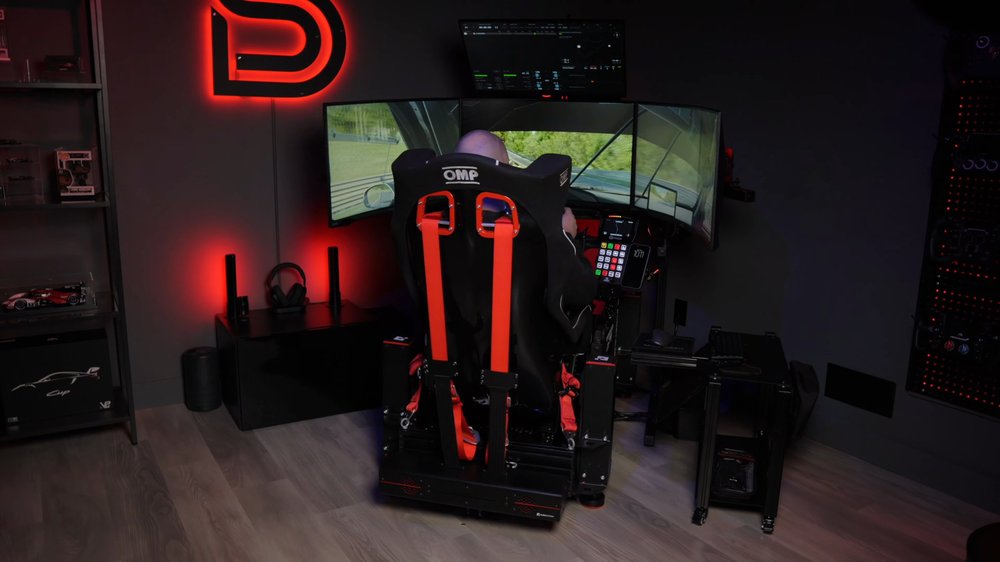
My ASR PRO Gen 2 chassis was provided by Advanced Sim Racing. Some links are affiliate links: I may earn a commission if you buy through them, at no extra cost to you. SRD5 applies to selected ASR products; it does not establish eligibility for every item shown.
Compare the mounting and the complete basket.
The ASR 3 is the lower-priced starting point; the ASR 4 Flat Face adds a larger profile structure and a Pro Wheel Deck option. The useful question is which configuration fits your controls, driving position and budget once the seat and screen support are included.
This is a comparison of ASR’s published specifications and current options. My own chassis is an ASR PRO Gen 2; this article does not present a back-to-back driving test of the ASR 3 and ASR 4.
My buying approach: list the mounts you need before comparing totals. Spend more when the extra adjustment or mounting configuration solves a specific need. A model number alone does not show how well a complete cockpit will fit you.
ASR 3 vs ASR 4 Flat Face at a glance
| Compare | ASR 3 | ASR 4 Flat Face |
|---|---|---|
| Base and steering profile | 3 × 1.5 inches | 4.5 × 1.5 inches |
| Published base footprint | 50 × 22 inches | 50 × 22 inches |
| Wheel-deck choice | Classic mounting options | Classic or optional Pro Wheel Deck |
| Observed starting price | CAD $829.99 | CAD $1,179.99 |
| See current configurations | View ASR 3 options ↗ | View ASR 4 options ↗ |
Manufacturer product listings checked October 17, 2026. Prices are Canadian starting prices for the displayed standard configurations, before tax; options, currency and promotions can change. The base footprint excludes accessories and installed screens.
The observed starting-price difference is CAD $350. That difference is useful only when you compare like-for-like mounting choices. An ASR 4 configured with the optional Pro deck is a different basket from its starting configuration.
When each is worth considering
Start with the ASR 3 when the required setup fits.
Consider the ASR 3 if its available wheelbase mounting and pedal adjustment cover your actual equipment and driving position. Keeping more of the budget for a well-fitting seat, appropriate brackets or a suitable screen stand can make sense.
Write down your present controls and any upgrade you have genuinely decided on. Compare those exact interfaces with the current product listing and manual. A vague possibility of buying a different wheelbase years from now is less useful than knowing the mount you need today.
Consider the ASR 4 when its additional options have a purpose.
The optional Pro Wheel Deck is a reason to investigate the ASR 4 if its adjustment system would help your layout or shared-rig requirements. Check the selected configuration carefully: an optional deck is not included simply because the chassis name says ASR 4.
Both models have the same published base length and width. Do not assume the higher model needs a longer room, or that either base measurement covers the whole installed rig. Seats, stand legs and peripheral mounts change the occupied area.
I would not use an invented universal torque cutoff to choose between them. Mounting method, adjustment range, hardware configuration and intended accessories all matter. Use ASR’s guidance for your exact wheelbase and pedal set.
Check the wheelbase and pedal interfaces.
Choose the wheelbase mounting method before selecting the chassis variant. A bottom-mounted base and a front-mounted motor need different hardware. Compare the actual hole pattern and mounting instructions, rather than treating the brand name as sufficient.
Pedal compatibility deserves its own check. ASR’s published pedal lists are not identical between the two pages; for example, their Fanatec CSL references differ. If that affects your build, get confirmation for the exact pedal set, tray and any adapters before ordering.
For a shared rig, write down who needs adjustment and how often. Consider seat sliders, wheel reach, pedal position and access to the adjustment points as a system. A convenient wheel adjustment does not remove the need to fit the seat and pedals.
Compare matching mount packages, then inspect what is supplied in each box. Add required adapters and fasteners to the order, and avoid ordering an accessory twice because it is already part of the selected variant.
The chassis is only part of the budget.
Build two complete baskets: one around the ASR 3 and one around the ASR 4. Use the same seat, screen plan and control requirements in both. Separate necessary mounts from optional comfort and storage accessories.
- Seat: check fit, side or bottom brackets, sliders if wanted, and fastening hardware.
- Screens: include the chosen stand, the correct mounting plates, monitor screws and any spacers.
- Controls: confirm that the selected deck and pedal mounting fit the exact models.
- Room: measure entry space, side-screen wings, trays and cable access.
- Final total: compare in one currency, with shipping, tax and verified discounts applied.
Use the complete-build budget checklist to avoid missing categories. My PRO-based equipment list is an example of a complete system, not a requirement to buy the same parts.
Choose screen support separately.
A cockpit choice does not automatically settle the monitor-mount choice. A single integrated screen and a freestanding triple stand have different layout and clearance needs. Check the exact stand’s chassis compatibility, VESA support and monitor requirements.
If you are starting with one display and considering triples later, compare the eventual stand configuration before assuming an upgrade kit exists for every model. Buying the right screen support once may be more useful than moving up a chassis tier for an accessory you do not need.
Choose a configuration, then use SRD5.
Use the links below to open the exact chassis pages. Select the mounting options first, enter SRD5 for eligible ASR products and confirm the saving in the order summary. Check current eligibility rather than assuming every item sold by the retailer is included.
ASR 3 chassis
The lower starting-price option. Check the selected wheelbase mount and pedal configuration against your equipment.
View ASR 3 chassis ↗ASR 4 Flat Face chassis
Check Classic versus Pro Wheel Deck options and compare the configured total rather than the starting price alone.
View ASR 4 Flat Face chassis ↗Sources and scope
- ASR 3 product specifications, variants and assembly guide.
- ASR 4 Flat Face product specifications, variants and assembly guide.
- My current ASR PRO-based equipment list, for personal setup context.
Specifications and price observations were checked October 17, 2026. The comparison uses the currently listed models; older generations and the ASR 4 Open Face variant should be checked separately.