
The SimRacing Den / Wallpaper setup
Triple-monitor wallpaper:
get the size and alignment right.
Choose a wallpaper for three 1440p, ultrawide or 4K monitors. Then set up a continuous span or separate Left, Centre and Right images without stretching the car.
Browse free MinimalAuto car packs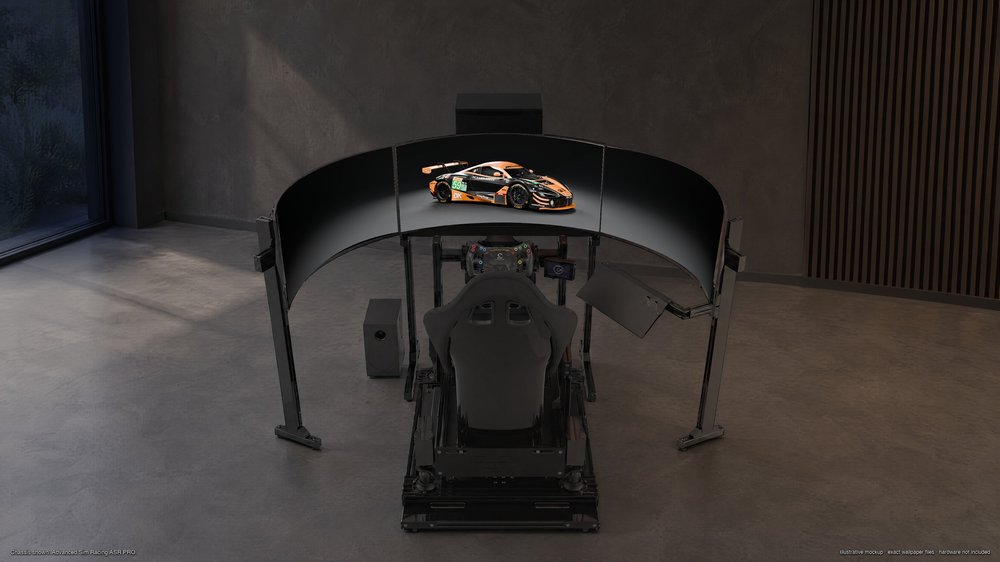
Which triple-monitor wallpaper size do you need?
For three identical landscape monitors in one horizontal row, add their pixel widths and keep the height. The physical diagonal in inches does not determine the wallpaper resolution. A 32-inch and a 45-inch monitor can have different shapes and pixel counts.
| Each monitor | One Full-Span image | Separate panels |
|---|---|---|
| 2560 × 1440 | 7680 × 1440 | 3 × 2560 × 1440 |
| 3440 × 1440 | 10320 × 1440 | 3 × 3440 × 1440 |
| 3840 × 2160 | 11520 × 2160 | 3 × 3840 × 2160 |
For example, three LG 45-inch ultrawides running at 3440 × 1440 each need the 10320 × 1440 Full-Span version, or the matching 3440 × 1440 Left, Centre and Right files. Check your exact model’s active resolution rather than choosing by its name or screen size.
Mixed monitor sizes, portrait layouts, vertical offsets and bezel-corrected display groups need their actual combined desktop dimensions. The simple three-times-width rule applies to matching, aligned displays only.
Using one ultrawide instead?
Choose the file that matches that single display: 3440 × 1440, 3840 × 1600, 5120 × 1440 or 5120 × 2160. A 5120 × 1440 super-ultrawide is one wide image, not a three-monitor layout. Standard desktop options include 2560 × 1440 and 3840 × 2160. Each pack lists its exact included files.
Full-Span or separate Left, Centre and Right?
Full-Span is one wide file containing the entire scene. Separate panels divide that same composition into three files so each display can be assigned its own image. Select all three from the same pack, resolution and scene.
backgroundCENTRE
complete carRIGHT
background
The current MinimalAuto triple layouts keep the complete car on the centre monitor while the studio continues onto the side screens. Do not set the Centre file to Span: that would enlarge one panel across all three.
One continuous wallpaper in Windows
- Extract the downloaded ZIP. Open Settings → Personalization → Background and choose Picture.
- Browse to the matching Full-Span file, then choose Span as the image fit.
- Check the physical monitor order and alignment in Windows display settings. Compare the result across both joins.
NVIDIA Surround is optional for a Windows spanned wallpaper. If you already use Surround, match the active grouped resolution. Bezel correction can add a custom resolution, so the standard file may need cropping; do not assume a bezel-corrected width equals three native panel widths.
Separate files on an extended desktop
Use Picture mode and the background image’s per-monitor assignment to set Left, Centre and Right to the corresponding physical display. Match each file to that display’s native resolution. Windows’ multiple virtual desktops can change the available wallpaper choices; consult the Microsoft instructions below if per-monitor assignment is missing.
Why does the wallpaper look cropped, soft or misaligned?
The car is too large or spread across the bezels
Check that you selected Full-Span for a spanned desktop, rather than the Centre file or a standard 16:9 desktop version. The preview on the website is not the downloadable wallpaper.
The horizon jumps between monitors
Check the display order, matching resolution family and shared scene first. Then inspect vertical alignment and image fit. A different crop on one panel will break continuity even when the original files join correctly.
The image looks blurry
Use the original PNG from the ZIP rather than a screenshot, browser thumbnail or social-media copy. Match the file dimensions to your desktop. Enlarging a smaller image cannot recover missing detail. The game’s render resolution and Windows’ desktop resolution are separate settings.
The car looks stretched
Avoid a fit mode that changes the aspect ratio. Fill can crop edges and Fit can leave bars when the image shape does not match the display. Fix the file choice and desktop layout before adjusting the wallpaper.
A few useful details.
Does a 4K wallpaper cover three 4K monitors?
A normal 3840 × 2160 image covers one 4K display. Three matching 4K monitors in a horizontal row use 11520 × 2160 for the complete span, or three coordinated 3840 × 2160 panel files.
Does screen scaling change which file I download?
Choose by the active pixel resolution of the display or display group. A Windows interface scale such as 125% does not turn a 3440 × 1440 panel into a lower-resolution panel. Mixed scaling can complicate multi-screen positioning, so check the actual result.
Are the MinimalAuto packs photographs?
No. They are 3D-rendered car wallpapers with compositions made for the supported screen formats. The separate manufacturer photography wallpaper library offers car and racing photographs, with available sizes shown per image.
Do the packs include phone wallpapers too?
Open the pack details to check its mobile sizes. The current packs include paired Lock and Home Screen files: a car-focused Lock Screen and the matching scene without the car for your Home Screen.
Give your rig a new view.
Pick your car, check the file inventory and download the full pack. Keep the README handy when assigning the images to your displays.
Choose a free car wallpaper packSetup references
Windows fit modes and per-monitor picture options: Microsoft’s desktop background guide. Surround configuration and custom bezel-corrected resolutions: NVIDIA’s Surround instructions. Menu wording can vary by Windows version.