
Guides / Hardware
Sim racing PC guide:
CPU, GPU & smarter upgrades.
Match your PC to your sim, screen resolution and target frame rate. Measure what is limiting you before you buy.
I did not build the PC that runs my rig in one go. It has been an ongoing project: upgraded, moved into different cases and changed when the next part made sense.
Today I use a Ryzen 7 9800X3D and an RTX 4090 with three 3440 × 1440 OLED ultrawides. I cap iRacing at 120 FPS. Those are the choices that work for my setup, not a minimum specification for everyone else.
The useful starting point is your own racing: which simulator, which screens, which settings and which frame rate you want to hold. A new single-screen PC and an upgrade for a busy triple-screen rig are different jobs.
Check current brand offers and eligibility →
This is planning guidance informed by my own rig, not a benchmark of every component. Official requirements and display specifications were checked on October 17, 2026. Prices, availability and software requirements can change; compare exact parts and local checkout totals before buying. The linked discount directory contains affiliate links that may earn me a commission at no extra cost to you.
The short answer
Start with the job the PC has to do, then check the component that is falling short.
| Your situation | The next check |
|---|---|
| Your current PC already races smoothly | Keep using it. Upgrade when you can name the limitation you want to fix. |
| One screen to three matching screens | Budget for three times the pixels at the same per-screen resolution, plus the screens, stand and cables. FPS will not necessarily scale in the same proportion. |
| Frame rate drops in busy races | Compare CPU-side and GPU-side frame times in that same race before choosing an upgrade. |
| You are building from scratch | Set the simulator, resolution and target frame rate first. Price the complete system, including its operating system and cooling. |
| You also stream, record or create video | Include those applications in your testing and memory budget. |
| You are considering 64 GB or a flagship GPU | Check your measured usage and the workload the extra capacity or performance would serve. |
Scroll sideways to see all columns. With a keyboard, focus the table and use the left and right arrow keys.
CPU or GPU? Measure the workload
Sim racing can be demanding on both. More pixels and graphics effects can increase GPU work; cars, simulation and rendering work can also put pressure on the CPU. The limiting component can change with the track, weather, settings and simulator.
A higher core count alone does not tell you how well a processor will run your races. Equally, a low overall CPU percentage does not establish that the CPU has spare performance in every important thread. Use the simulator’s measurements rather than treating one utilisation percentage as a diagnosis.
Read iRacing’s system meters
In iRacing, press Alt+K, open Widget Options and select System Meters. Enable numerical readings for the values you want to compare.
| Meter | What it helps you see |
|---|---|
| R · renderer | Time spent preparing a frame. CPU-sensitive graphics settings can affect it. |
| G · graphics | Time the GPU spends drawing a frame. Resolution and graphics settings can affect it. |
| C · physics | Time spent on the physics thread. Check this when simulation work is struggling to keep up. |
Scroll sideways to see all columns. With a keyboard, focus the table and use the left and right arrow keys.
Watch them during the same demanding section of a session, change one setting and compare again. They measure different work and can overlap; do not add R and G as though they were an exact total frame time.
Official reference: iRacing system-meter explanations →
Test the way you race
A clear-track hot lap is useful, but it does not cover the whole workload. Also test a busy start, the mirrors you use, your usual weather and the background applications you actually keep open. Keep the test repeatable enough to compare before and after a change.
Check requirements for the simulator you use
On the date checked, iRacing’s main requirements page lists Windows 11 64-bit, 16 GB RAM at its recommended tier and 32 GB or more at its high-end tier. It lists six CPU cores and 8 GB dedicated VRAM for the recommended tier. These are published tiers, not a promise of a particular frame rate on triples or in VR.
Check iRacing’s current system requirements →
Use the requirements for your other simulators too. A result in iRacing does not establish the requirements of ACC, Le Mans Ultimate or another title.
Software changes over time. The August 2026 iRacing development update discusses renderer and memory work; an announced improvement is not a benchmark for the PC you are buying.
Count your screen pixels
Resolution is a useful starting point for comparing display workloads. Multiply width by height, then by the number of screens.
| Layout | Pixels per frame | Versus a single 1440p screen |
|---|---|---|
| 1920 × 1080 | 2.07 M | 0.56× |
| 2560 × 1440 | 3.69 M | 1× |
| 3440 × 1440 ultrawide | 4.95 M | 1.34× |
| Three 1920 × 1080 | 6.22 M | 1.69× |
| 5120 × 1440 super-ultrawide | 7.37 M | 2× |
| 3840 × 2160 (4K) | 8.29 M | 2.25× |
| Three 2560 × 1440 | 11.06 M | 3× |
| Three 3440 × 1440 (my setup) | 14.86 M | 4× |
| Three 3840 × 2160 | 24.88 M | 6.75× |
Scroll sideways to see all columns. With a keyboard, focus the table and use the left and right arrow keys.
Calculated pixel counts, rounded to two decimal places. Ratios use one 2560 × 1440 screen as the baseline. They describe pixel count, not measured FPS or a complete rendering-cost model.
Three matching monitors have three times the pixels of one of those monitors. My three 3440 × 1440 screens have about 14.86 million pixels: three times one ultrawide, or about four times one standard 2560 × 1440 screen. The comparison needs the same baseline.
Triple 1440p has more pixels than one 4K screen. A 5120 × 1440 super-ultrawide has the pixel count of two standard 1440p screens. Neither fact proves which setup will be faster in every game: projection, effects, upscaling and CPU work also matter.
For a GPU purchase, look for tests close to your simulator, resolution, graphics settings and target frame rate. Do not read a pixel ratio as a universal shopping tier. For VR, include headset render resolution and the runtime; the panel resolution alone is not the whole workload.
I run the RTX 4090 across my triple ultrawides. That describes my rig, not a claim that every triple-screen setup needs that card.
Check the outputs, not just the chip
My panels support 240 Hz. I use roughly 120 Hz and 8-bit colour because a 10-bit configuration has not been stable for me. I have not established the cause, so that experience should not be read as a diagnosis of the monitors, cables or graphics card.
As a simplified calculation, 3440 × 1440 at 240 Hz is about 28.5 Gbps at 8 bits per RGB channel, or 35.7 Gbps at 10 bits, before blanking and link-encoding overhead. Four-lane HBR3 has a 25.92 Gbps payload. Compression and the exact supported display mode therefore matter; arithmetic alone does not prove that a combination will work.
Calculated active-pixel data rates; bandwidth reference: VESA’s HBR3 explanation →
NVIDIA lists DisplayPort 1.4a for the RTX 4090 and DisplayPort 2.1b with UHBR20 for the RTX 5080. Their specifications also describe limits for simultaneous displays and high-refresh modes. One supported maximum-resolution example is not a guarantee that three screens can all run at that setting.
Official specifications: RTX 4090 · RTX 5080. Check the manufacturer’s page for your exact card, alongside the monitor and cable specifications.
Count the connections you need, including a dash screen or headset. Confirm resolution, refresh rate, colour depth, DSC support and simultaneous-display limits before ordering.
My display guide covers mounting, field of view and the choice between single screens, ultrawides, triples and VR.
Choose a frame-rate target you can test
I cap iRacing at 120 FPS on my own rig because I find that experience satisfying. Other drivers may prefer a different target. A headset also has its own refresh-rate and runtime considerations.
At 120 FPS, each frame has about 8.33 milliseconds; at 60 FPS, about 16.67 milliseconds. Check frame-time consistency and slower frames as well as the average. An average can hide short interruptions that you notice while driving.
A cap can help manage GPU load and variability, but it cannot guarantee the absence of drops. Test the cap with the sync mode, graphics settings and racing conditions you actually use. Reduce expensive settings if the machine cannot hold your chosen target.
Troubleshooting reference: iRacing’s stuttering guide →
Build a complete budget
There is no live street-price table here. Compare the exact model, capacity, seller, currency, warranty and checkout total on the day you buy. A launch MSRP and a single marketplace listing are not interchangeable measures of value.
For an upgrade, price the parts it makes necessary as well as the part you want. A CPU change can also require a motherboard, memory or cooler; a graphics card can require a different power supply or case clearance.
| Budget item | Check before comparing totals |
|---|---|
| CPU & motherboard | Exact CPU support, required BIOS, memory generation and cooler compatibility. |
| GPU & power | Card dimensions, power connectors, the card maker’s system-power guidance and your full configuration. |
| Memory & storage | Capacity for your simulators and other work, supported memory kit, installed library size and space for updates. |
| Complete system | Case, cooling, operating system, cables, delivery, taxes, warranty and any assembly or support charge. |
Scroll sideways to see all columns. With a keyboard, focus the table and use the left and right arrow keys.
A prebuilt is worth comparing with a self-build using its exact included parts. Compare the whole specification and support terms rather than assuming either route is always cheaper.
If your current PC meets your needs, waiting is an option. If it does not, decide whether the improvement is worth today’s complete cost. A prediction about future prices cannot guarantee a better deal later.
Choose RAM, storage and cooling for your use
Memory
For a new racing-focused build, I would consider 32 GB as a planning starting point, then check the simulator’s requirements and the applications running beside it. That is my planning choice, not a claim that every sim requires 32 GB or that nobody can benefit from 64 GB.
I run 64 GB myself. Editing, streaming, large projects or measured memory pressure can justify more capacity. Check usage under your real workload instead of treating an unused larger kit as a performance upgrade.
Storage
Allow for the simulators, cars, tracks, replays, recordings and other software you keep installed, plus room for updates. Check available motherboard slots and whether adding another drive later would be straightforward. Choose capacity from that inventory.
Compatibility and cooling
Use the motherboard’s CPU-support and memory lists, the cooler’s socket requirements and the exact GPU maker’s installation guidance. A compatible socket name alone is not a complete compatibility check.
For cooling, check temperatures and noise under sustained use. Both air and liquid coolers need attention to airflow and dust; an all-in-one also has a pump and a limited service life. My preference for an AIO is about my own rig, not a promise of maintenance-free cooling.
Measure before upgrading
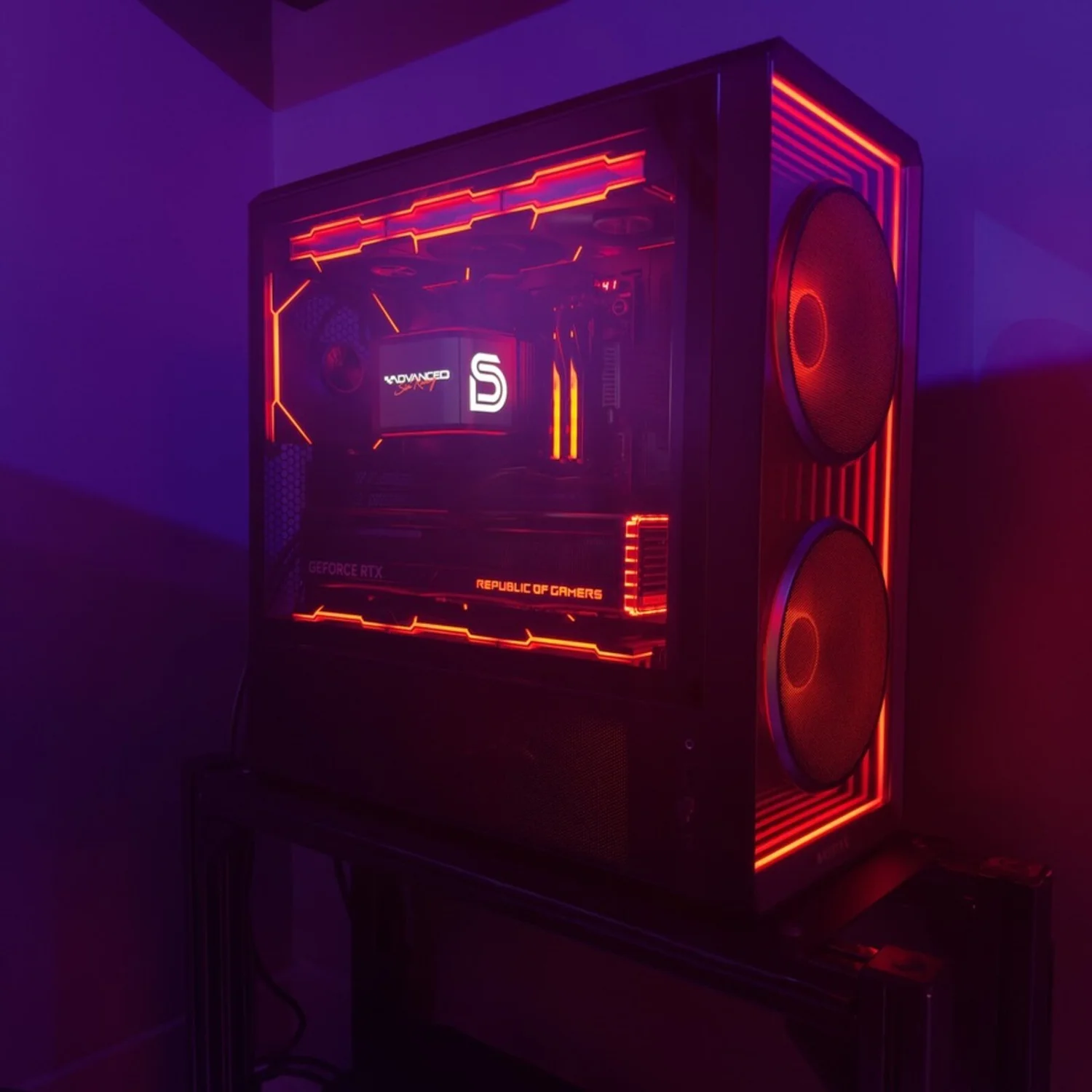
My PC was never a single finished purchase. It evolved.
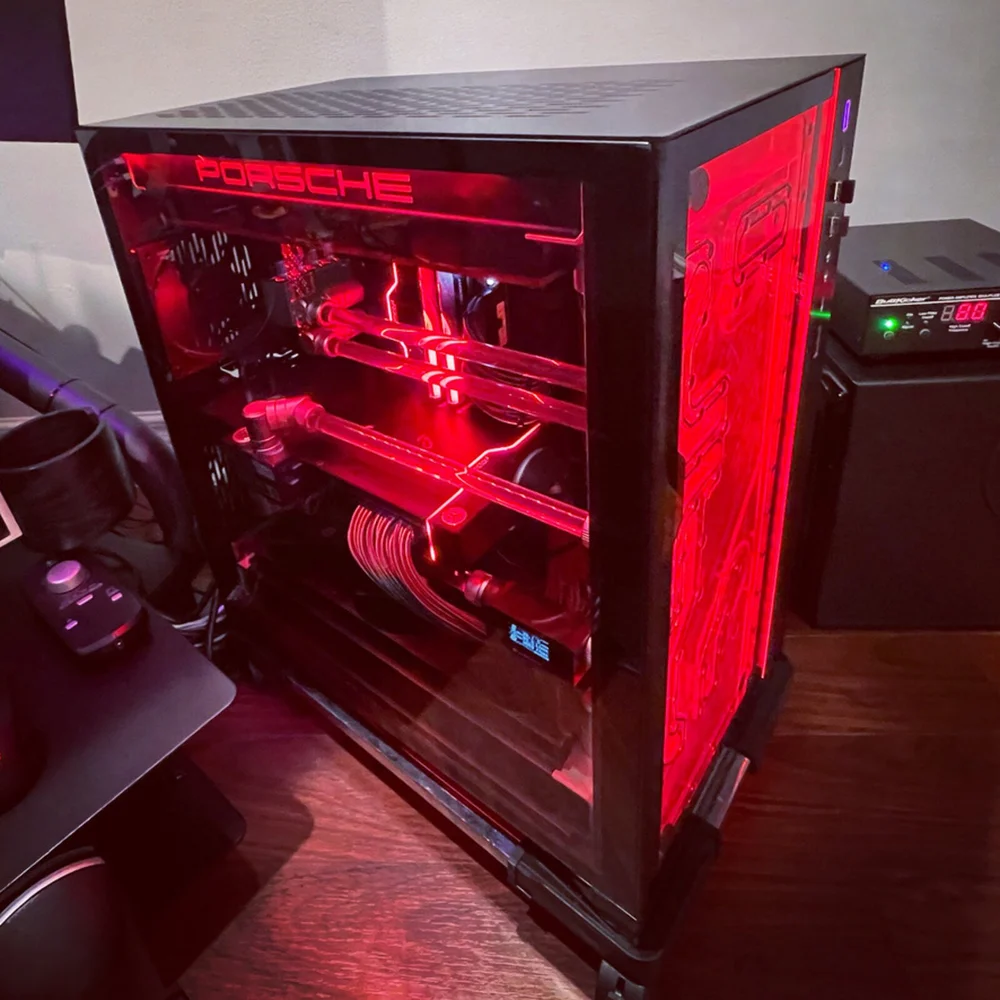
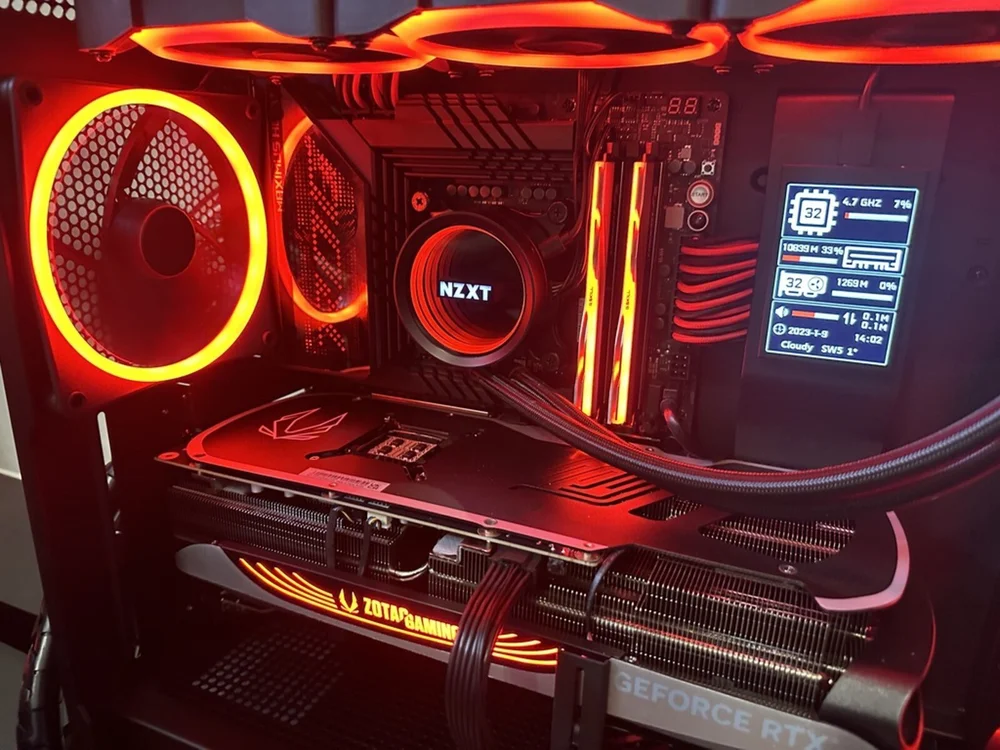
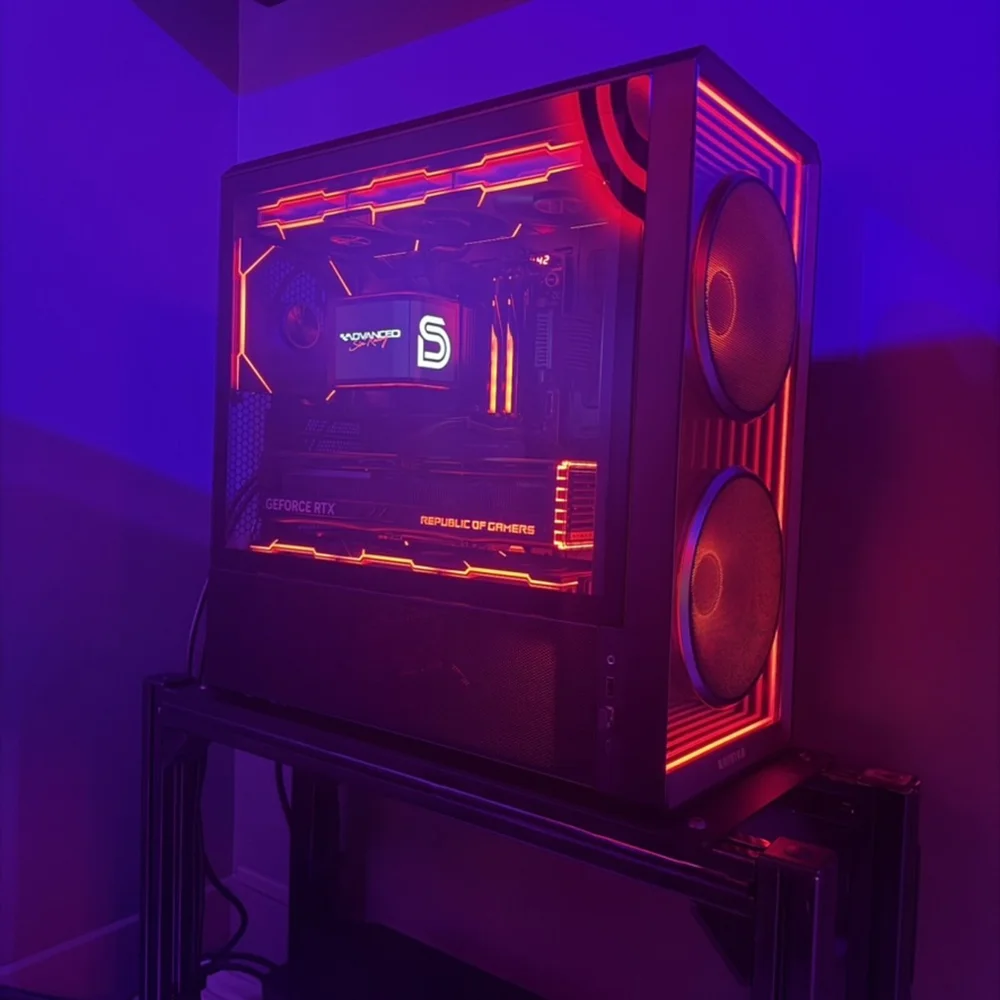
Three stages of my own build, from the custom loop to the current case and all-in-one cooler.
That is why I would first identify a specific limitation and decide whether one change can fix it. A part swap can be useful; it can also trigger a larger platform change. Price both possibilities before committing.
An upgrade checklist
- Record the workload: simulator, resolution, settings, target frame rate and usual background applications.
- Repeat a demanding session: use the same busy start or replay where possible and record frame times.
- Check the measurements: in iRacing, compare renderer, graphics and physics timings. Low GPU utilisation alone is not proof of a CPU bottleneck; a frame cap, synchronisation or another limit can also leave the GPU idle.
- Change one thing: test a lower resolution or a relevant graphics setting and compare the same section again.
- Check other causes: temperatures, available memory, storage space, driver changes and background applications can also affect the result.
- Price the complete fix: include the supporting components and verify compatibility before you buy.
My CPU choice
I used Intel for years and now prefer the Ryzen 7 9800X3D in my own rig. That is my experience with this machine and the simulator I race. It is not a controlled comparison proving that every AMD processor is better than every Intel processor.
Test with the rest of your rig running
My usual racing session can include SimHub, dash displays, Qubic Manager, Crew Chief, Trading Paints, Simucube Tuner and occasionally Discord. I do not stream; add recording or streaming software to the test if you do.
Background software and additional displays can consume CPU time, GPU resources and memory. How much depends on the application and configuration. Test your normal session rather than relying only on a clean benchmark with everything else closed.
- Add utilities one at a time so a new issue is easier to trace.
- Keep enough free memory and storage for your actual workload.
- If a device or utility appears linked to stutter, compare the same session with it disconnected or closed, where practical.
- For USB devices, check power and bandwidth requirements instead of assuming every hub or port can support every combination.
If you are adding a motion platform, my motion guide covers the rest of the setup planning.
What I would do differently
I would measure the upgrade case sooner
The move to the 9800X3D suited my rig. The lesson I would take into another build is to measure the problem, check a realistic comparison and include the full platform cost. Brand loyalty or an attractive specification sheet cannot do that job.
I would keep the cooling simpler
I have built a custom watercooled PC. I enjoyed planning and assembling it, and I would not choose another custom loop for my racing rig. I run an all-in-one now.
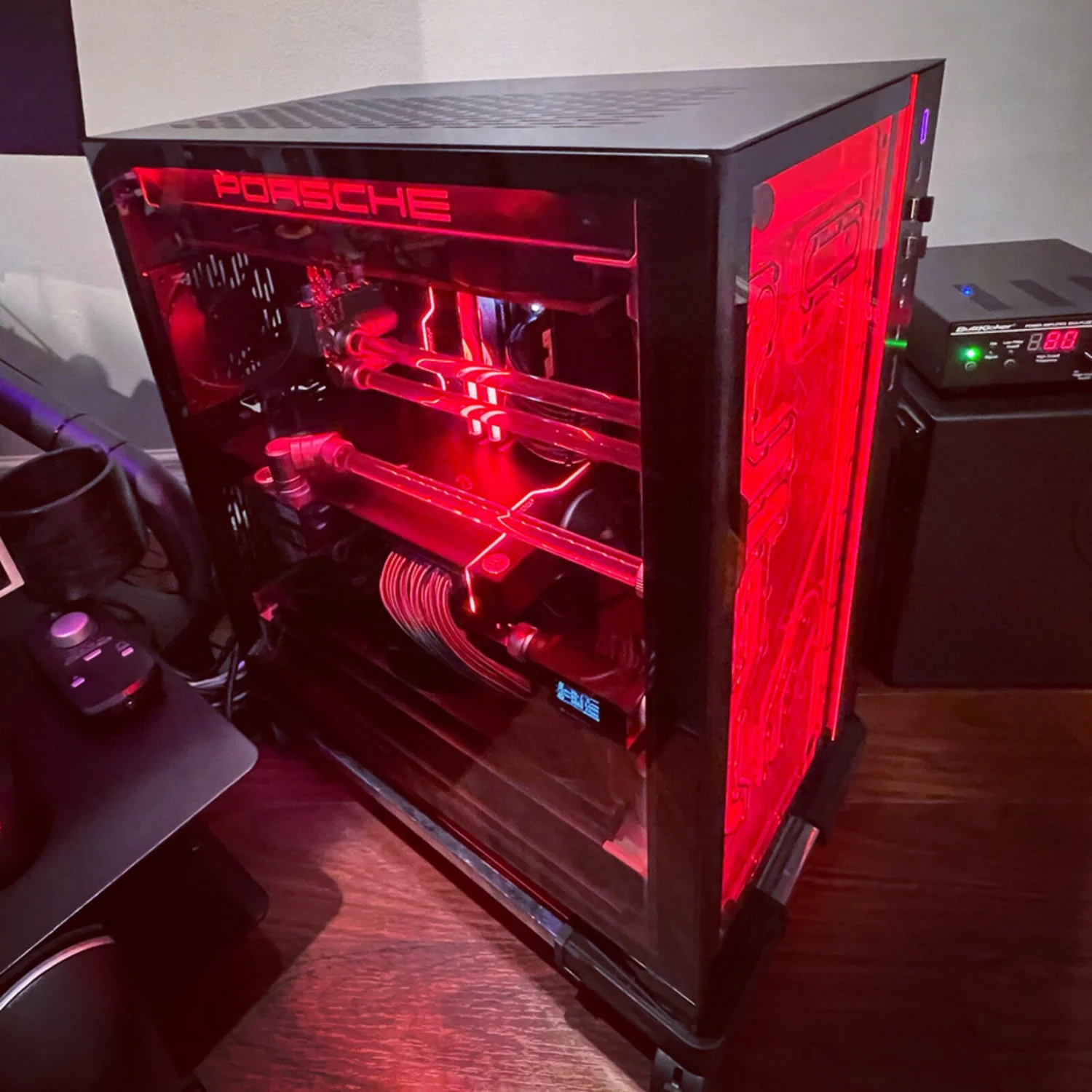
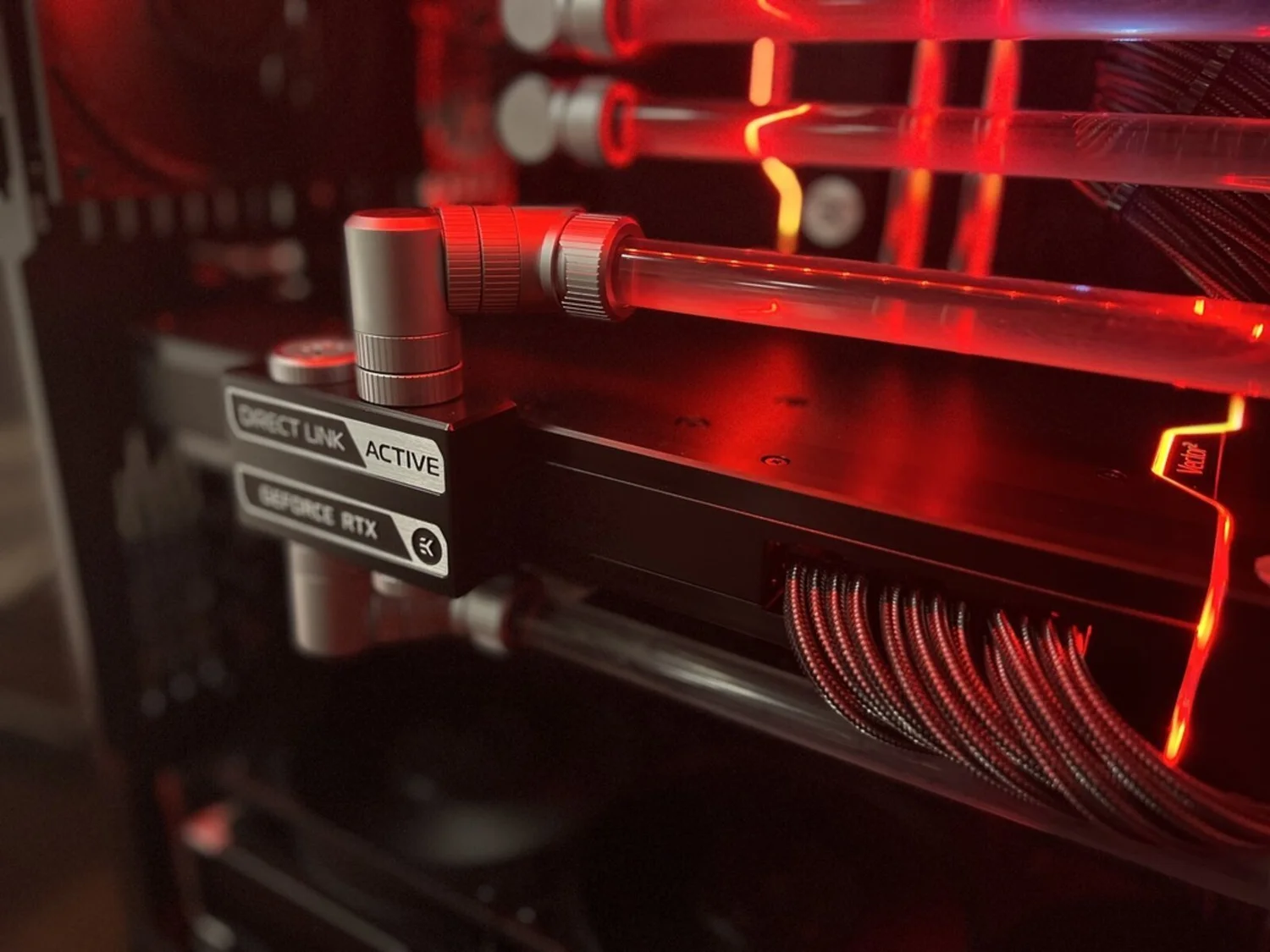
The custom loop was a project of its own. That can be part of the hobby if you enjoy it; for me, the next build would put simpler installation and upkeep first.
Spend for the frame rate, resolution and reliability you will use. Once the PC does that job, decide whether the next improvement belongs in the PC or in the rest of your cockpit.
Planning an upgrade?
Check the discount directory before you order sim racing hardware. A listing does not mean every product is discounted: check each brand’s codes, affiliate-only links and restrictions.