
Review disclosure: MOZA supplied the R21 Ultra for review, and I retained the unit. The impressions below are my own. I may earn a commission if you buy through the affiliate product link, at no extra cost to you.
The MOZA R21 Ultra impressed me because of the driving experience it offered at the price discussed in my original review. The headline is 21 Nm, but what stayed with me was how sharp, lively and detailed it felt on track. I had recently tested the Simagic Alpha EVO Pro, which also gave me a useful comparison between two wheelbases aimed at a similar buyer.
My verdict at a glance
Best suited to: Drivers looking for a powerful direct-drive upgrade, especially those already invested in MOZA wheels and accessories.
What stood out: Strong, detailed feedback, responsive steering and a compact enclosure that fitted neatly beneath my monitors.
What to consider: Time spent tuning Pit House, lively behaviour with minimal damping, and the mounting accessories your rig needs.
What changed with the Ultra
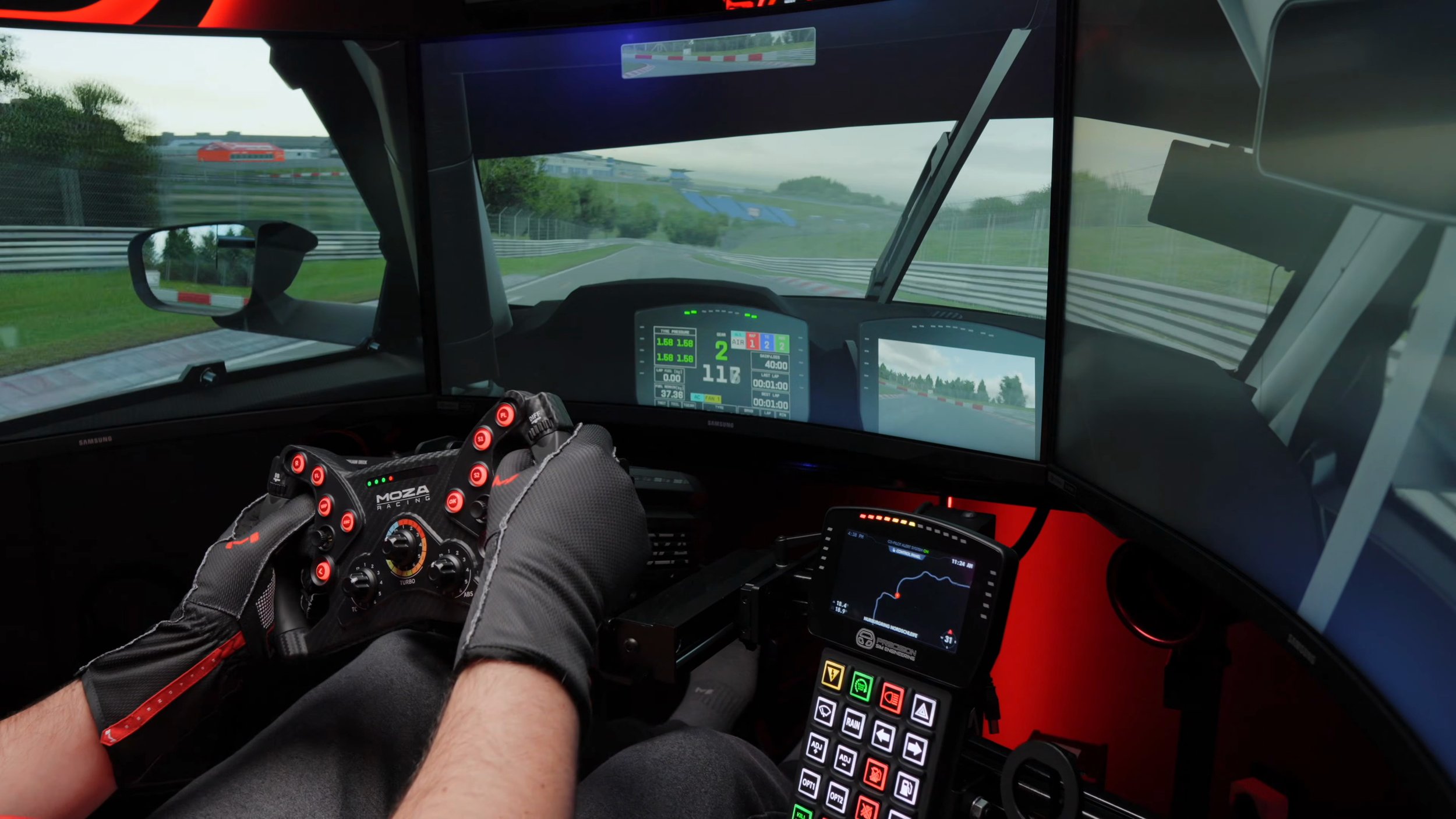
The R21 Ultra felt like a meaningful step forward for MOZA. The enclosure was more rounded and refined than its older designs, and the driving experience gave me the impression of a product competing seriously with more expensive hardware.
MOZA highlights a redesigned flat-wire motor and reduced cogging. Those are the manufacturer’s engineering claims; I did not independently measure motor cogging. My verdict comes from the feedback I felt while driving and how the base worked in my rig.
The current official specification lists a PC direct-drive wheelbase with a 21-bit encoder and 21 Nm maximum torque. Those numbers describe the hardware, but they cannot tell you on their own whether you will prefer its steering feel.
Build, cooling and the RGB light bars
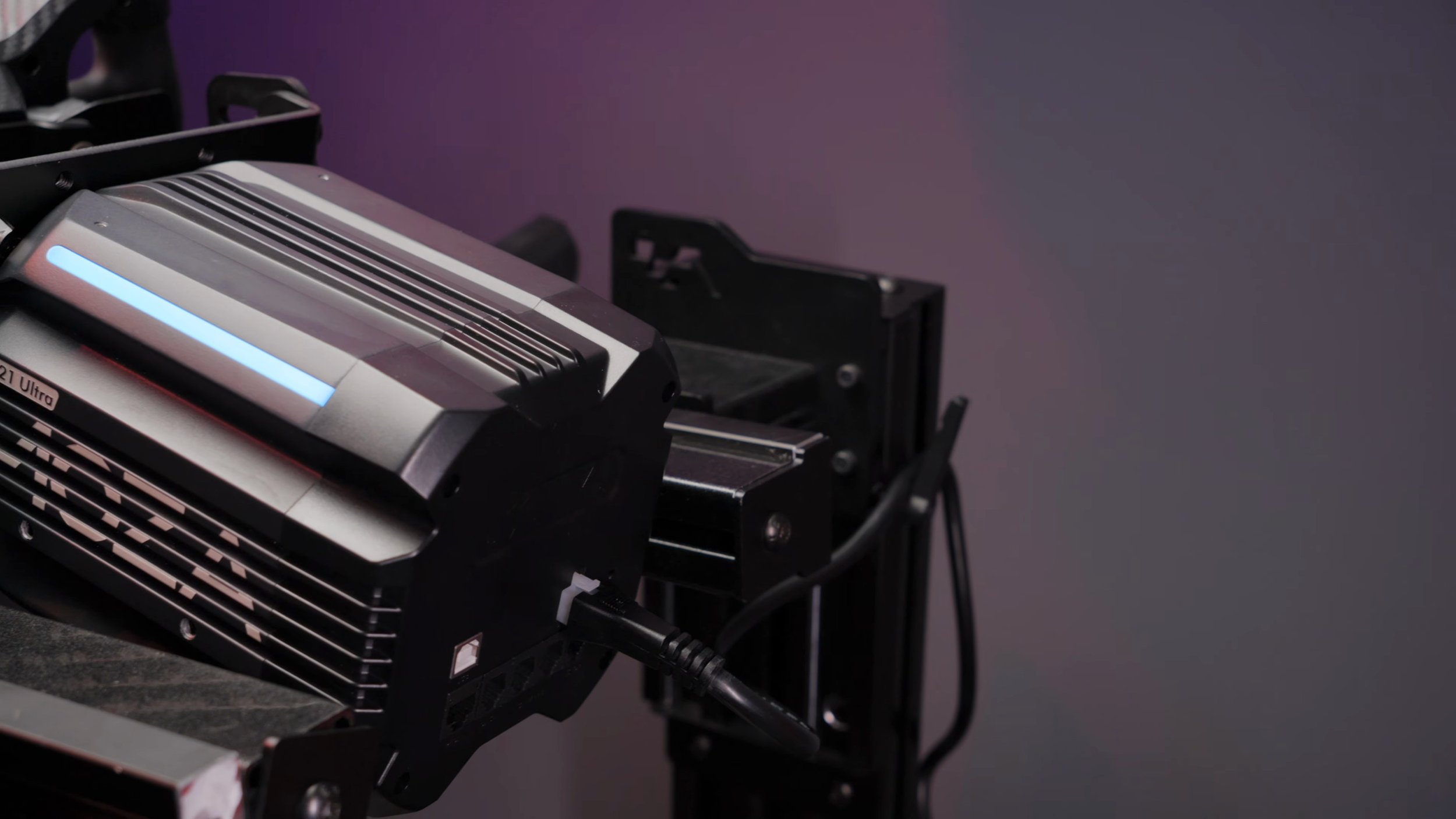
The aluminium-alloy enclosure felt solid, with a plastic rear cover housing the connections. I liked the cleaner shape, and the compact footprint was a welcome change from the original R21. In my setup it felt barely larger than the R12 I had reviewed previously.
The passive cooling design avoids a cooling fan inside the base. That was a welcome feature, although my review was not an instrumented test of temperature or sustained torque over every possible load.
The two programmable RGB light bars on top initially looked like a bit of decoration. Once configured for telemetry, I found they added to the experience. Using lighting for flags or car feedback can make it useful as well as attractive.
How much you notice those lights will depend on where the base sits relative to your wheel and monitors. They were a pleasant addition for me, rather than the main reason I would choose the R21 Ultra.
Fitting it to my ASR Pro rig
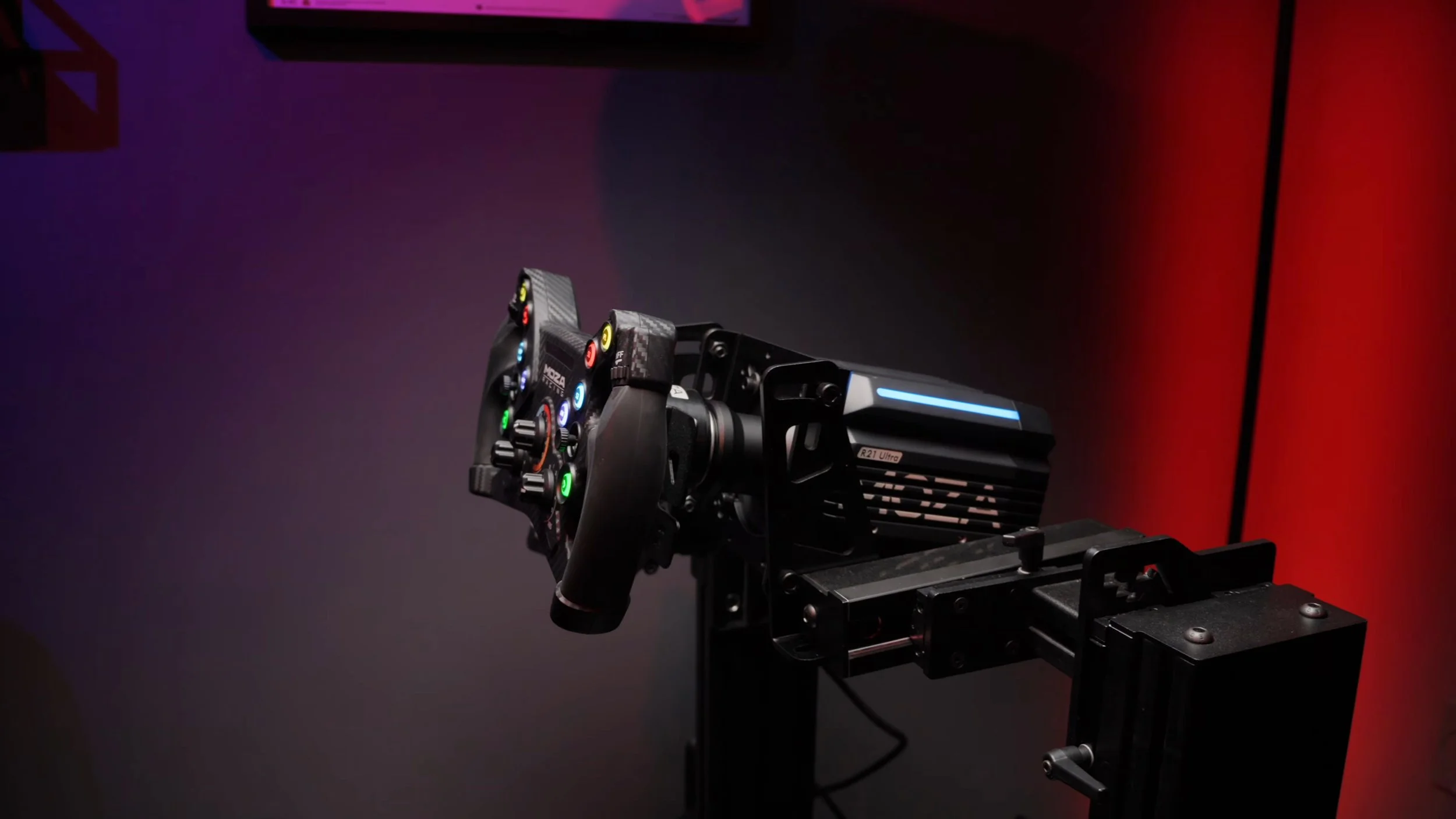
I prefer front mounting, and my ASR Pro’s adjustable deck meant purchasing MOZA’s front mount for this installation. That made my setup a little more involved than simply bolting the base to a conventional wheel deck.
The front mount was difficult for me to find at the time. That is part of my original installation experience, not a statement about stock today. Check the current mount and bracket options against your rig before ordering.
MOZA lists front, side and bottom mounting options. The practical question is which parts you need for your particular deck and preferred wheel position. Include those in the budget rather than assuming the wheelbase box completes the installation.
Once mounted, the compact size made it easy to position beneath my monitors without compromising my driving position. That is a quieter benefit than the torque figure, but it mattered in everyday use.
Pit House and finding the right feel
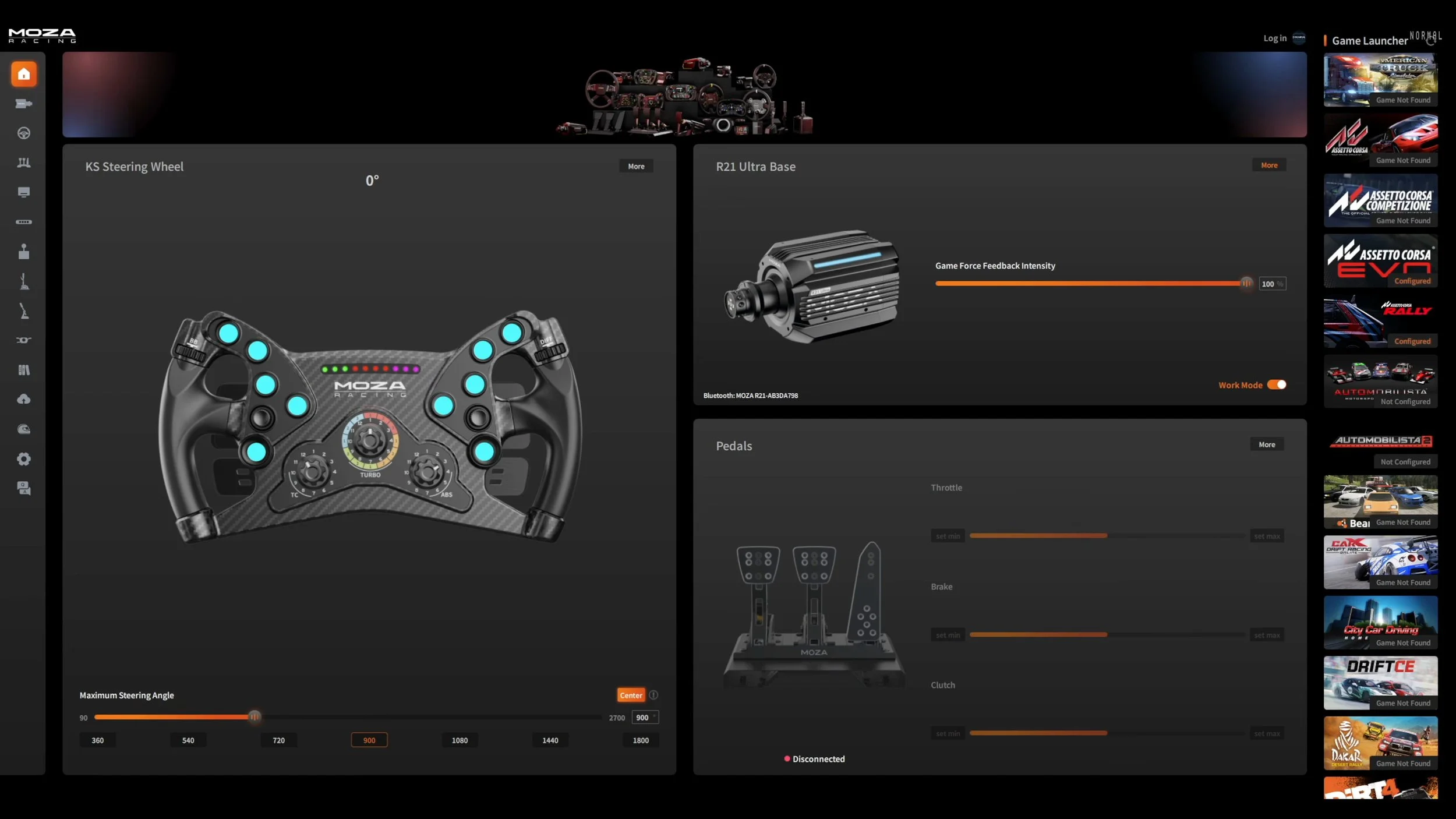
Before driving, I updated the base through MOZA Pit House. It handles firmware, connected devices, lighting and force-feedback settings, so it is the place where the hardware becomes your own setup.
There is plenty of adjustment available. I appreciated the control, but I was still not a fan of the interface and layout. The tooltips helped, and the included sim presets gave me a sensible starting point. I would expect to spend some time refining a preset to suit your preferences.
In iRacing, my primary sim, I found one of the default profiles particularly good. MOZA also lists support for iRacing’s 360 Hz force-feedback mode. That is useful context, but the overall result still depends on the profile, car and settings you choose.
Running with very little damping made the R21 Ultra feel especially aggressive and lively. With filters at zero, I also noticed more oscillation than expected. I would not choose settings just because the numbers are lower; I would tune them around the behaviour I actually wanted from the wheel.
What it felt like on track
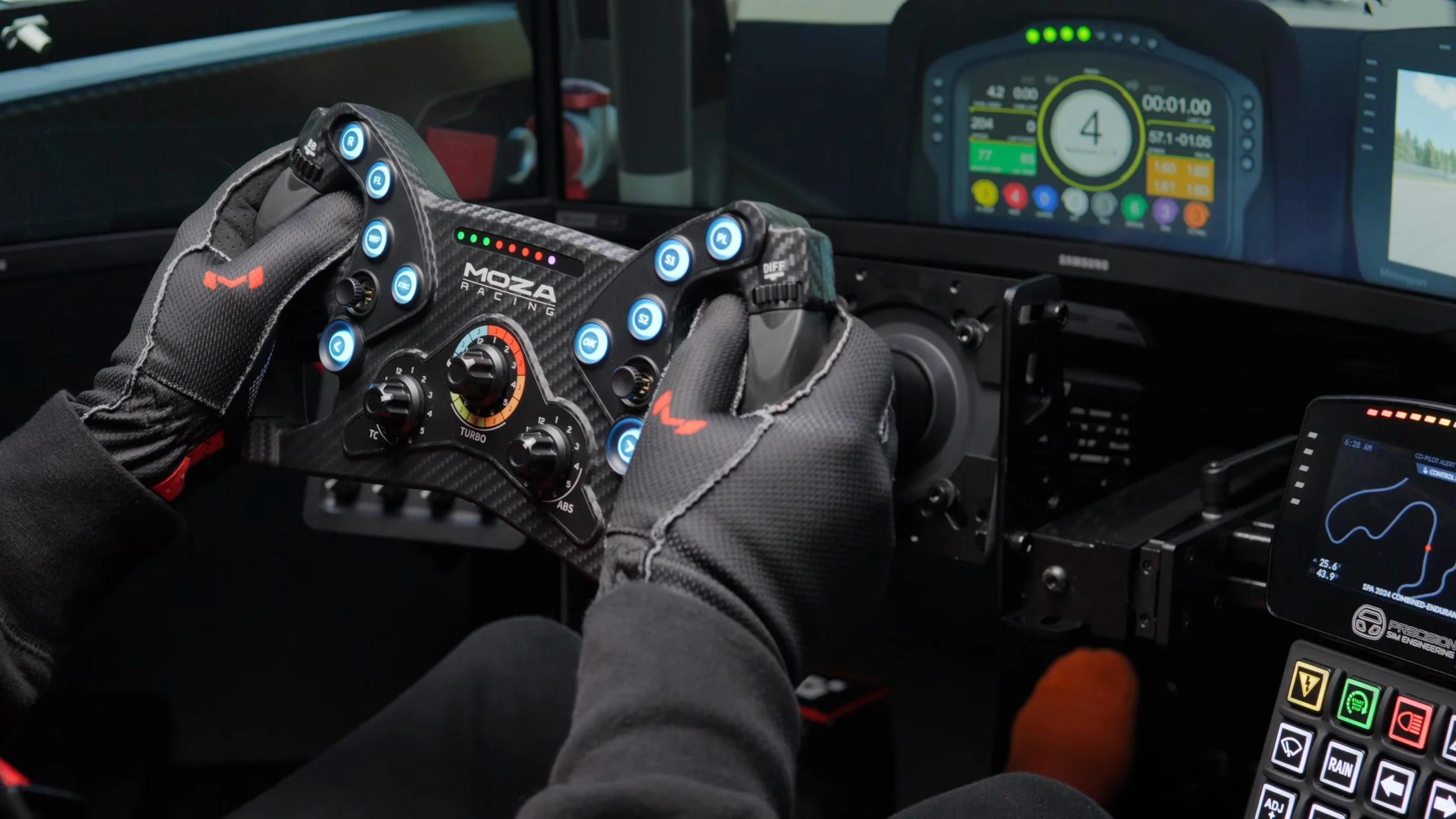
The steering felt sharp and quick, with strong feedback and plenty of detail. I enjoyed the way the base presented road texture and smaller effects. It had an energetic character that made driving engaging.
I described the response as immediate in the video. That is how it felt to me, rather than a measured latency result. I did not carry out a laboratory timing comparison between wheelbases.
There was more force available than I needed for my normal driving. The extra capacity gave me room to choose my preferred strength, but clipping still depends on the game and force-feedback settings. A high torque rating does not make every profile immune to it.
Most of all, I had a great time using it. The R21 Ultra felt capable enough that I was thinking about the car and the session, rather than wishing I had brought a more expensive base back onto the rig.
R21 Ultra versus Simagic Alpha EVO Pro
Testing the Simagic Alpha EVO Pro immediately before the MOZA made their different characters easier for me to describe. I slightly preferred the Simagic’s smoother, more fluid steering feel. It felt a little more polished to my hands.
The MOZA felt more textured and raw, which I do not mean as a criticism. It brought the smaller effects forward in a way I could see other drivers preferring. These impressions reflect the configurations I used, so a different profile may change the comparison.
I would not decide between them purely on 21 Nm versus 18 Nm. Steering character, software, the wheels you already own and the complete cost of switching ecosystems are more useful considerations.
I did not test the R25 Ultra as part of this review. The R21 gave me enough force for my needs, but that does not turn this into a direct comparison with MOZA’s higher-output model.
Price and the final verdict
My November 2025 review discussed a starting price of US$699 before tax and shipping. That was a large part of why I was so impressed with its value. For a buying decision now, use the current regional product page and include mounts and any other required parts.
For someone already invested in MOZA’s ecosystem, the R21 Ultra was a very compelling upgrade in my testing. It delivered the strength, detail and responsiveness I wanted while fitting neatly into my rig.
If I were choosing purely on steering feel between the two bases I tested back to back, I would give the Simagic Alpha EVO Pro a slight edge. The margin was small, and the MOZA’s livelier character may suit your preferences better.
The R21 Ultra earned its positive verdict through time on track. It was powerful, enjoyable and convincing at the original review price. My main reservations were the tuning experience and making sure the complete mounting setup was accounted for.
Check the R21 Ultra at MOZA.
Check the current price, available options and compatibility before ordering.
Check price at MOZAAffiliate link: I may earn a commission if you buy through this link, at no extra cost to you.
Confirm taxes, shipping and any required accessories at checkout.
About this article: Adapted from my original review script and video review. Driving impressions refer to the original review period. The official MOZA listing was checked on September 8, 2026 for specifications, mounting options and iRacing support.
Back to top ↑