
Review disclosure: SimRep supplied the MLDs for review. I kept them on my test rig after the original test. These impressions refer to February 2025; the current availability update is identified separately. The product link is an affiliate link, and I may earn a commission at no extra cost to you.
I first noticed SimRep’s Multi-LED Displays at SimExpo in Germany. The idea appealed to me because they combined two accessories I already understood: eyebrow-style indicators beside the wheel and a flag display capable of showing more detailed information. On my ASR rig, the most useful part turned out to be having clear spotter and telemetry cues close to my line of sight.
My verdict at a glance
Best suited to: Drivers who want visible flag and spotter information near the wheel, particularly if their existing hardware lacks those cues.
What stood out: The aluminum and glass construction, readable effects and flexibility of SimHub and Daniel Newman Racing profiles.
What to consider: Each unit uses a separate USB port, the included brackets are 3D-printed plastic, and usefulness depends on the telemetry and effects you choose.
What the LED matrix adds
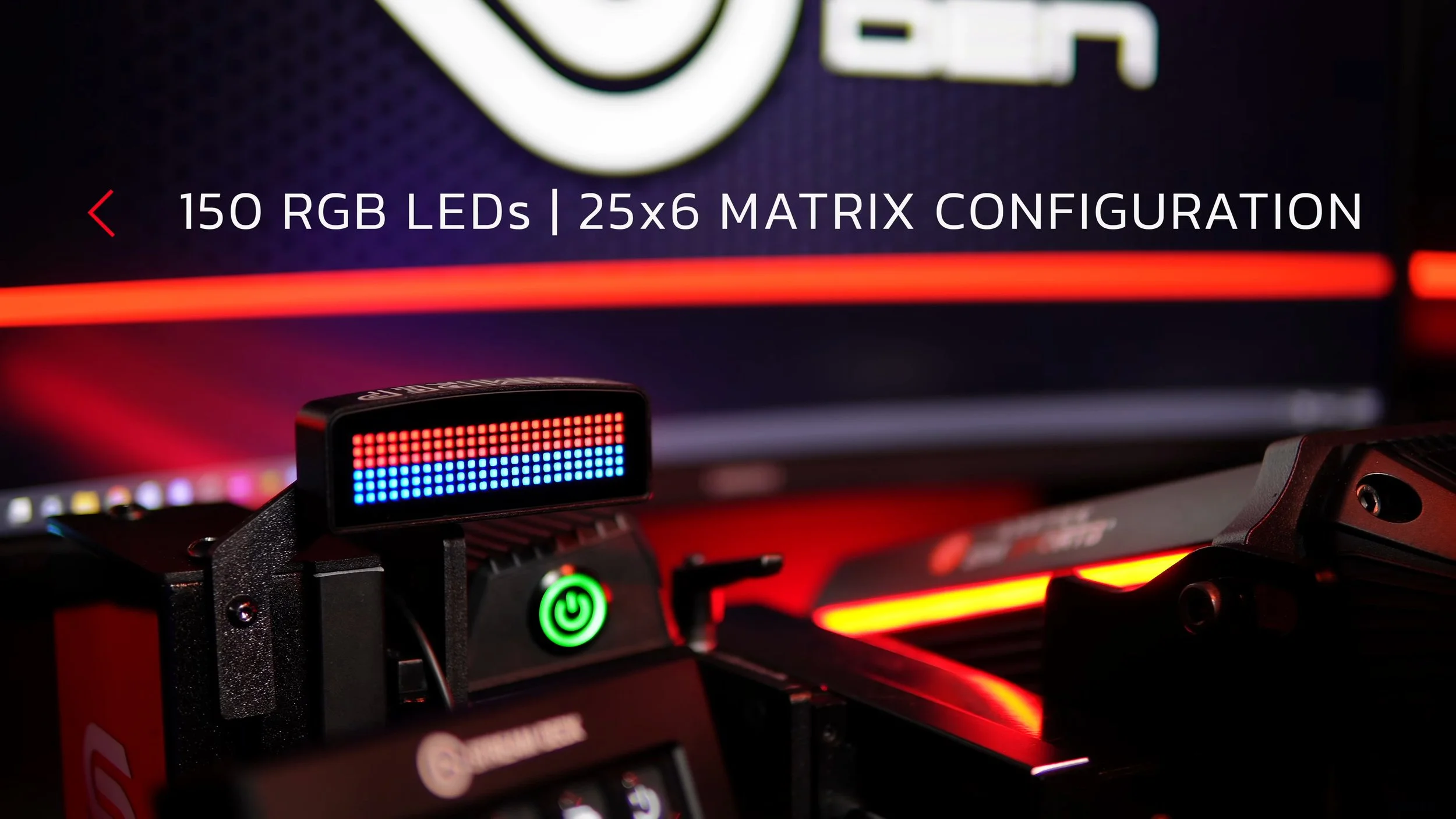
Each original MLD housed 150 RGB LEDs in a 25 × 6 matrix. That gave it more flexibility than a simple strip of lights: it could show text, symbols and different patterns as well as changes in color.
The compact aluminum enclosure and glass front looked and felt good on my rig. I liked the balance between being large enough to read and small enough to position beside the wheel deck.
The etched branding on top was more prominent than I would have chosen, although I barely noticed it once seated. It was a minor visual preference rather than a problem during driving.
These are LED matrices, not small LCD dashboard screens. Their appeal is displaying selected cues clearly, rather than replacing a full dashboard with detailed instruments.
Mounting the pair on my ASR rig
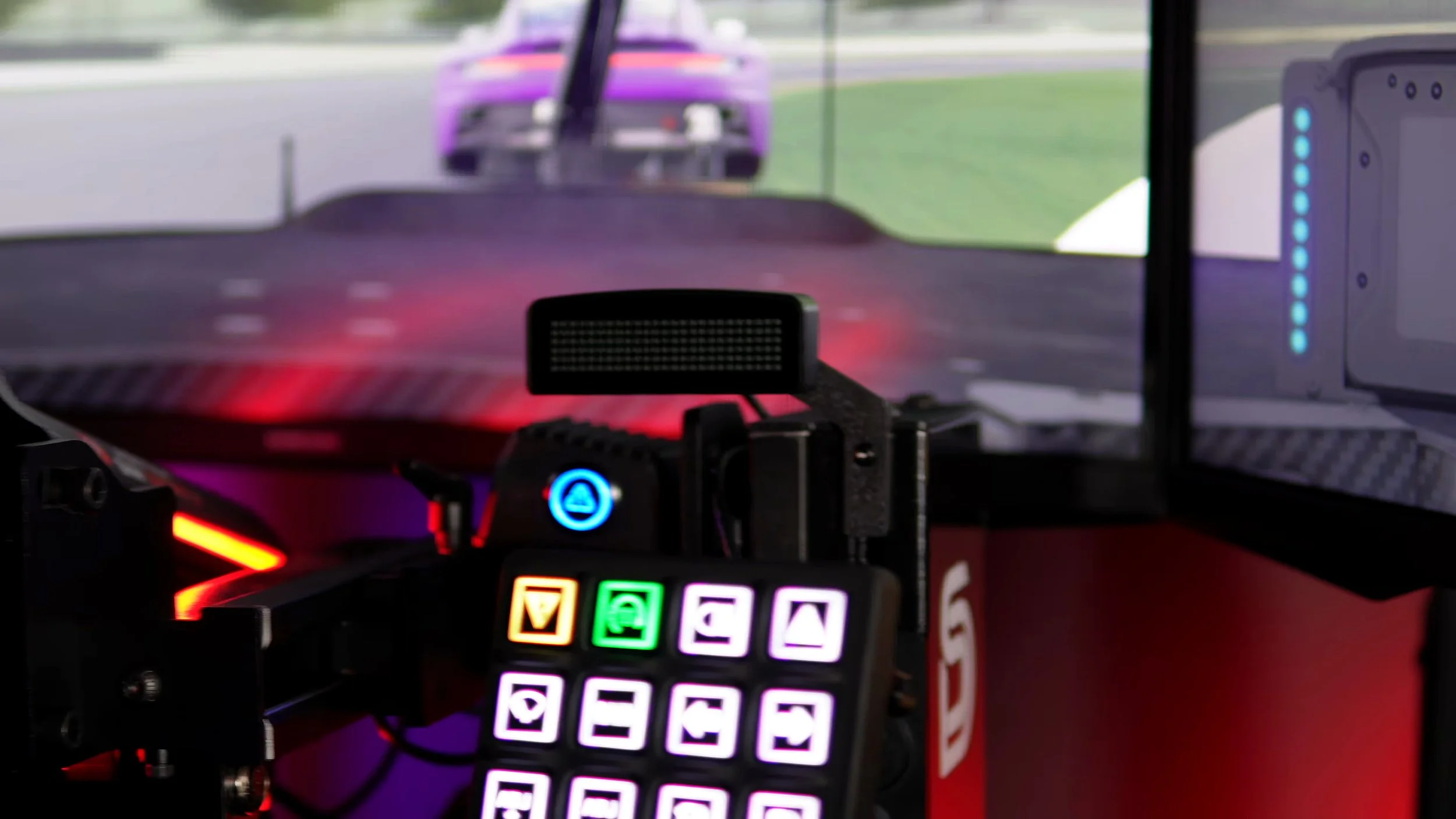
The supplied brackets positioned the units on either side of my wheel deck, and they remained secure during my motion-enabled sessions. I routed the cables through the rig’s upright profiles, which kept the installation tidy.
The brackets worked, but their 3D-printed plastic finish did not quite match the quality of the display enclosures. Aluminum or carbon-fiber mounts would have felt more consistent with the rest of the product.
That was a modest criticism because I did not interact with the brackets after setup. They were functional and stayed in place; I simply thought their presentation could be improved.
The package also included adhesive mounting strips, and SimRep offered alternative brackets separately. I would check the position and mounting arrangement on a particular rig before assuming the supplied brackets will fit exactly as they did on mine.
Two displays mean two USB connections
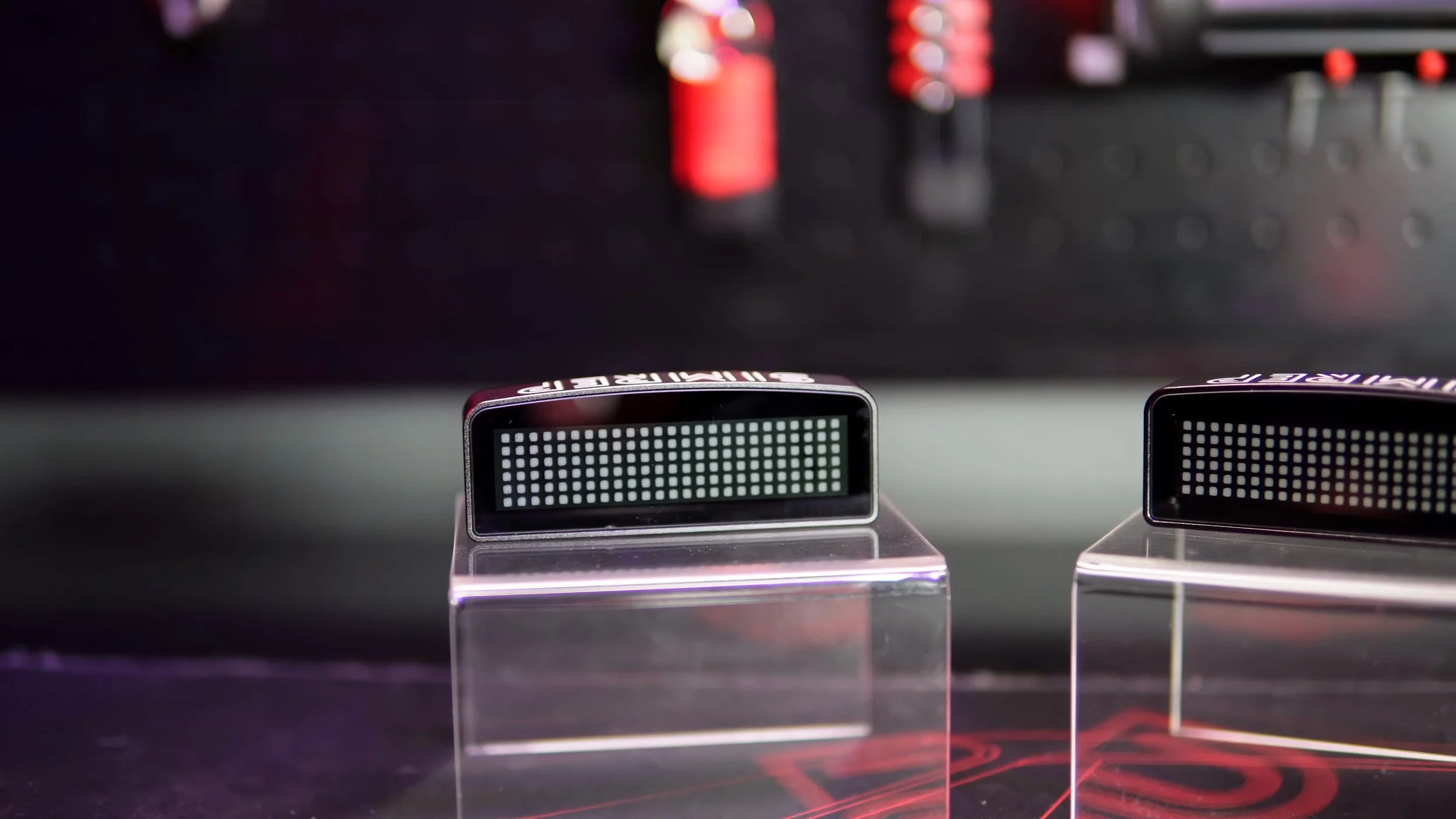
Each MLD needed its own USB cable to my PC or hub. The display end used USB-C, with USB-A at the other end of the supplied cables.
I had enough reach and managed the cables without difficulty on the ASR rig. Even so, two more occupied USB ports and two more cables were the main practical drawback for me.
I would have preferred a way to link the displays together or connect them through a central unit. A powered USB hub makes the existing arrangement manageable, but it does not remove the extra cabling.
That matters most on rigs already filled with USB accessories. Work out where both connections will go before deciding where to mount the lights.
Setting up SimHub and choosing useful effects
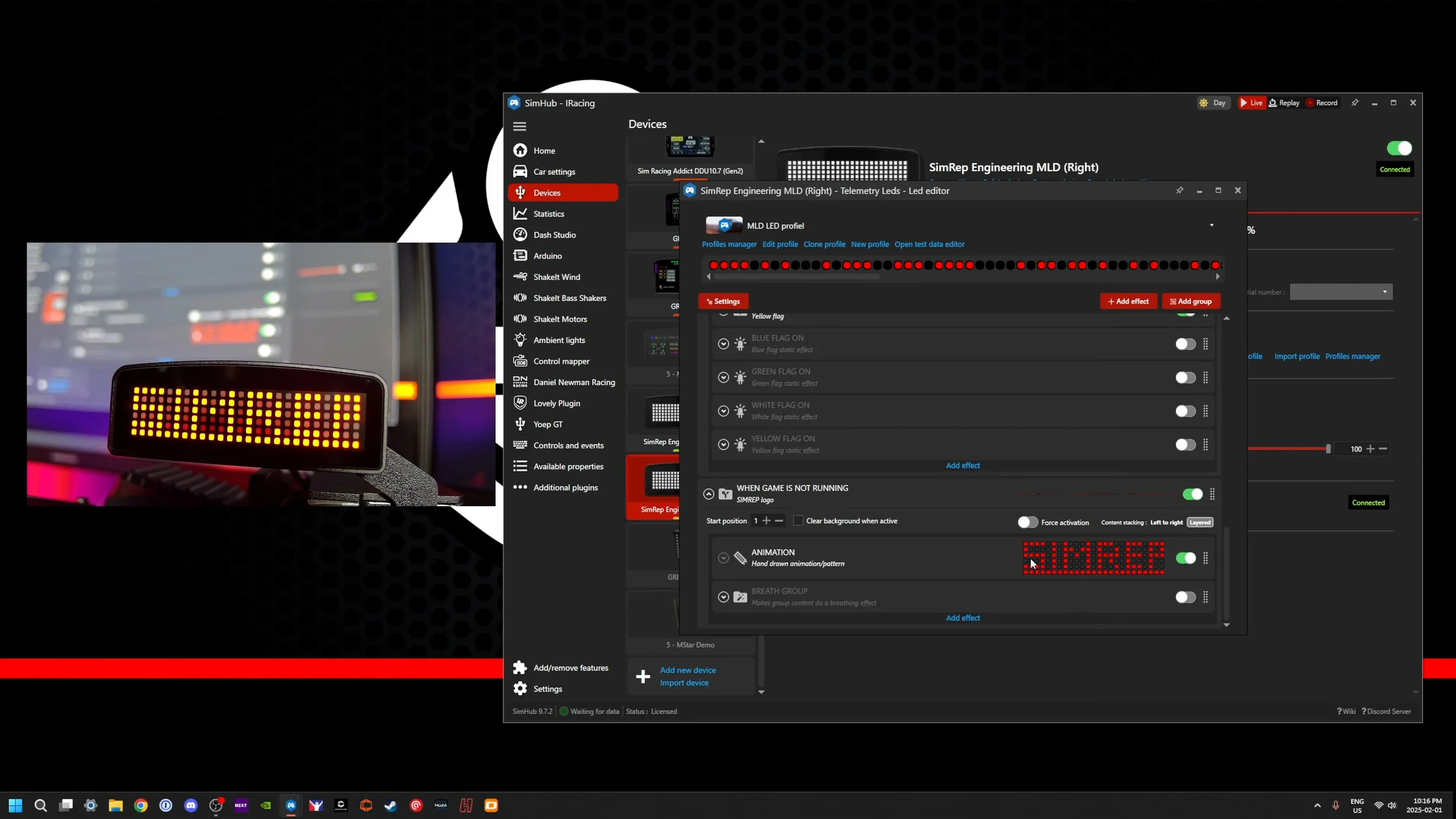
I added the MLDs as two devices in SimHub and named them Left and Right. That made it easier to keep the directional effects matched to their physical positions.
SimRep’s default profile gave me a useful starting point. I did not need to make extensive changes, though I disabled the redline flash because my wheel already provided that information.
That was an important part of making the units useful: choosing cues that added something instead of having every device repeat the same effect. SimHub let me change the idle text and colors too.
Daniel Newman Racing offered another profile through its SimHub plugin. I liked the more detailed spotter and pit-lane effects, as well as the consistency with other DNR hardware on my rig.
The available information depended on what each sim supplied. A profile can only display the telemetry it receives, so I would check the effects that matter most for the games I actually drive.
The spotter information was the highlight
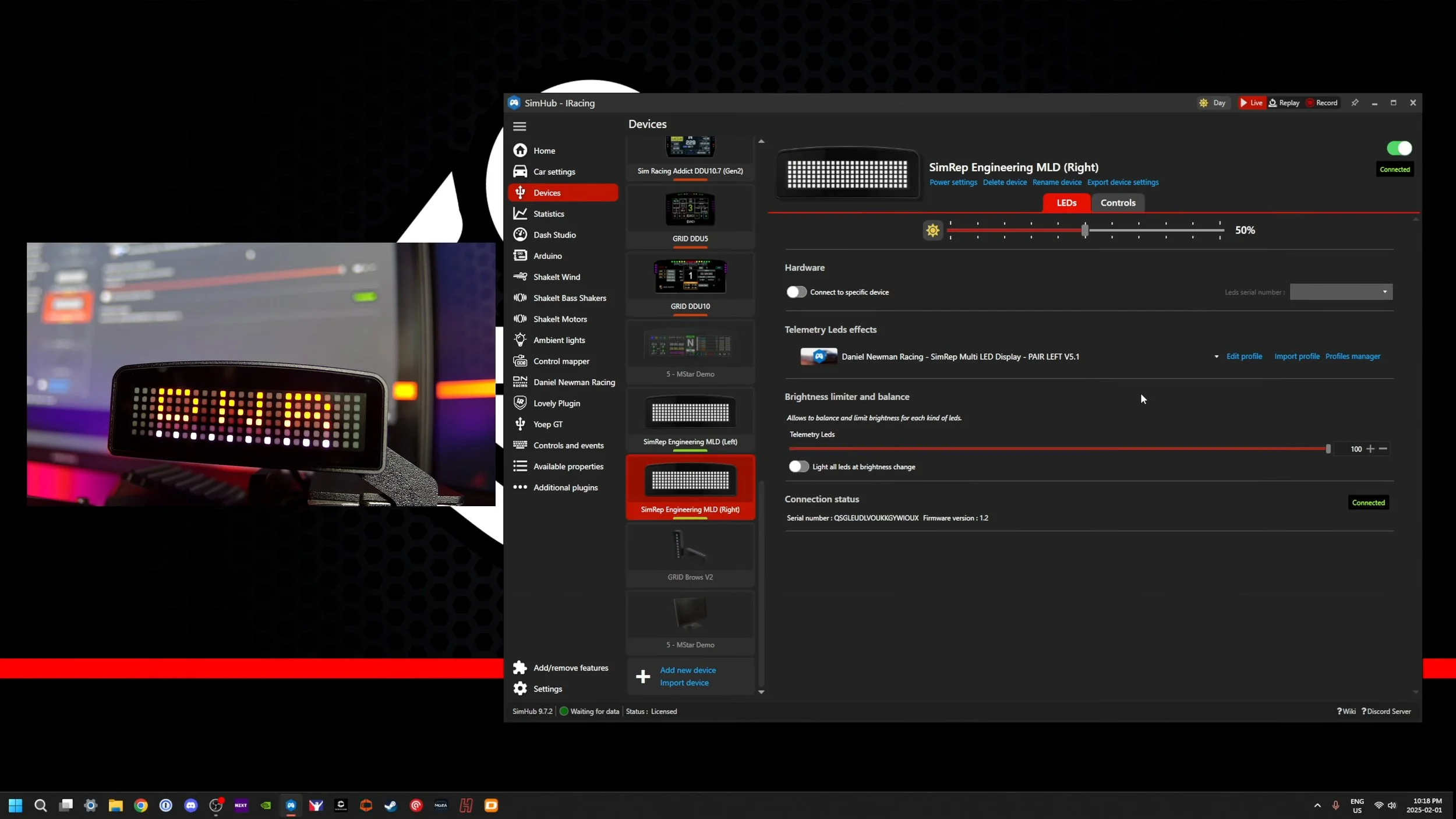
The left and right indicators were particularly helpful during racing. They provided another cue when a car was alongside, complementing the audio from Crew Chief or the in-game spotter.
Flag states, ABS, traction control and pit-limiter information were also useful possibilities. The colors and behavior depended on the profile, so learning what my chosen effects meant mattered more than enabling everything.
The units worked well during my test. I enjoyed having the information in view without relying entirely on a display on the wheel.
I would not claim the MLDs make someone faster or guarantee cleaner racing. My benefit was better access to selected visual cues and an extra layer of immersion.
Compared with a simpler brow display
I had used GRID Engineering Brows before, which provide a simpler row of LEDs. For some rigs, that level of information may be enough.
The MLDs offered more detailed patterns and text, combining functions I would otherwise associate with a brow unit and a separate flag box. I liked that flexibility and the clean installation it allowed.
The extra capability is only valuable if it displays information you want. If the LEDs on your wheel already give you all the cues you use, another pair of displays may add less than it did to my setup.
I saw the MLDs as an optional finishing touch. They were enjoyable accessories after the main rig hardware was sorted, rather than an essential starting point.
Original value and current availability
My February 2025 review quoted €149.99 including VAT for the pair, with shipping and any applicable duties extra. I thought that was fair for the materials and ready-made setup.
A DIY solution might cost less, but part of the appeal was receiving finished enclosures, mounting hardware and a supported SimHub profile. That package suited me.
At publication in September 2026, the official SimRep listing shows the original MLDs as out of stock. SimRep announces a return in autumn 2026 under Sim-Lab branding through its dealers.
This article assesses the original pair I tested. It does not establish the price, specification or performance of the forthcoming Sim-Lab version, and the original viewer discount should not be assumed to apply to it.
My final verdict
The MLDs combined useful functions in a well-made pair of displays. I liked the appearance, the spotter cues and the freedom to choose effects through SimHub.
My two main criticisms remained straightforward: a separate USB connection for each display, and plastic brackets that felt less premium than the aluminum units they supported.
Neither stopped me from enjoying them. I kept the pair on my test rig after the review because their mix of brow and flag-box functions worked well for me.
If those are the cues you want near your wheel, the original MLD design was a convincing solution. I would decide around the information you need and the space you have, rather than the LED count alone.
Check current MLD availability.
At publication in September 2026, SimRep lists the original MLDs as out of stock and announces an autumn 2026 return under Sim-Lab branding. This review covers the original SimRep units.
View product and availabilityAffiliate link: I may earn a commission if you buy through this link, at no extra cost to you.
My original video offered 5% off with code SIMRACINGDEN. That historical offer does not confirm a discount on the forthcoming Sim-Lab product.
About this article: Adapted from my original review script and video review. Driving impressions refer to the original review period. The official SimRep listing supplies the availability update. The assessment remains based on my original February 2025 review.
Back to top ↑