
Review disclosure: Bavarian SimTec supplied this wheel for review. I chose to keep it and purchased it at a discount. The impressions below are my own. Some links on this site are affiliate links, which may earn me a commission at no extra cost to you.
The OMEGA PRO V2 came closer to my idea of the perfect sim racing wheel than almost anything I had tested at the time. That is a personal verdict, and the price makes it a serious purchase. What impressed me was how well its shape, weight, controls and display worked together when I was actually driving.
I already liked Bavarian SimTec’s ALPHA wheel, particularly its grips and build quality. The OMEGA added a screen and more functionality without losing the comfort that made the ALPHA stand out. For someone considering a premium formula-style wheel, those everyday details deserve as much attention as the feature list.
My verdict at a glance
Best suited to: a driver looking for one premium display wheel for formula, prototype and GT racing.
What stood out: comfortable grips, a balanced feel, positive paddle feedback and well-lit controls.
What to consider: the high price, thumb-encoder edges that I noticed without gloves, and whether you prefer a smaller formula rim or softer paddle action.
A formula shape that also worked for GT racing
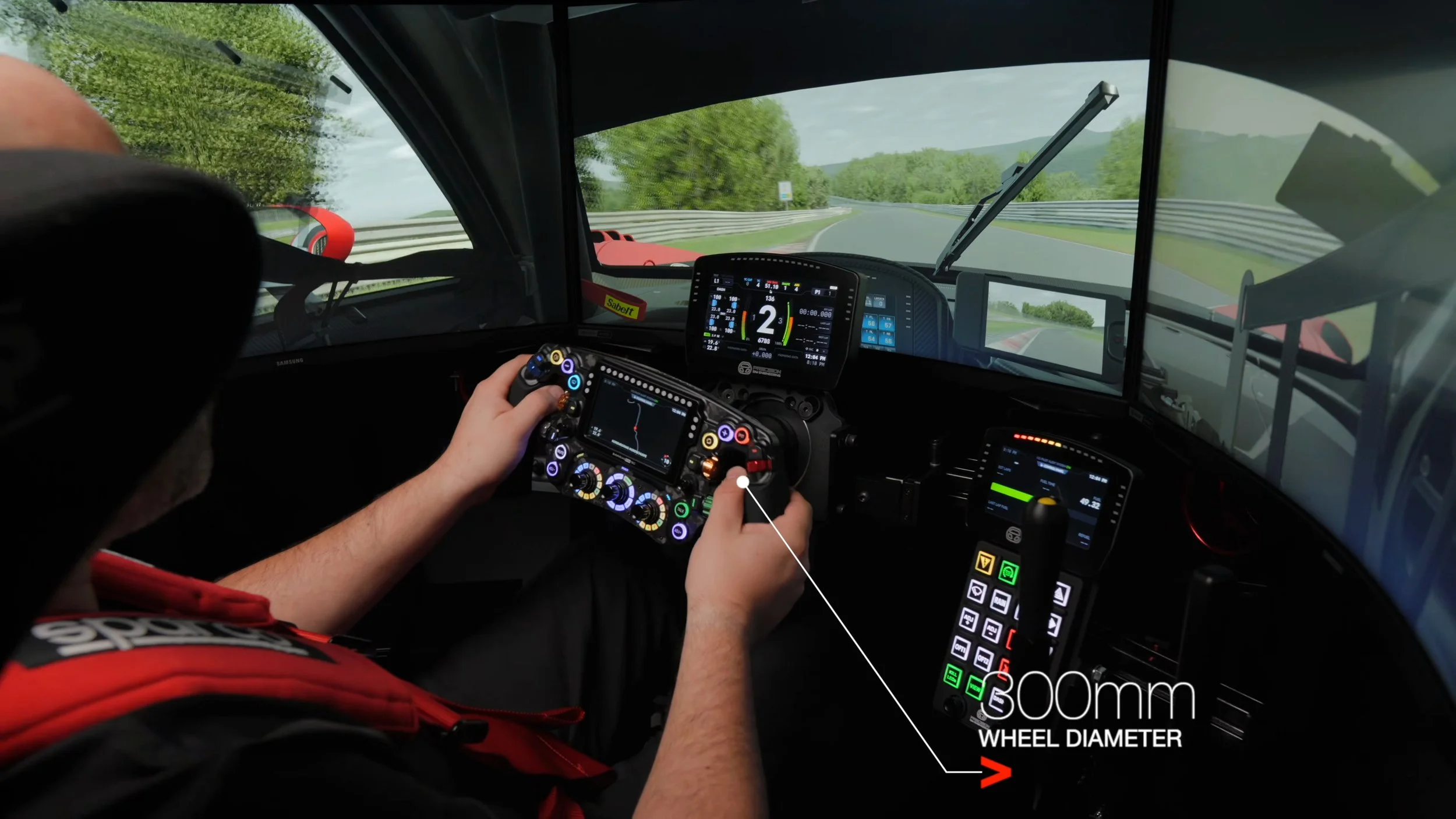
The wheel looks at home in an open-wheel cockpit, but its 300 mm diameter made it versatile in my testing. I found it natural in GT3 and GT4 cars as well as formula-style machinery. If you want a very small F1-style rim, this may not be your ideal size. For switching between different kinds of cars, I liked the middle ground.
The grips were a highlight. Their sloped shape suited my hands, and the silicone extending over the housing gave my thumbs a comfortable resting place. That sounds like a small detail until you spend time holding the wheel and reaching for controls.
Comfort is personal, but this continued what I liked about the ALPHA. The wheel felt familiar quickly, with the controls positioned where I wanted them.
Build quality and the display
The aluminium construction felt sturdy and carefully finished. Despite the integrated display, the wheel did not feel top-heavy to me. That balance was part of why it felt so planted and precise while driving.
The 4.3-inch LCD looked crisp and bright in my testing, with no light bleed that I noticed. I could read it during a race without it becoming a distraction. The wider design also struck a balance I liked: distinctive, but still something I could imagine belonging in a real race car.
I appreciated the lighting around the controls. In a dark room, illuminated labels made it easier to see what I had assigned. The included decals helped personalize the layout, although the labels around the rotary switches were less flexible than the other labels I could change.
Controls and paddles: positive feedback matters
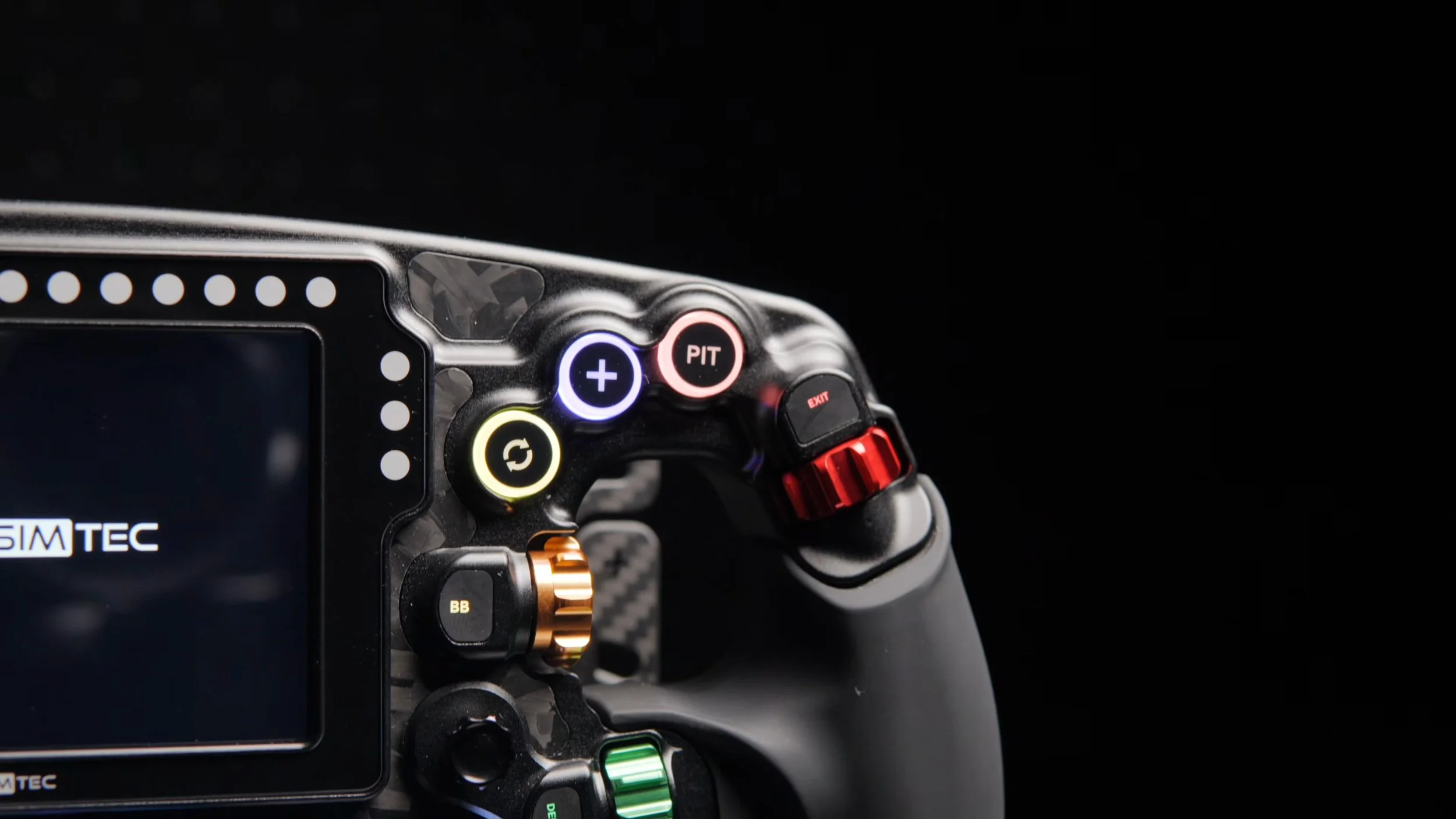
There is plenty to assign here: front buttons, rear quick-action buttons, thumb encoders, multi-direction switches and rotary controls. The multi-selector options expand what you can do without adding another physical control to reach for.
For me, the quality of those inputs mattered as much as their number. The front buttons had a satisfying tactile click. The paddles had a strong, definite snap that I enjoyed every time I shifted. Six paddles were included on the wheel I reviewed, covering shifting, auxiliary functions and the clutches, with adjustable carbon plates to help position them.
That forceful paddle feel will not suit everyone. Someone who prefers a softer shift action may feel differently. I also found that the thumb-encoder edges could feel a little sharp without gloves. With gloves, they suited me well, but it is a detail worth considering if you normally race bare-handed.
Mounting and connection
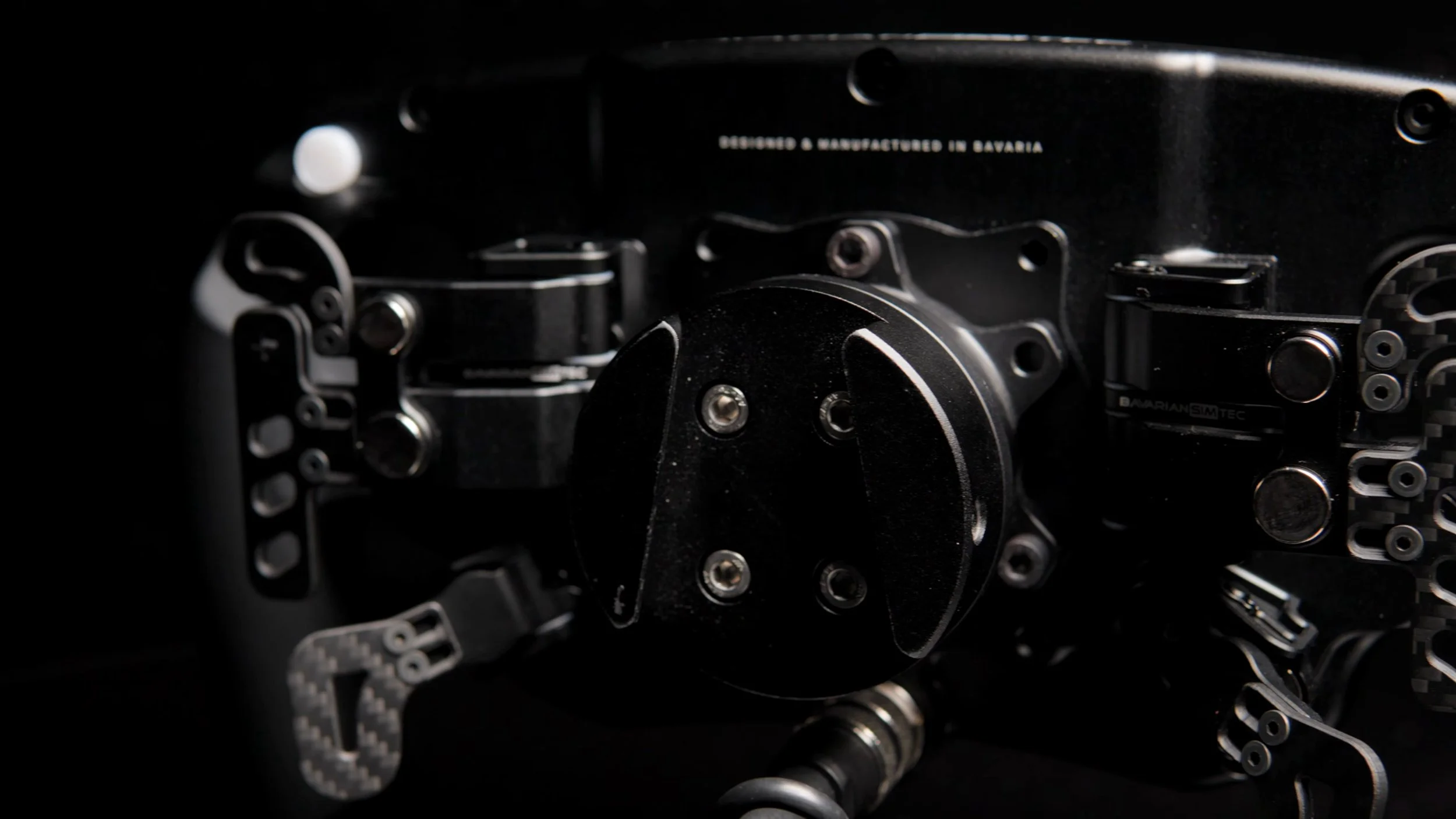
Plan the wheel’s connection alongside your wheelbase and quick release. In my review I discussed both a conventional USB cable connection and passthrough arrangements with compatible equipment. A compatible mounting pattern alone does not establish that a particular setup will also pass through data and power.
The current manufacturer package list includes the wheel, mounting plate, coiled USB cable and decals. Check the quick release and any adapter requirements for your exact base before ordering. My setup advice in the original review was to use a powered USB hub for a reliable connection.
Software: choose the setup that suits your rig
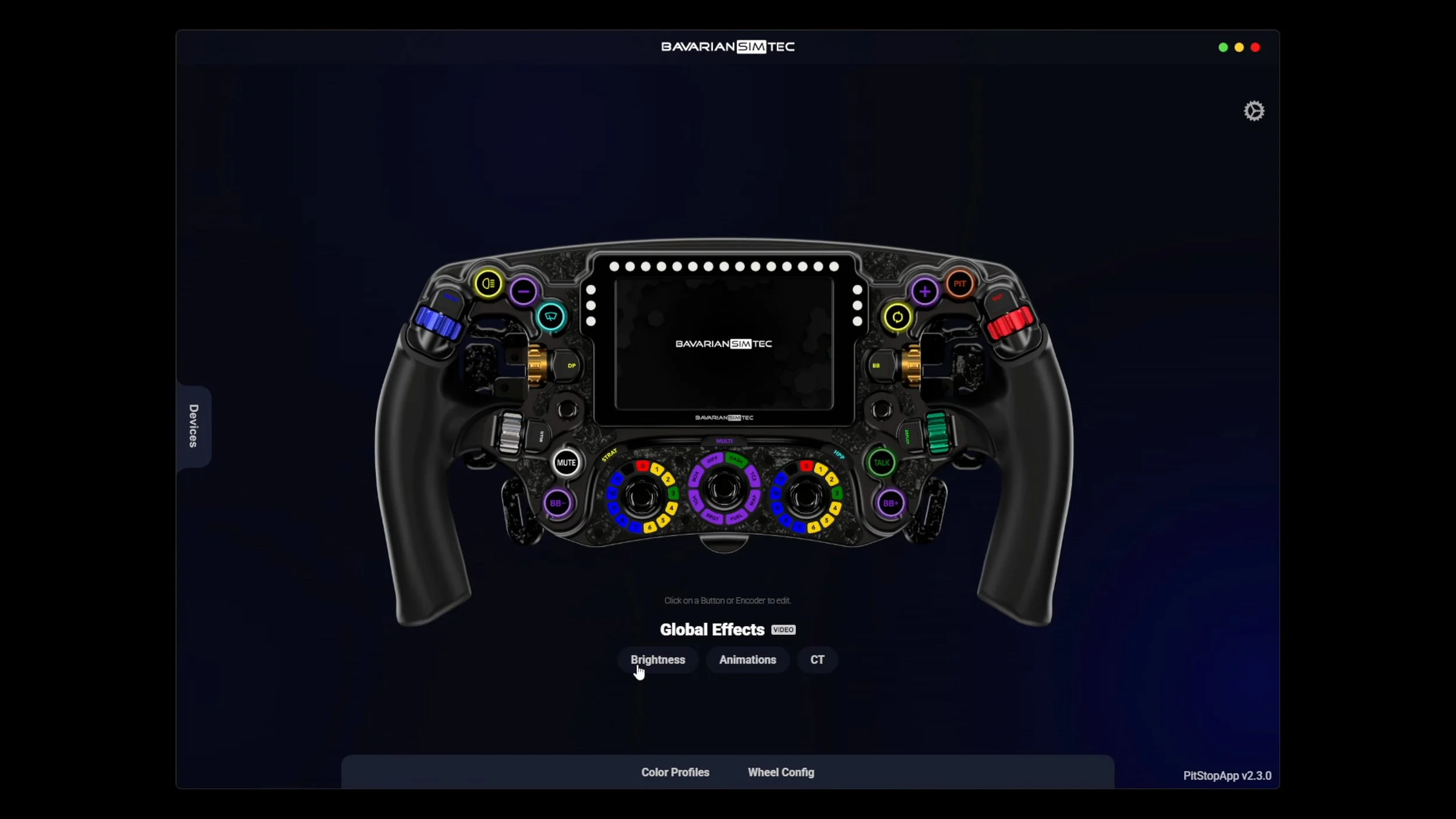
I used three routes in the review: Bavarian SimTec’s PitStopApp, SimHub, and Daniel Newman Racing’s SimHub plugin.
PitStopApp had improved considerably since my ALPHA review. I found it straightforward to configure functions and lighting effects, including useful behaviour such as a pit-limiter button blinking when active. Color profiles offered a starting point, with the option to create and share your own.
SimHub gave me another familiar way to add the wheel and configure profiles. At the time, my personal preference was Daniel Newman Racing’s plugin for the additional lighting and telemetry options. Its current access terms and pricing should be checked separately; a historical subscription mention in a video is not a current quote.
I liked having these choices. A simpler setup and a more customized setup were both available, depending on how much time I wanted to spend configuring the wheel.
What it felt like on track
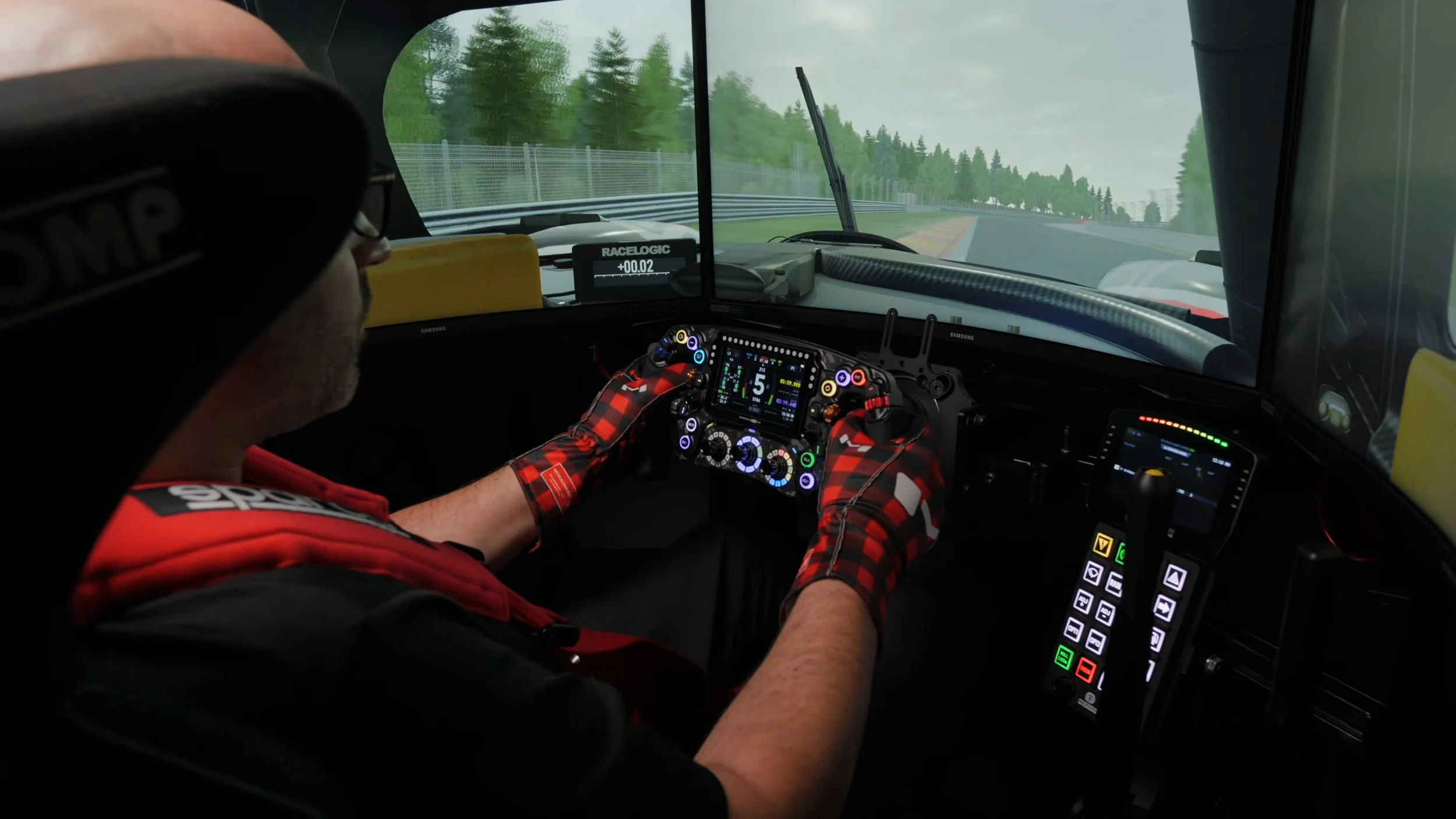
The wheel felt balanced and precise in my hands. The grips stayed comfortable, the shifts gave clear feedback, and the screen was easy to read. None of those features felt as though they were competing for my attention.
That was the strongest part of the experience for me. The OMEGA quickly felt natural to use. I was impressed by the force-feedback detail I could feel, but this review was not a controlled comparison of wheel inertia or lap times. My conclusion is about the driving experience I had with it.
Price and buying considerations
This is a premium purchase. My September 2025 video discussed pricing above US$2,000. Treat that as historical context. On September 8, 2026, the manufacturer’s euro listing showed the standard OMEGA PRO V2 from €2,159 including tax; region, configuration and delivery can change the total.
Check the current OMEGA PRO V2 configuration and price.
Before choosing it, consider whether you will use the screen and the extensive controls, whether 300 mm suits your preferred cars, and which mounting parts your wheelbase requires. The custom version offers additional color choices for the encoders and switches, but that is a separate configuration to compare.
Would I choose it?
Based on the experience in my original review, yes. The OMEGA PRO V2 combined the things I care about most: comfortable ergonomics, convincing build quality, a balanced feel and controls that were satisfying to use.
It is expensive, and my preferences will not be everyone’s. The size, paddle resistance and encoder feel are meaningful reasons to try one if you have the opportunity. For my tastes, though, this was one of the strongest premium wheels I had used at the time.
Save 5% on Bavarian SimTec.
Use my code at checkout when you shop through the link below.
DISCOUNT CODESIMRACINGDEN3Affiliate link: I may earn a commission if you buy through my shopping link, at no extra cost to you.
Check the final discount and any exclusions at checkout.
About this article: Adapted from my original review script and September 28, 2025 video. Driving impressions refer to that review period. Current package and price details were checked against the manufacturer’s product page on September 8, 2026.
Back to top ↑