
Review disclosure: MOZA supplied the Vision GS as a review unit. This article reflects my original October 2024 testing. The embedded video contains a separate Pit Lane Sim Racing sponsored segment. The product link below is an affiliate link and may earn me a commission at no extra cost to you.
The circular screen made the Vision GS one of the most distinctive wheels I had tried. I wanted to know whether that visual appeal would become something useful once the novelty wore off. After several weeks, I liked the materials, controls and paddles more consistently than I liked the screen’s location or the overall size. It was a well-made wheel that did not quite fit my own ideal shape.
My verdict at a glance
Best suited to: Someone who loves the design, prefers a larger GT-style wheel and enjoys custom dashboard layouts.
What stood out: Solid construction, premium-feeling controls, satisfying shifters and a fun dashboard editor.
What to consider: The centre-screen viewing position, early display rotation behaviour and whether 310 mm suits your hands and cars.
Materials and construction
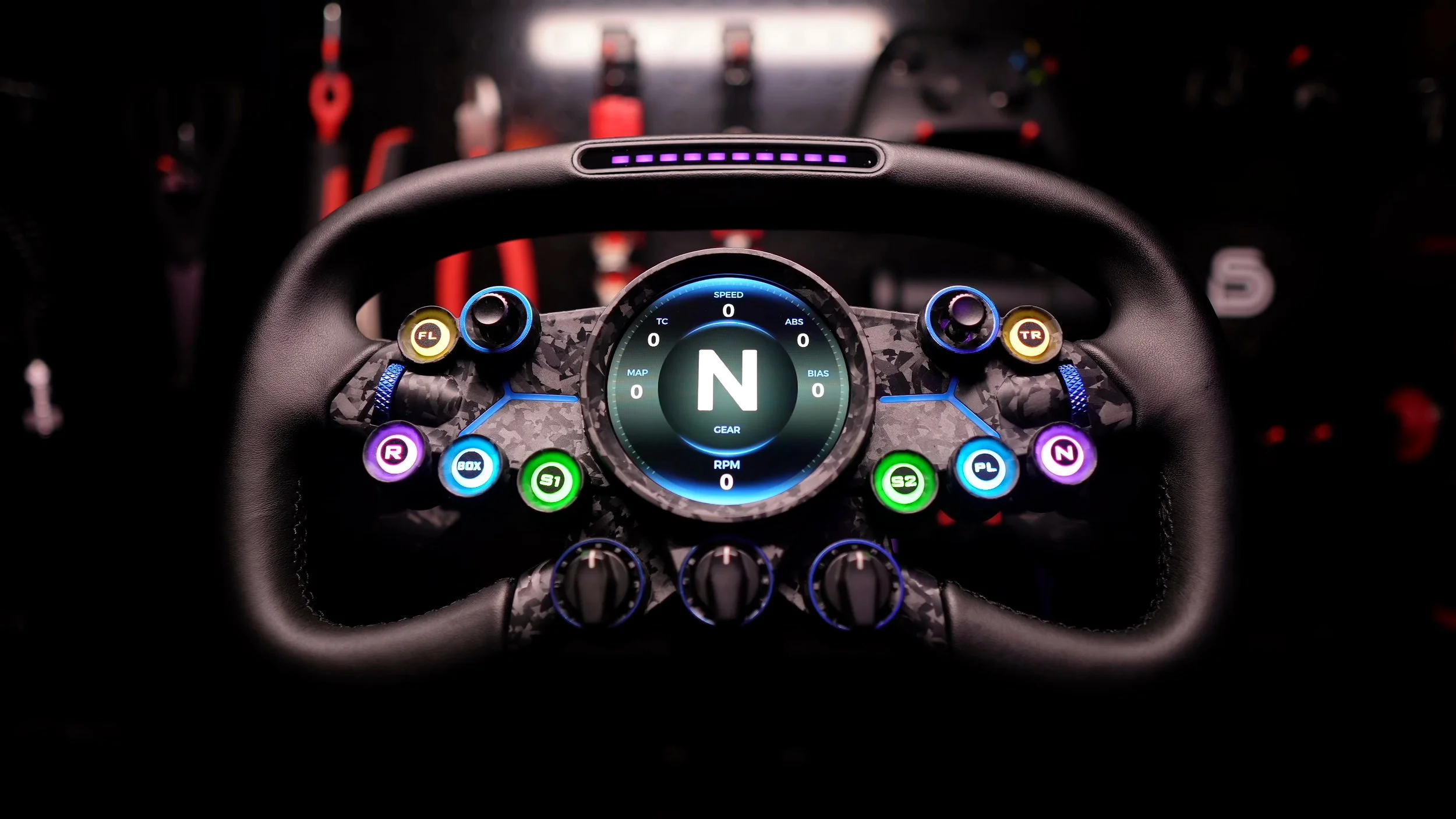
The wheel felt noticeably more premium than MOZA’s less expensive rims. The aluminium structure was rigid, and I did not notice flex during driving.
I liked the neat stitching and microfiber leather grips. The carbon-reinforced composite faceplate and blue details gave it a distinctive appearance, even if a red version would have suited my rig nicely.
The 310 mm width was the first thing I noticed in my hands. It felt more like a GT wheel than a compact formula rim, and I never fully settled into that size for my own preferences.
The grip surface felt good, but the rim lacked the finger contours I liked on some other butterfly-style wheels. That made the shape feel less natural to me than its finish suggested.
Buttons and encoders
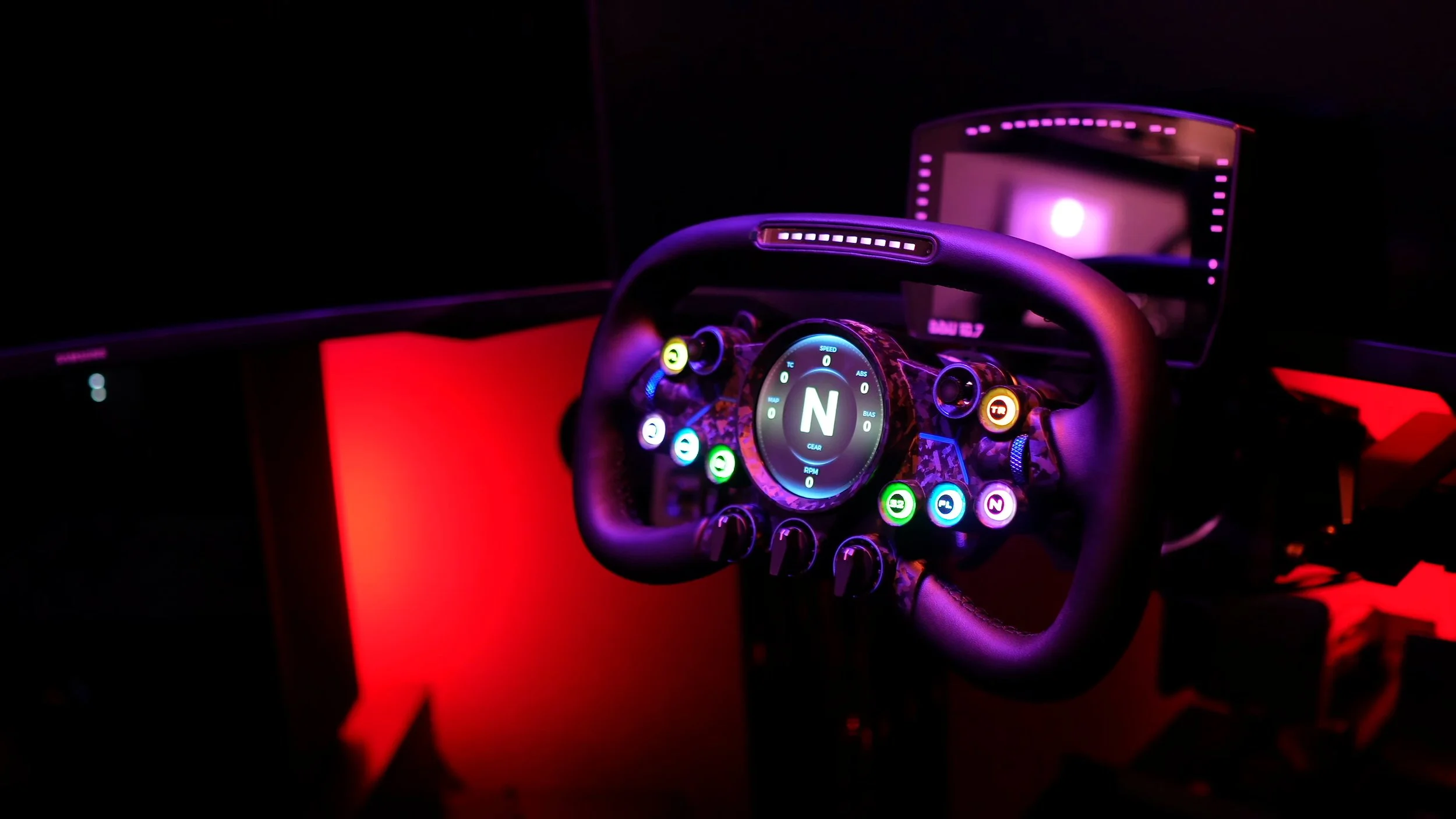
The short-travel front buttons had a satisfying tactile activation with very little play. Their lighting looked particularly good after I applied the included labels.
The metal central rotary controls helped the wheel feel more expensive, and the rear buttons were easy to reach without changing my grip.
I would have preferred two seven-way switches rather than the combination of a seven-way switch and a universal joystick. The latter was less useful in the sims I normally drove.
The thumb encoders were positioned well, but my thumb occasionally slipped when making a quick adjustment. A more pronounced texture would have helped me.
I had enough controls for my usual racing. A large programmable-input total is useful context, but the layout and feel of the controls you actually use matter more.
The paddles were a highlight
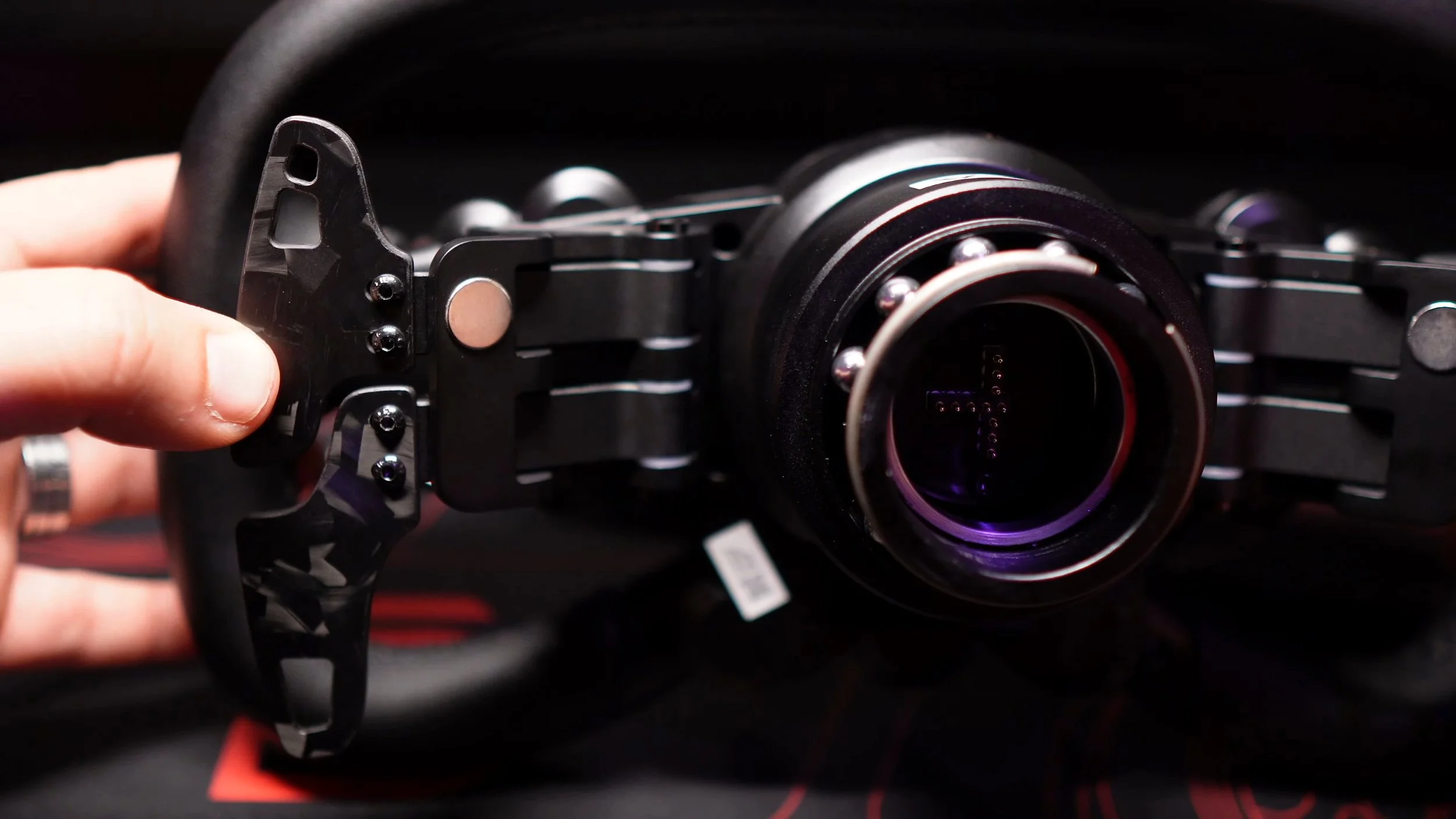
The magnetic shifters were among the best I had felt on a MOZA wheel at the time. They delivered a satisfying click and were easy to reach.
They were audible, but I did not find the sound excessively loud or irritating. The pre-installed silencer pads and the overall feel worked well for my setup.
The dual-clutch paddles also had a pleasant amount of resistance. Their positioning made them comfortable to operate, so the rear controls were a strong part of the driving experience.
What the circular screen added
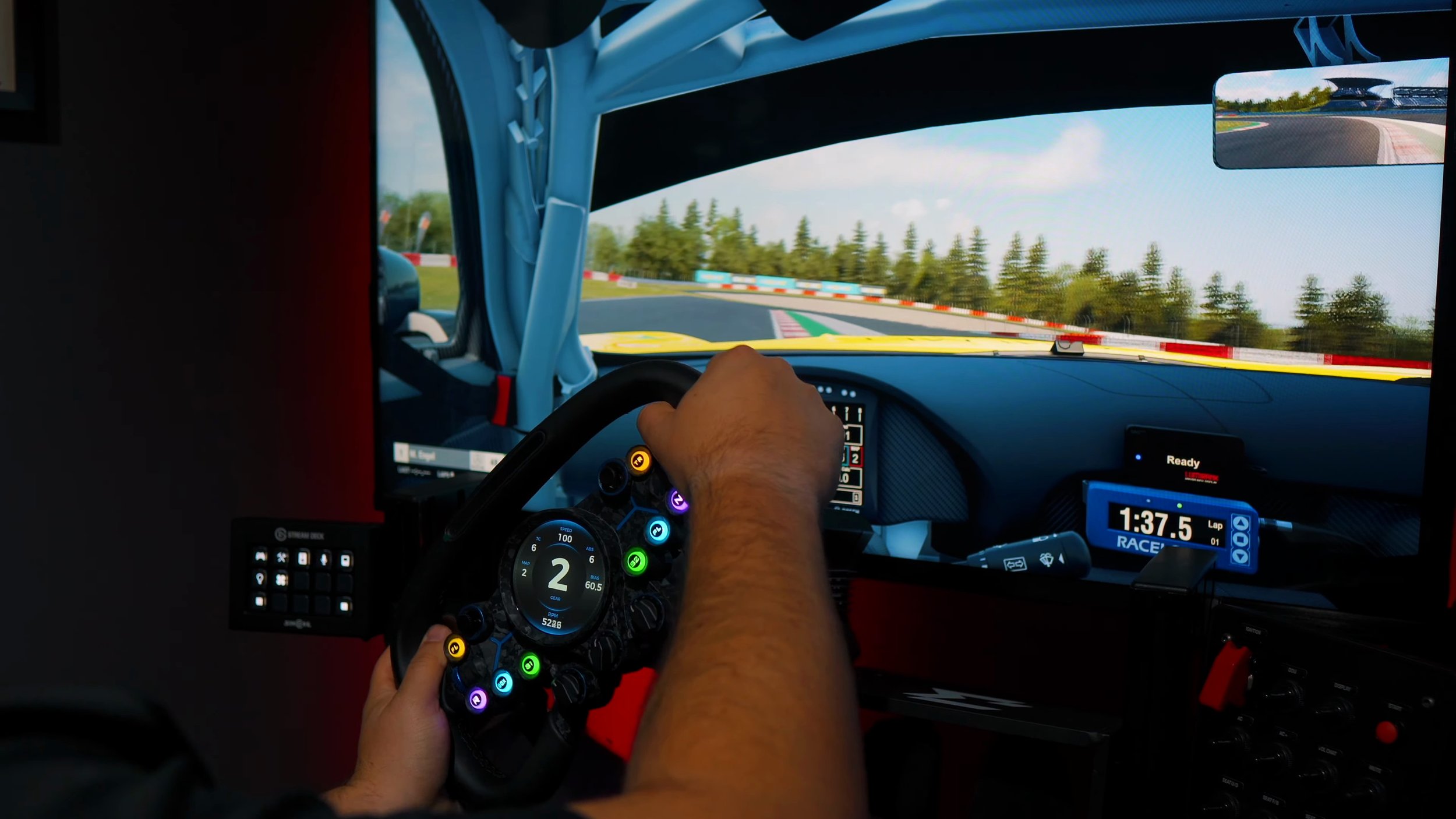
The 2.85-inch touchscreen was eye-catching, especially when I first powered it on. Its gyroscope-based rotation feature aimed to keep the information level as I turned the wheel.
During my original test, I could see a little wobble, stutter and blur in that movement. It felt like an early implementation, even though software updates had already improved it after the wheel arrived.
I noticed those effects less once absorbed in a race. My larger reservation was the screen’s location: I did not enjoy looking down at the centre of the wheel for information.
A separate dashboard or a screen near the top of a wheel was generally more useful to me. A different seating position might change that, but the 310 mm size was not what I wanted for formula-style driving.
These comments describe the firmware and software I used in 2024. They should not be taken as a fresh test of the latest version or a claim that its present behaviour is identical.
Customising the dashboard in Pit House
The dashboard editor was one of the most enjoyable surprises. I could place shapes and elements, import images and assign telemetry to create my own layout.
I spent hours experimenting and built a SimRacing Den-themed display. Starting from a supplied preset made it easy to try changes without designing everything from scratch.
The editor reminded me of familiar image-editing tools, with controls for properties such as thickness and opacity. It made this kind of customisation feel approachable.
For someone already comfortable building SimHub dashboards, the concept would not be new. I still liked seeing a manufacturer provide this level of flexibility inside its own software.
Using it on a third-party base
The supplied MOZA quick release felt solid. I also tested the wheel on my Simucube 2 Ultimate using MOZA’s Universal Hub arrangement and suitable mounting hardware.
The wheel connected to the hub through the port below its quick release, and the hub connected back to the PC. Pit House remained available for configuration.
That setup worked well for me, but it involved extra parts and cabling. Check the exact adapter and hub requirements for your wheelbase rather than assuming the wheel alone completes the installation.
My test was on PC. I would not infer console compatibility from the fact that a wheel can be mechanically fitted to a particular base.
Driving impressions and my verdict
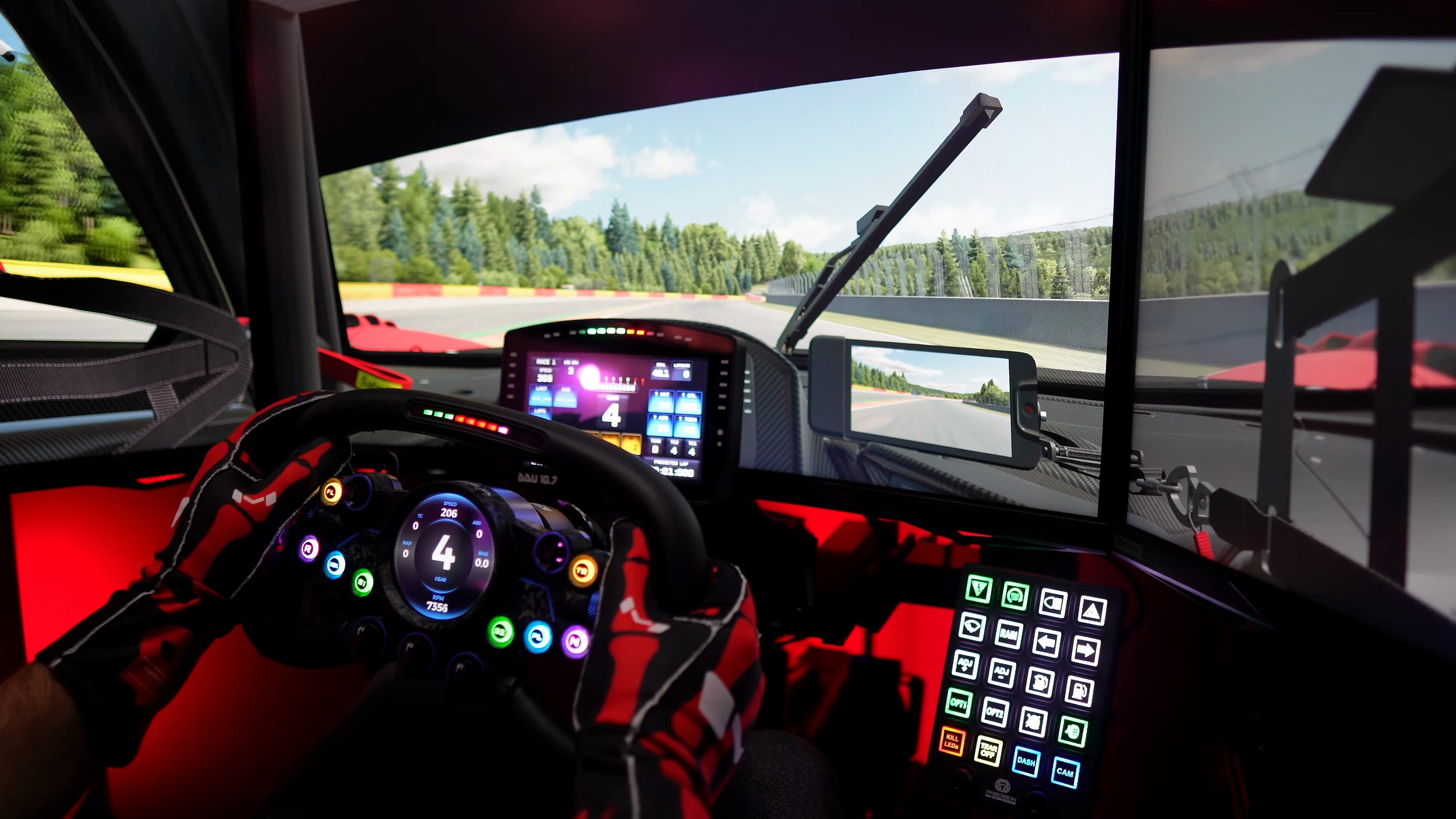
Going back and forth with MOZA’s KS wheel, I still preferred the KS shape. The Vision GS felt more premium, but its larger size never became quite right for my hands.
I would personally have liked a premium version of that KS-style design without a display. Someone who loves the Vision’s appearance and prefers the larger shape may reasonably reach a different conclusion.
My original review quoted US$749. Treat that as the October 2024 review price, and check the current regional listing and the total cost of any hub or adapter.
The Vision GS was well made, with excellent paddles and enjoyable software customisation. The circular display was impressive to experiment with, but it did not become an essential part of my racing.
For me, the decision came down to ergonomics and where I prefer to read information. I liked much of the hardware while remaining less convinced that this particular design was the best fit for my rig.
Explore the MOZA Vision GS.
Check the current price, available options and compatibility before ordering.
Shop Vision GS via my affiliate linkAffiliate link: I may earn a commission if you buy through this link, at no extra cost to you.
Confirm taxes, shipping and any required accessories at checkout.
About this article: Adapted from my original review script and video review. Driving impressions refer to the original review period. The official Vision GS listing was checked for the current product destination. This written version does not claim a new test of updated firmware.
Back to top ↑