
Review disclosure: MOZA supplied this CM2 free of charge for review before its release. These are my own impressions from the original January 2025 test; MOZA had no influence on my assessment. The product link is an affiliate link, and I may earn a commission at no extra cost to you.
When I first received the CM2, its direct USB connection caught my attention. A standalone display with a sharp screen and its own shift lights sounded useful beyond a MOZA wheelbase. After fitting it to the R12 on my rig, I liked the physical design immediately. The more important question was whether its software and mounting arrangement suited the rest of a particular setup.
My verdict at a glance
Best suited to: MOZA wheelbase owners who want a compact dashboard with straightforward mounting and Pit House customization.
What stood out: A crisp 5-inch screen, bright RGB lighting and an aluminum enclosure that felt more premium than the original price suggested.
What to consider: The four fixed height positions, finding a suitable mount outside MOZA, and the lack of SimHub support during my original test.
The original price and what came in the box
My January 2025 review quoted US$199 or €219 for the CM2. That is the original review price, rather than a promise of today’s price in every region.
For context, MOZA’s older CM HD Digital Dash was US$159 at the time and lacked the CM2’s shift and telemetry lighting. I thought the extra features made the CM2 competitive as a ready-made display, even though cheaper alternatives and DIY options existed.
The package included the MOZA mounting bracket, small mounting screws, an RJ11 cable for the wheelbase’s DASH port and a USB-A to USB-C cable for a direct PC connection. Installation on my MOZA R12 was straightforward.
A small screen with a premium feel
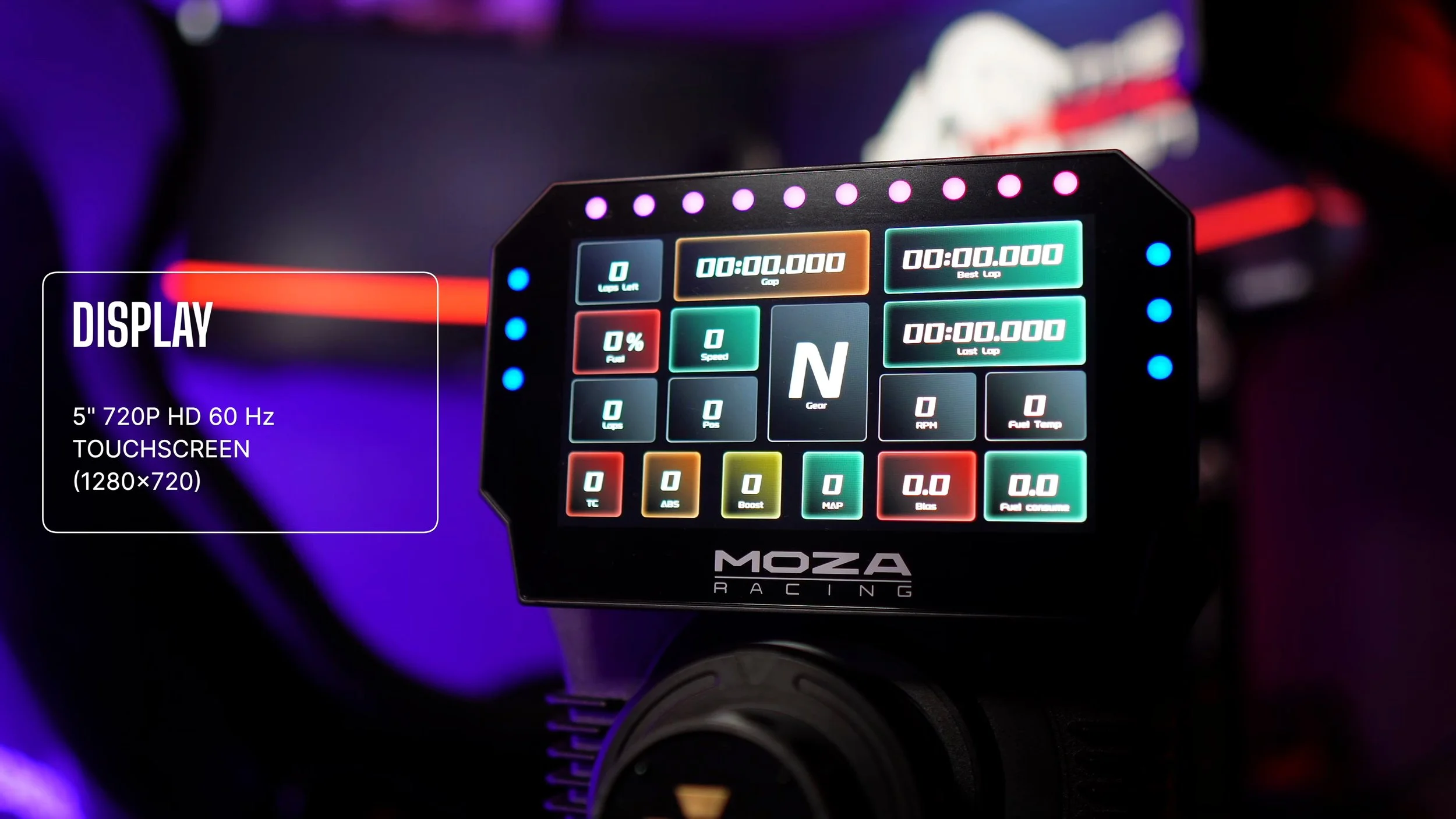
The 5-inch touchscreen has a 1280 × 720 resolution and 60Hz refresh rate. I found the image sharp and the touch response good for the dashboard information I was using.
I liked the slim aluminum-alloy enclosure and understated appearance. The screen looked neatly integrated above the wheelbase, without a bulky housing dominating the cockpit.
The five-inch size will not suit everyone. If you need larger text or more information visible at once, consider how far the display will sit from your eyes and whether the wheel will obscure any of it.
Ten RGB shift lights run across the top, with three additional flag lights on each side. They were bright and looked good in use, adding useful visual information around the screen.
Mounting and height adjustment
The steel mount felt secure on my R12, including during sessions on the ASR Pro Gen2 with D-BOX motion. The display stayed firmly in place.
Height adjustment used rear thumb screws and four preset positions. It worked, but I would have preferred a continuous sliding channel so I could choose the exact height instead of the nearest fixed position.
The included bolt-on bracket was designed for MOZA wheelbases. The USB connection let the dashboard communicate directly with my PC, but it did not make that bracket fit every other manufacturer’s wheelbase.
For another rig, I would plan the physical mounting separately. MOZA’s current manual also describes an adhesive mounting approach for third-party bases; that is different from having a dedicated adjustable bracket for each wheelbase.
Pit House gives you plenty to customize
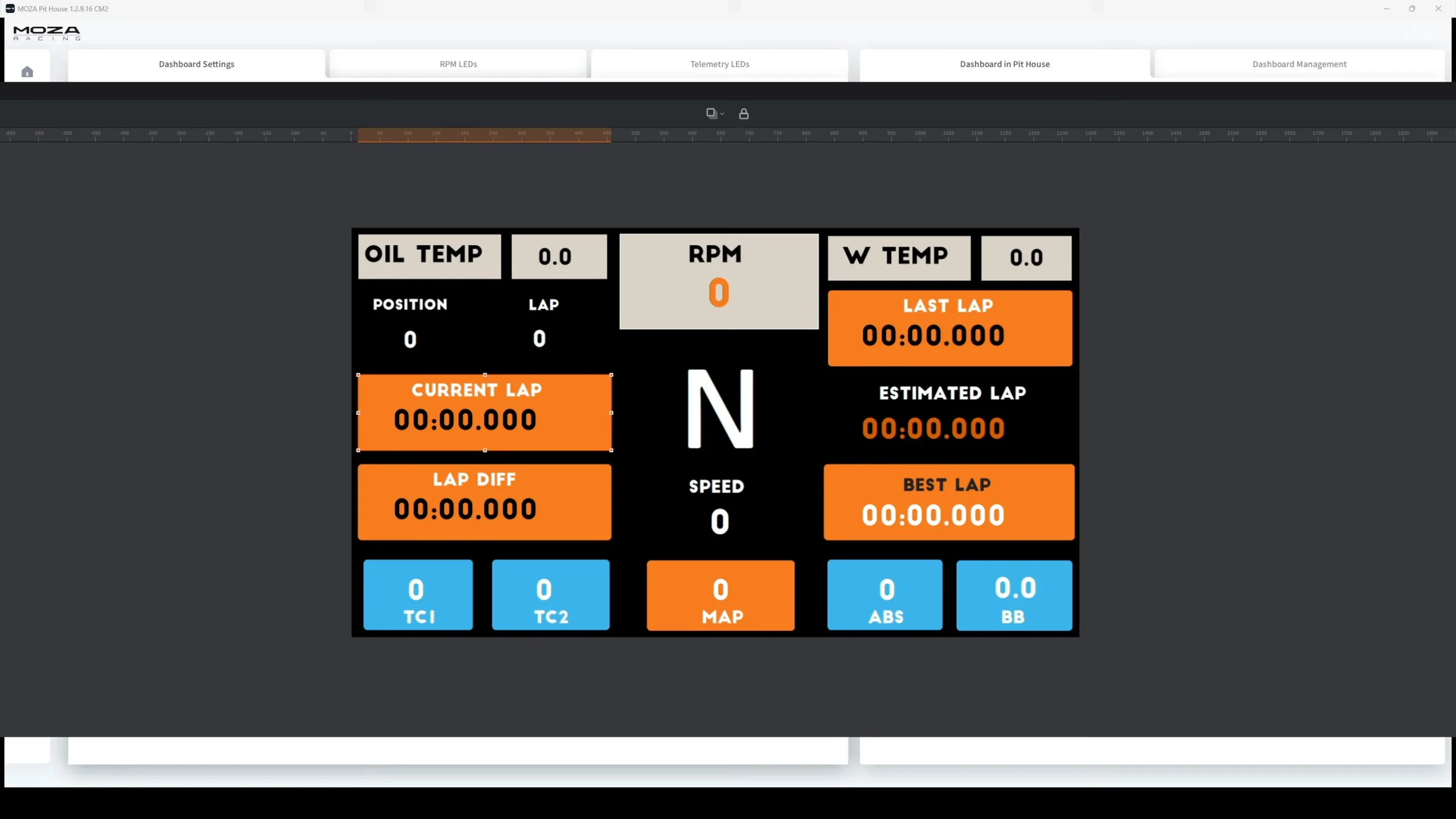
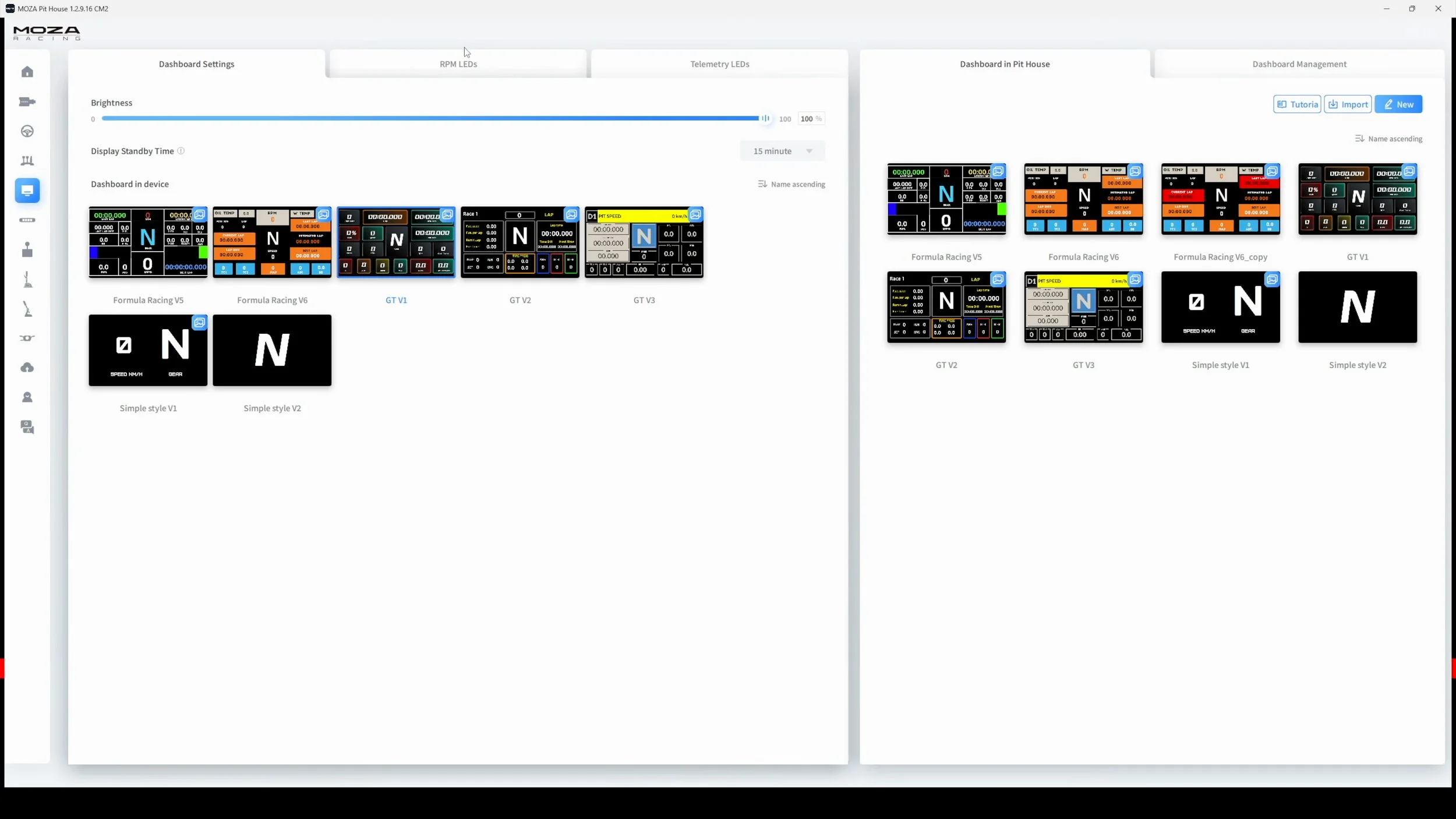
I used MOZA Pit House to select and edit dashboard layouts. The available designs included Porsche- and Ferrari-inspired layouts alongside MOZA’s own template.
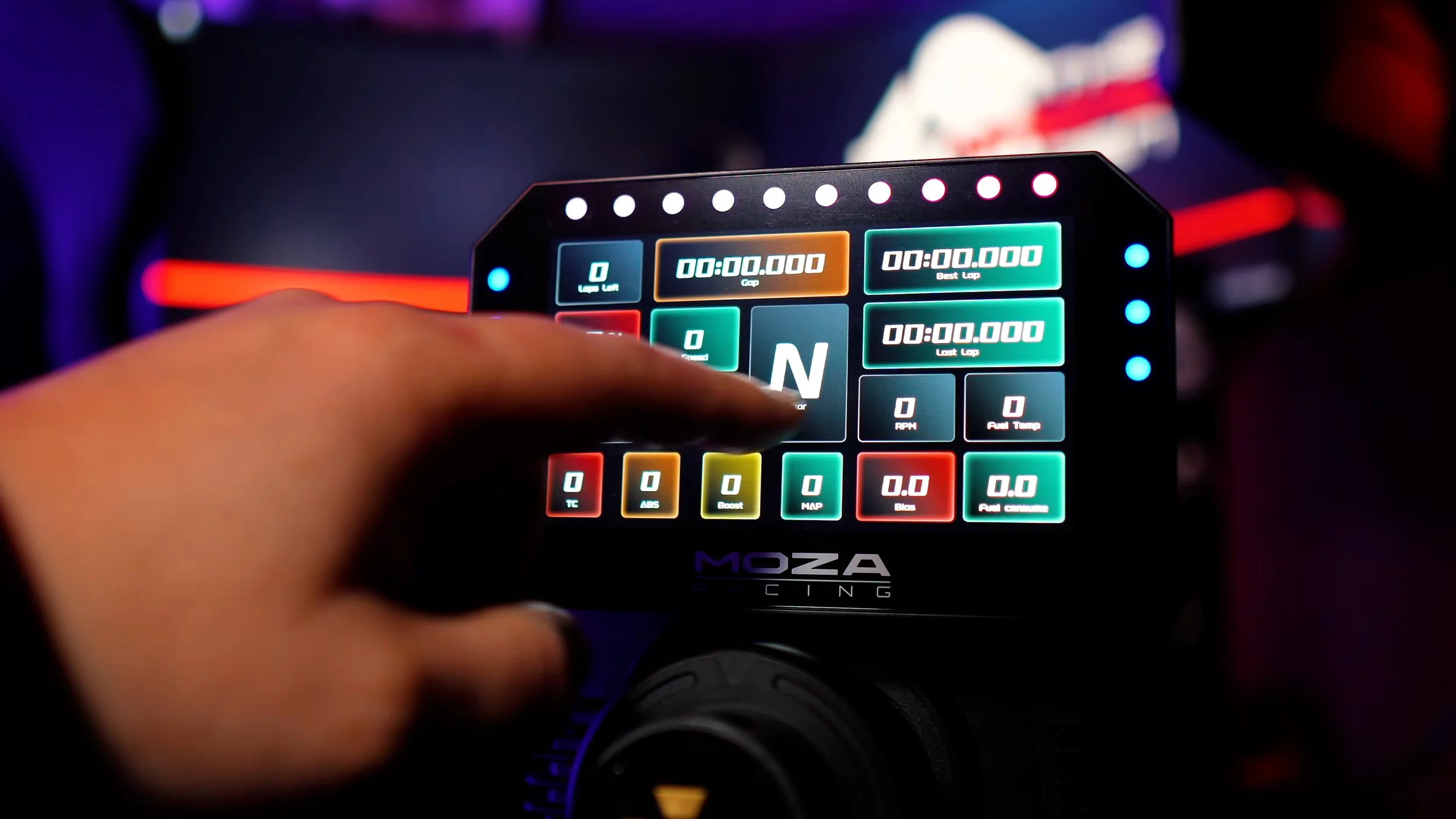
Swiping up or down changed the dashboard template, while left or right moved between pages within a template. The touchscreen was reasonably responsive and worked with my racing gloves.
I could adjust colors and displayed information, create layouts and import or export templates. That offered plenty of flexibility, especially for someone starting with their first separate dashboard.
MOZA now also advertises community sharing for custom designs. That gives owners another place to find layouts, though it does not establish compatibility with every dashboard made for other software.
Why I wanted SimHub support
During my original test, the CM2 did not support SimHub. I asked MOZA about it and was told they were working on compatibility, but there was no committed timeframe.
That mattered to me because I already used third-party dashboards and lighting profiles. I wanted the option to run my preferred Lovely Dashboard and Daniel Newman Racing profiles through the same software as other hardware on my rig.
Pit House offered substantial customization, but it did not replace that existing library and workflow for me. It was the main reason my recommendation was more qualified for people outside the MOZA ecosystem.
Those comments describe the January 2025 test. At the time of preparing this written article, MOZA’s official CM2 pages still present Pit House and its own dashboard system; I have not verified official native SimHub dashboard support. If a particular dashboard is essential to you, confirm current compatibility rather than buying on the expectation of a future update.
Shift lights and telemetry indicators
Pit House separated the dashboard, shift-light and side-light settings into different areas. The shift-light tab offered presets and adjustments, while the side indicators could be configured for flags, ABS and traction-control information.
I liked being able to change colors and behavior to suit my preferences. For many users, those built-in controls will cover what they need without building a complicated profile.
I still missed the option to use my preferred DNR lighting profiles through SimHub. That was a personal workflow consideration, but an important one if the rest of a rig already relies on that ecosystem.
Available telemetry depends on the game and software support. Choose the information you actually want to see, then check that the current setup can deliver it.
My final verdict
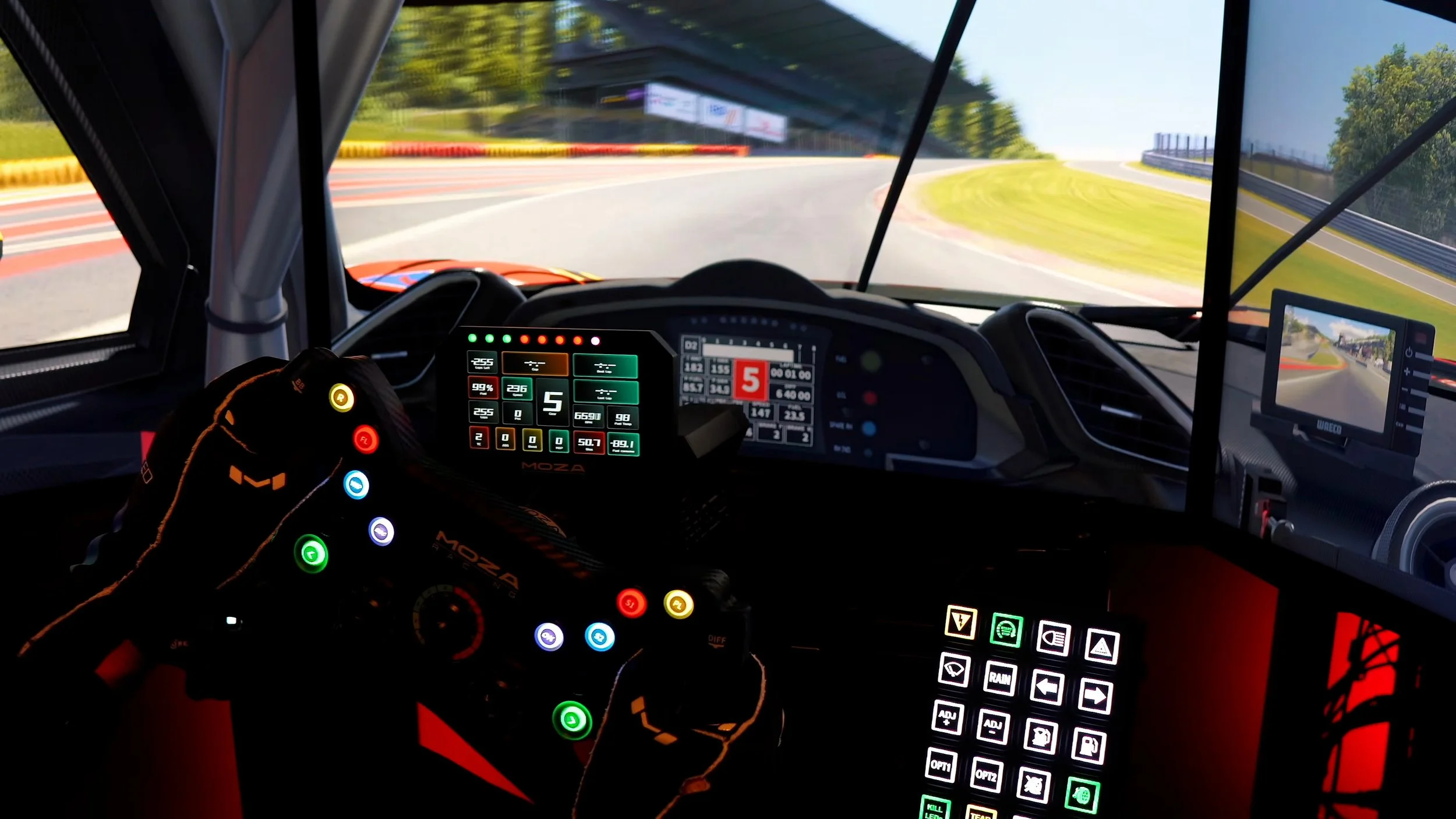
The CM2 made a strong first impression and backed it up with good build quality, a crisp screen and useful lighting. At the original US$199 price, I thought it offered excellent value as a finished dashboard.
For a MOZA wheelbase owner, the direct mount and Pit House integration made it an easy recommendation from my test. The physical package felt well considered and looked good on the rig.
For other users, the decision was less automatic. I would weigh the screen size, mounting plan and preferred software before choosing it over a SimHub-based display.
My criticisms did not change what I liked about the hardware. They simply defined who I thought it suited best: someone comfortable with MOZA’s dashboard tools who wanted an attractive, compact display, rather than someone buying specifically to reuse a SimHub dashboard collection.
Explore the MOZA CM2.
Check the current price, available options and compatibility before ordering.
View the CM2 at MOZAAffiliate link: I may earn a commission if you buy through this link, at no extra cost to you.
Confirm taxes, shipping and any required accessories at checkout.
About this article: Adapted from my original review script and video review. Driving impressions refer to the original review period. Current reference information comes from the official CM2 overview, MOZA support page and CM2 manual. Software impressions remain tied to my original test.
Back to top ↑