
Review disclosure: I purchased the Control Center with a creator discount from Bavarian SimTec in exchange for an honest review. It was not a free review unit. These are my own impressions from January 2025, with a later software update clearly identified below. Affiliate links may earn me a commission at no extra cost to you.
After enjoying Bavarian SimTec’s ALPHA wheel, I wanted to try more of its hardware. The Control Center stood out when I saw it at SimExpo, particularly because I was already using a Precision Sim Engineering Pro Switch Panel. I bought the BST unit to see whether its construction and multi-function encoders added enough to justify choosing it over a panel I already liked.
My verdict at a glance
Best suited to: Someone seeking a premium illuminated button box who values metal construction, multi-function encoders and an integrated USB hub.
What stood out: The aluminum body, tactile buttons, clear lighting and ability to assign several functions to one encoder.
What to consider: Firm encoder rotation, fixed labels and mounting reach. My software criticism concerns the original launch; DNR now lists Control Center support.
The original price and comparison
My January 2025 review quoted €331.93 for the Control Center, excluding shipping and import fees. I compared it with the Precision Sim Engineering Pro Switch Panel, which was £249 at the time.
Those are historical prices, and the currencies and regional taxes make a direct comparison less simple than placing two numbers side by side. Check the complete delivered price for your location.
I had been using the Pro Switch Panel since purchasing it the previous year. That gave me a useful reference for the controls and day-to-day appeal of a separate button box, rather than judging the BST unit solely by its specifications.
The aluminum construction makes an impression
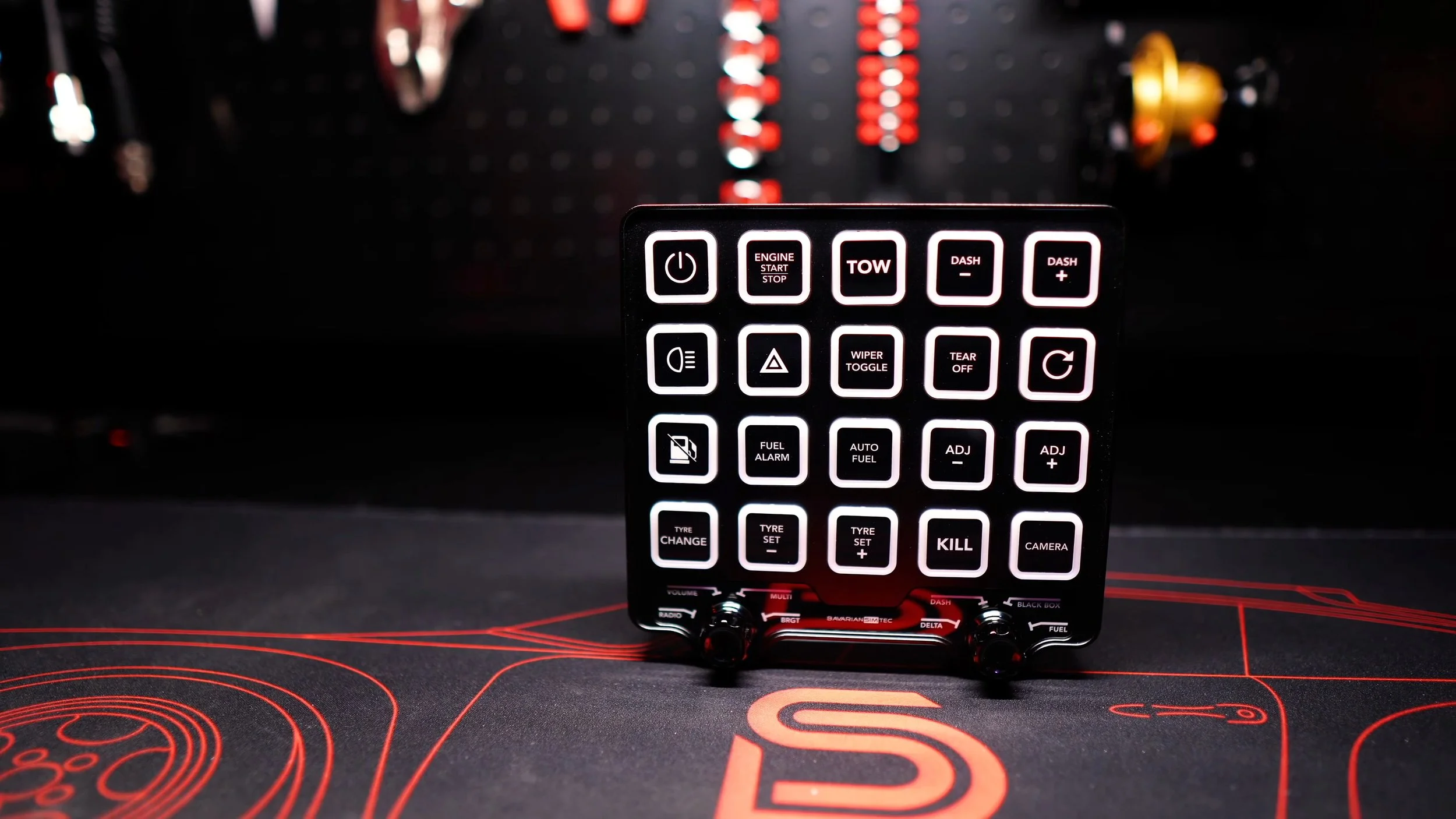
The Control Center’s machined 6061 aluminum body felt premium. I appreciate high-quality materials on the rig, and this was one of the clearest physical differences from my plastic-bodied Pro Switch Panel.
The 20 illuminated push buttons had satisfying tactile clicks. I slightly preferred their feel to the PSP’s, but the difference alone would not be enough to decide between the two.
The lighting was bright and customizable. I also liked the relatively subtle illuminated logo between the encoders and the simple overall appearance.
The horizontal layout suited the position of the knobs along the bottom. Orientation is partly personal preference, but the printed labels meant I preferred using it in its intended landscape arrangement.
BeamTec adds functions without adding more boxes
The two aluminum multi-encoder knobs were a major attraction for me. Pressing and turning an encoder let me switch its assigned function, putting several controls into the same physical space.
I like keeping my rig relatively uncluttered, so that flexibility appealed more than simply adding another box full of buttons.
The knobs required a firm turn. That helped avoid accidental changes, but I would have preferred less resistance for quick adjustments.
The illuminated function labels were fixed even though I could assign different actions. I used several of the named functions, but wished I could choose different physical labels for others.
The Pro Switch Panel’s seven-way switches offer a different control style. I would choose between them based on the functions I use most and the actions that feel natural to reach during a race.
A useful USB hub and an adjustable mount
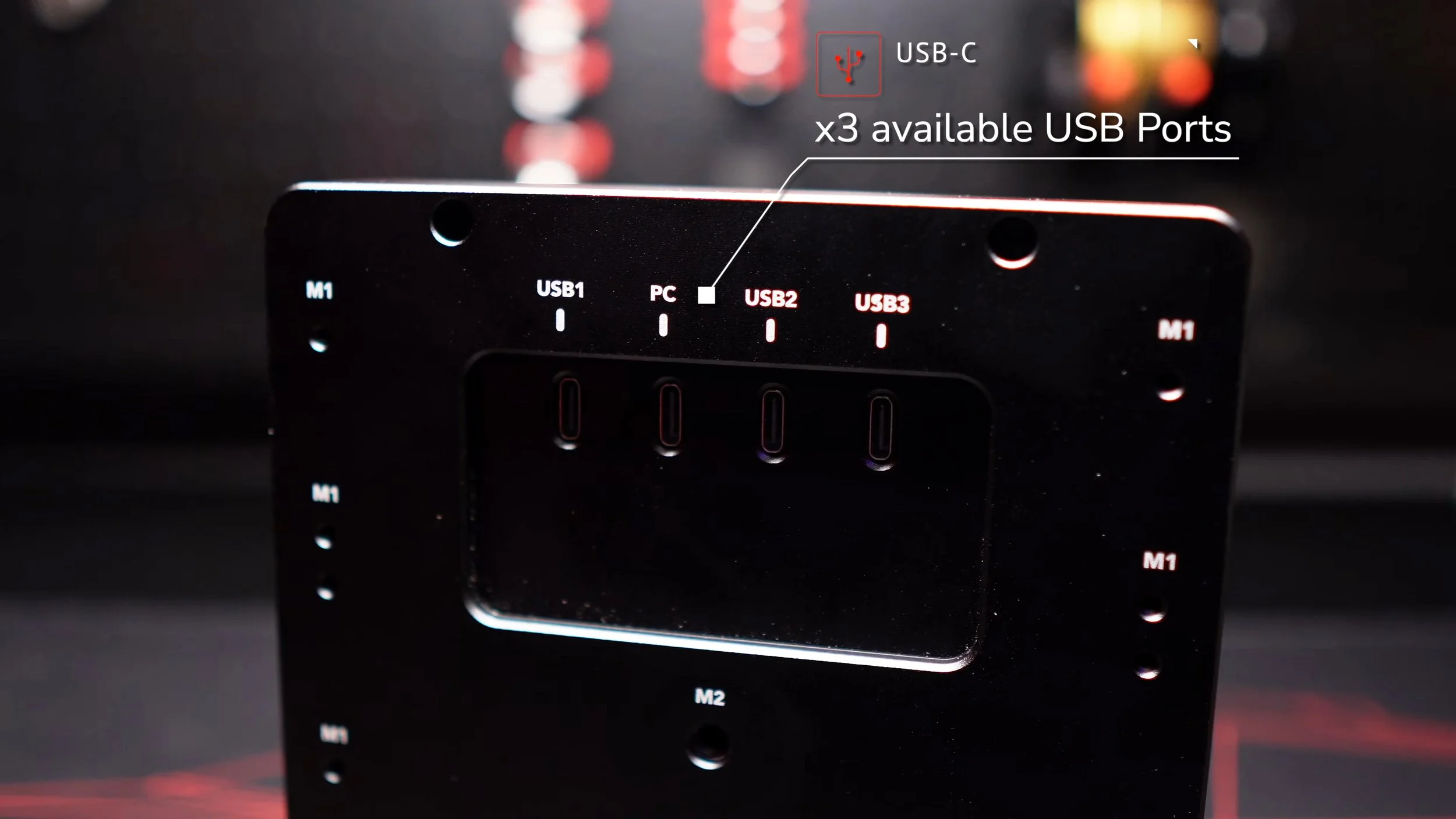
The rear connections included one USB port for the PC and three additional ports for peripherals. I connected my nearby SimCore SDC1 control box, and found the extra connection points genuinely useful for that installation.
The included USB-A to USB-C cable was two meters long. The integrated hub helped keep a nearby accessory connected without running every cable separately back to the PC.
The supplied magic arm attached the Control Center to my aluminum-profile rig and offered plenty of positioning flexibility. I wished the arm were slightly longer, but it worked for my setup.
I already owned several magic arms, so I would have liked the option to omit it and save some money. For someone without a suitable mount, however, including the arm made the package easier to put into use.
Make sure the box ends up comfortably within reach. A good mounting location matters as much as the controls themselves when making adjustments during driving.
Labels that align neatly, but still use stickers
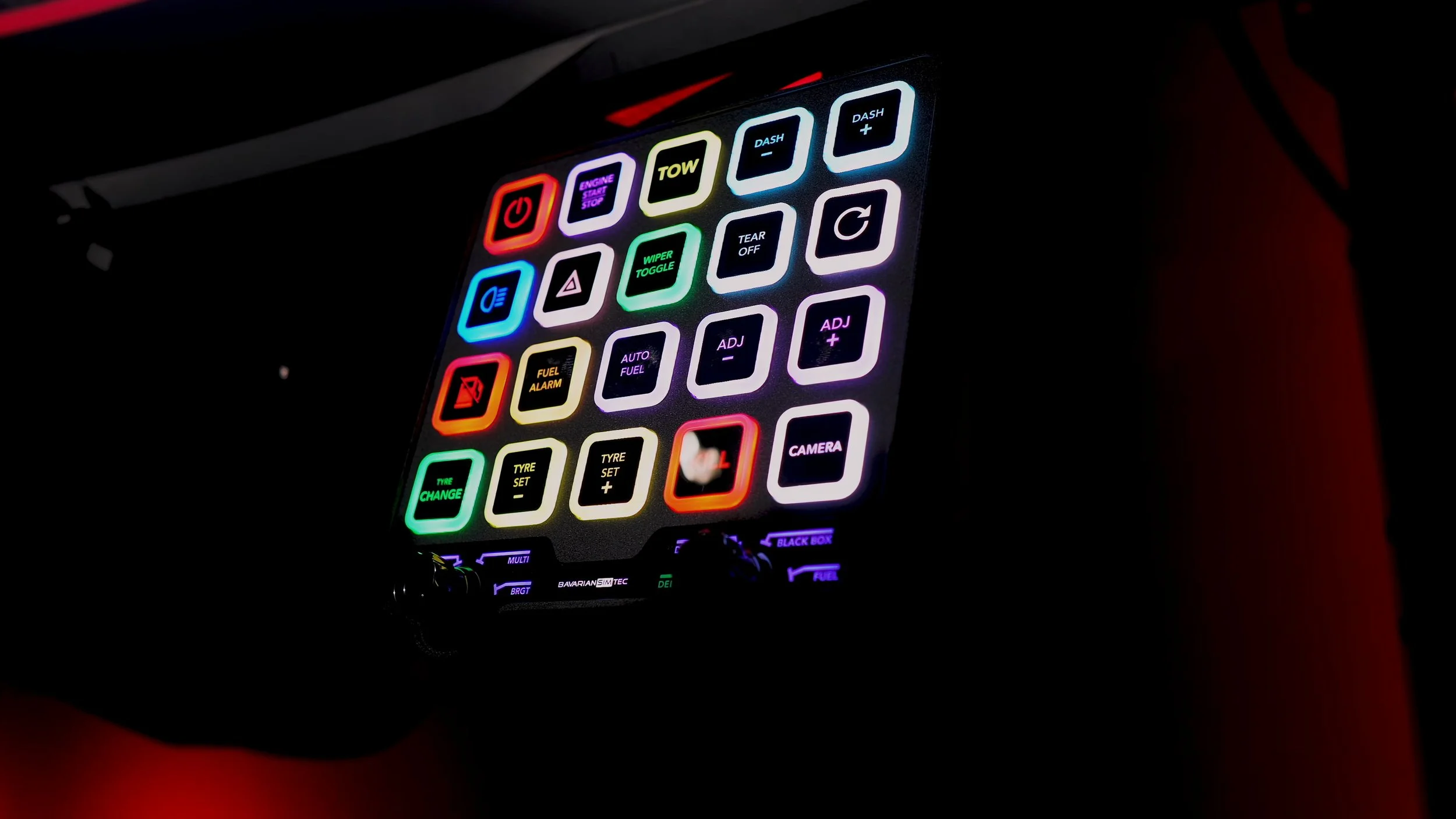
The included stickers were good quality and easy to align on the buttons. I am particular about straight labels, so I appreciated that small detail.
I still wanted replaceable labeled button caps rather than stickers. It is a feature I would happily pay more for, and one that would suit a product positioned at this end of the market.
That was a preference rather than a fault in the supplied labels. The stickers looked good once applied; interchangeable caps would simply make changing assignments feel more finished.
The software experience at launch
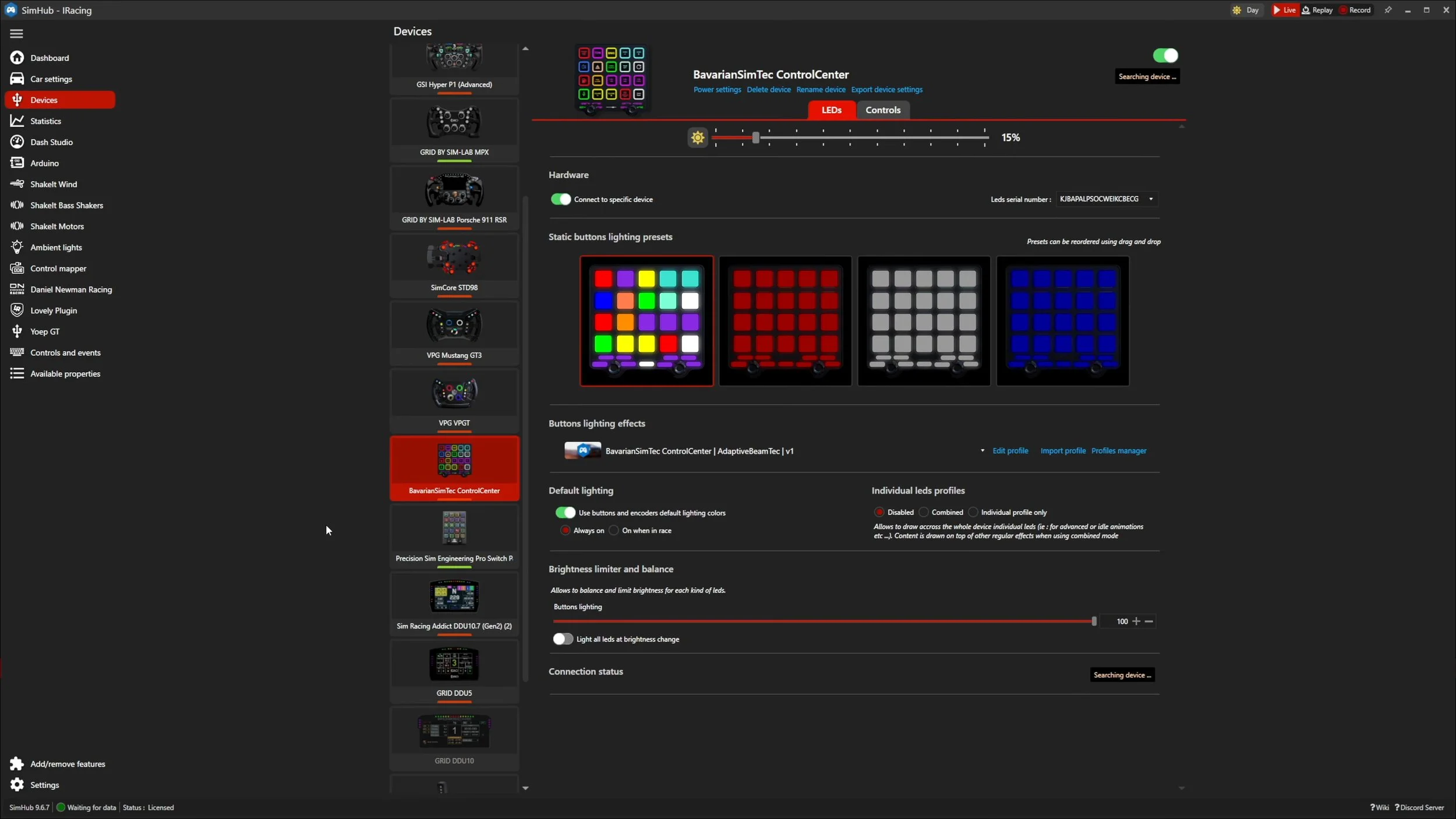
At the time of my January review, BST’s own software was not available to me, so I configured the Control Center through SimHub. I welcomed SimHub compatibility, but the included default profile did not deliver the richer telemetry and button effects I wanted.
Creating a detailed profile takes time. I preferred using Daniel Newman Racing profiles across my accessories, and expected DNR support to become available for this unit.
It was not ready during my test. I thought the launch would have been stronger with a more complete profile and easier configuration, particularly for users who were less comfortable working in SimHub.
In a later pinned comment on the video, I explained my disappointment after BST indicated it would focus on PitStopApp rather than supporting the expected DNR collaboration. That comment recorded the situation then; it is not a statement that DNR support remains unavailable today.
Software update for this written article
As checked in September 2026, DNR’s own support documentation now explicitly lists the Bavarian SimTec Control Center among supported button boxes. It describes a dedicated layout, button-box themes and effects.
BST also now offers PitStopApp as standalone software, and its roadmap marks ControlCenter implementation as completed.
That is a material change from the launch experience described above. I have not performed a new hands-on software test for this article, so these are documented support updates rather than new driving impressions or a claim that every issue is resolved.
If a particular profile or effect is central to your purchase, check the current DNR and BST requirements. The original criticism remains useful context, but should not be read as the present software feature list.
Would I choose it over the Pro Switch Panel?
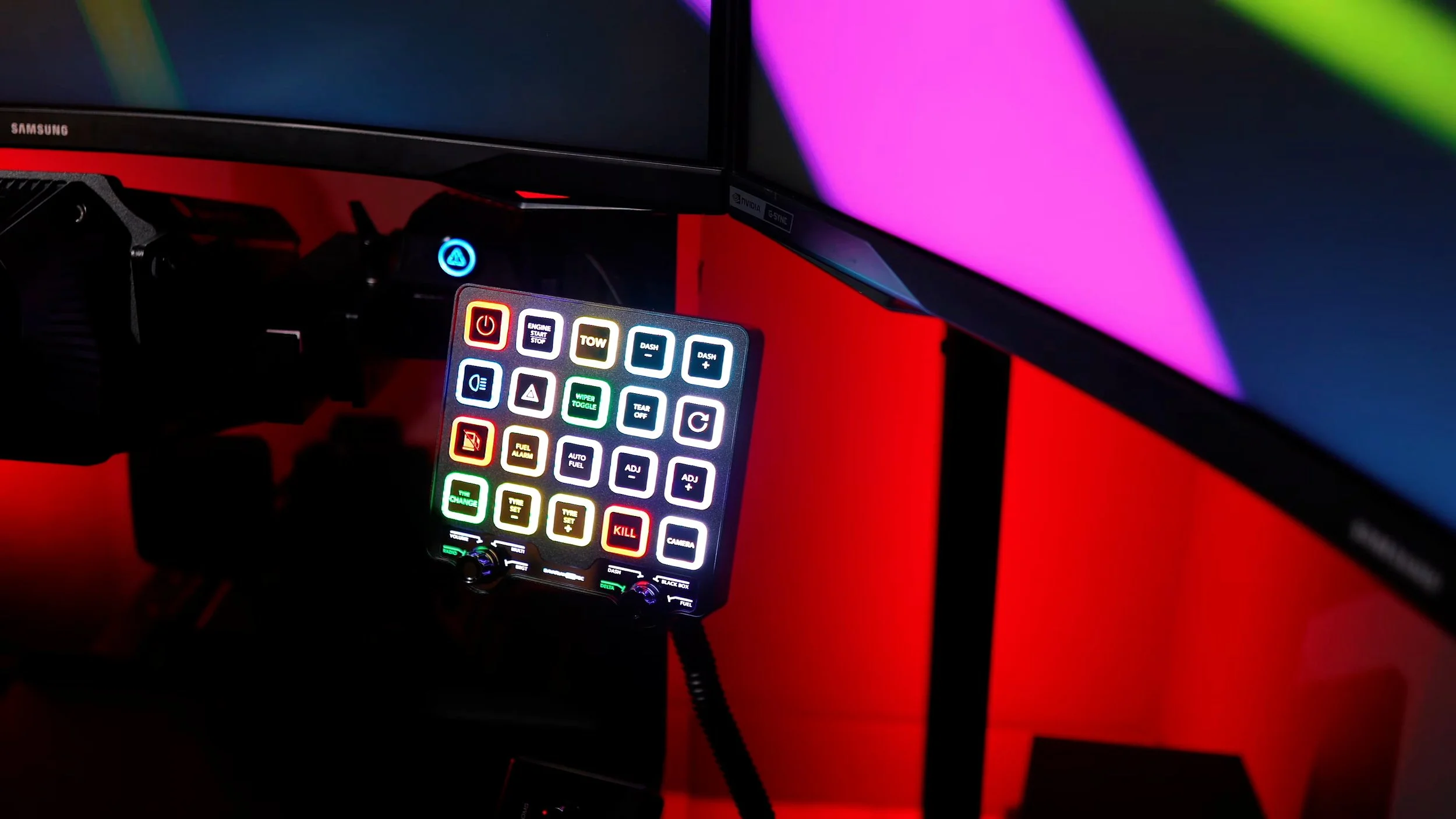
For a new premium button-box purchase, the Control Center was my preference in the original review. Its aluminum construction, multi-function encoders and USB hub were the features that most justified it for me.
That does not mean an existing Pro Switch Panel owner needs to replace a product that is working well. The differences may not be compelling enough to justify buying another panel.
Some drivers will prefer the PSP’s seven-way switches or portrait layout. I valued BST’s construction and encoder flexibility more, while still wanting a more complete software experience at launch.
The Control Center was a well-made piece of hardware with a few clear preferences on my wish list: lighter encoder rotation, customizable labels, more mounting choice and better launch software support. Those tradeoffs are more useful to the decision than calling either panel universally better.
Save 5% on the Control Center.
Check the current price, available options and compatibility before ordering.
SIMRACINGDEN3Affiliate link: I may earn a commission if you buy through this link, at no extra cost to you.
My current video description lists 5% off selected products, including ControlCenter, with SIMRACINGDEN3. Confirm the discount at checkout; retailer terms apply. View the official ControlCenter product page →
About this article: Adapted from my original review script and video review. Driving impressions refer to the original review period. Later support information comes from DNR’s supported button-box list and BST’s PitStopApp page. The hardware assessment remains based on the original review.
Back to top ↑